Translate Your Airtable Portal Into Any Language
The words your portal's users read now have boxes you can type in, so a portal can run in French, German, Spanish, or any language your customers speak.

The question that started this
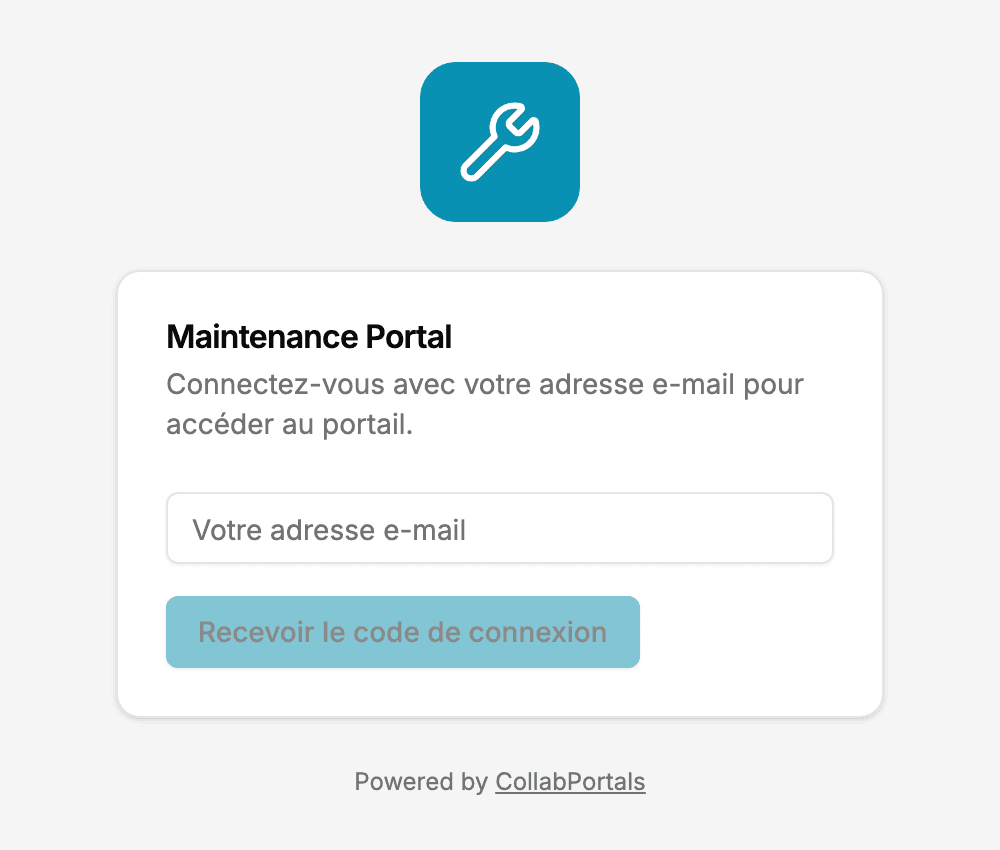
A customer in France asked us a simple question: their clients see "Log in with your email address to access the portal", "Your email", "Send login code". Could those be French?
Until recently the honest answer was "mostly not". Two weeks ago we shipped labels, which let you rename what your records are called, table by table. That covered the words about your data. It did not cover the words around it: the sign-in screen, the sidebar, the filter panel, the login email.
Now each of those has a box. Your portal can run in French, German, Spanish, Japanese, or whatever your customers speak, without you touching anything but the settings.
The rest of your portal's words
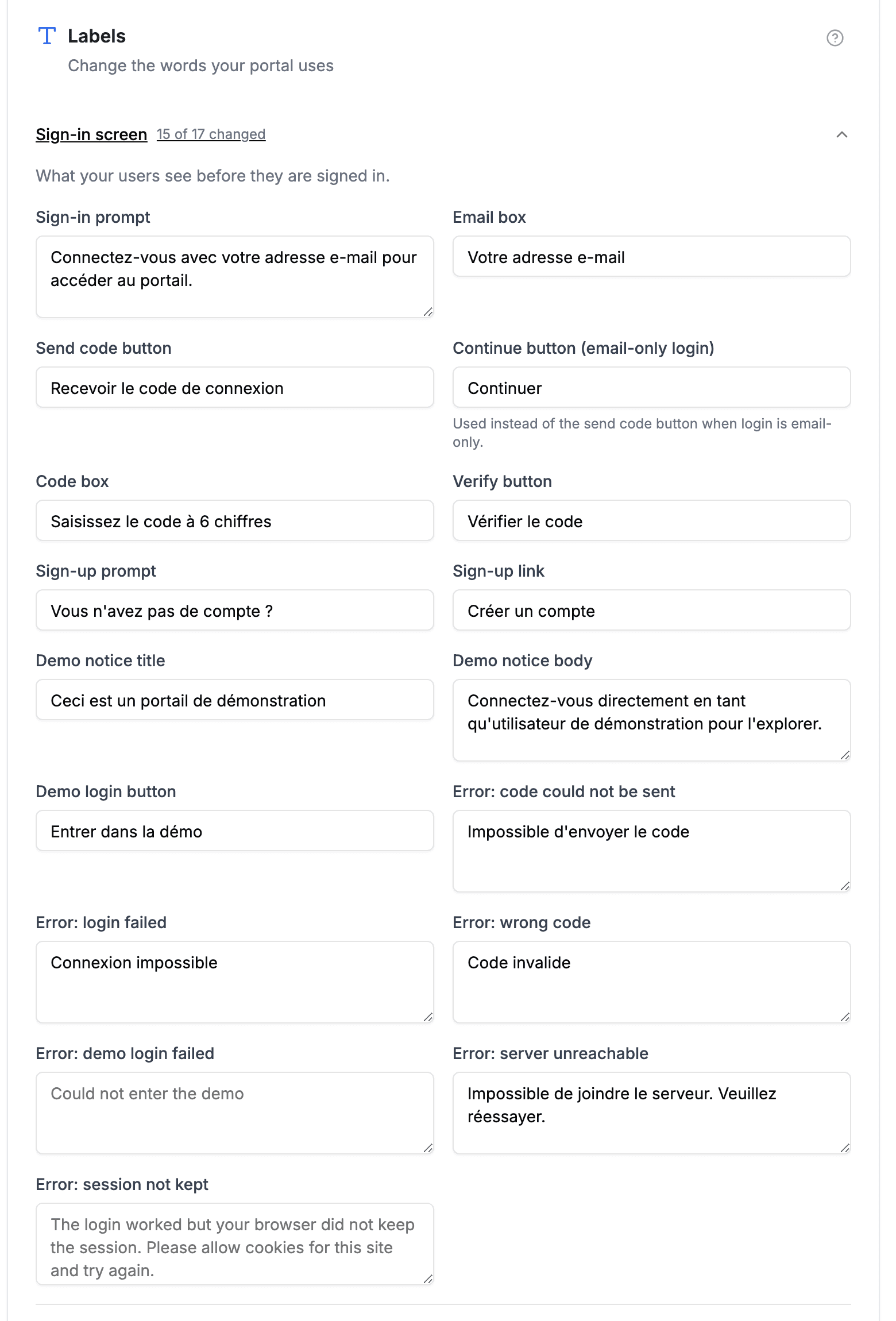
Your portal's settings now have a Labels tab of their own, next to each table's. It holds every string your users read that is not about one table's records, organised into eight sections: the sign-in screen, sign-up and registration, navigation and account, filters, search and sorting, record actions and forms, fields and attachments, loading, empty and error states, and the calendar, kanban and FAQ views.
It works the way the table tab does. Every box is optional. An empty box shows the built-in wording in grey, so you always know what you are replacing, and anything you skip stays as it was until you get to it. Some boxes carry a token in curly brackets, like {count}, where a number or a name gets filled in: "Show more" becomes "Afficher 3 de plus".
And here is what users see:
The login email is yours too
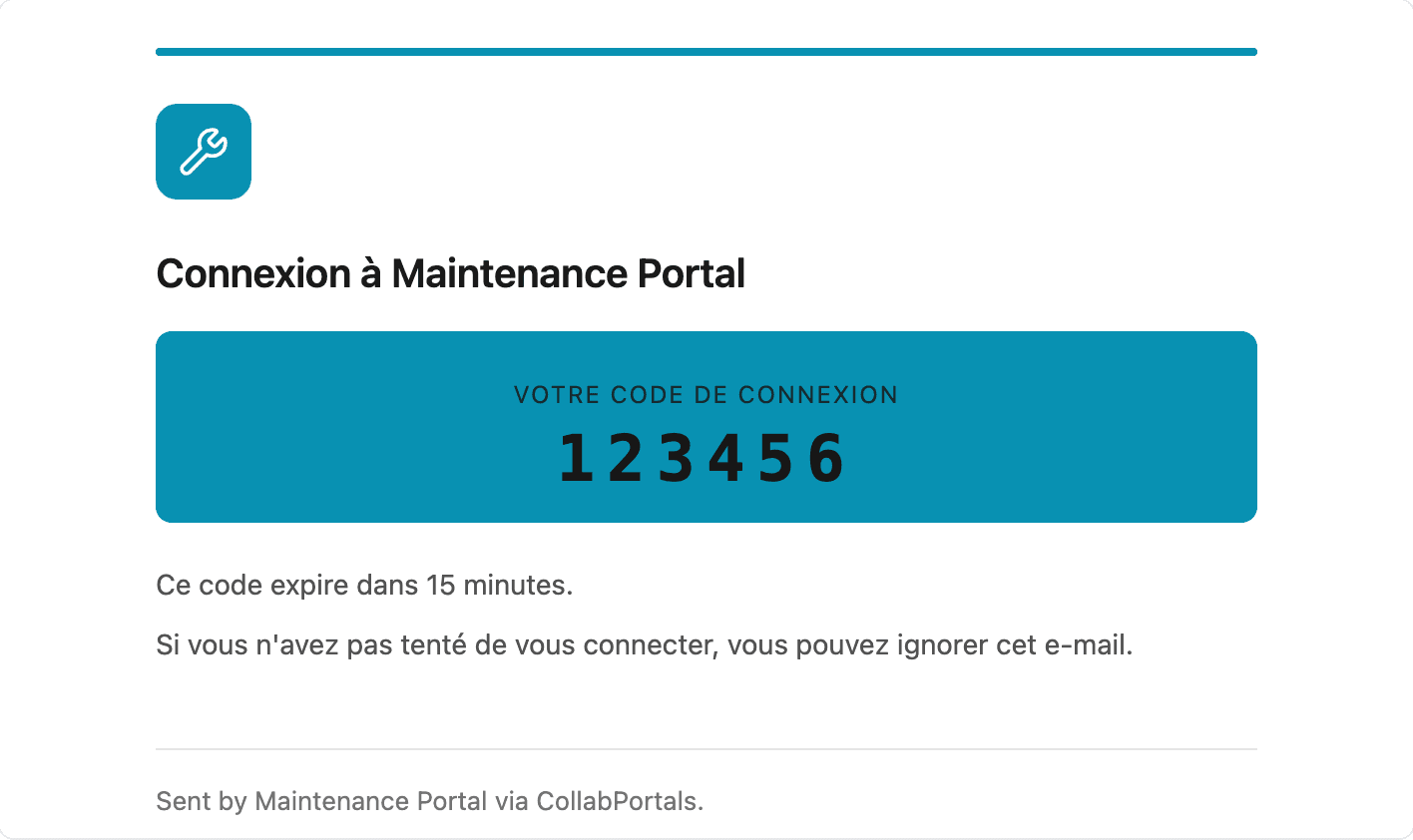
The login code email is the one email every portal user receives, and every line of the message is now editable on the Emails tab: the subject, the preview text an inbox shows when there is no intro line, the heading, the intro line itself, and the words around the code, including the expiry line.
Your logo and brand colour are already applied automatically. The tab shows a live preview as you type, and a Send me a test button puts a real copy in your inbox, so you can read it the way your users will before any of them do.
Your own welcome, formatted
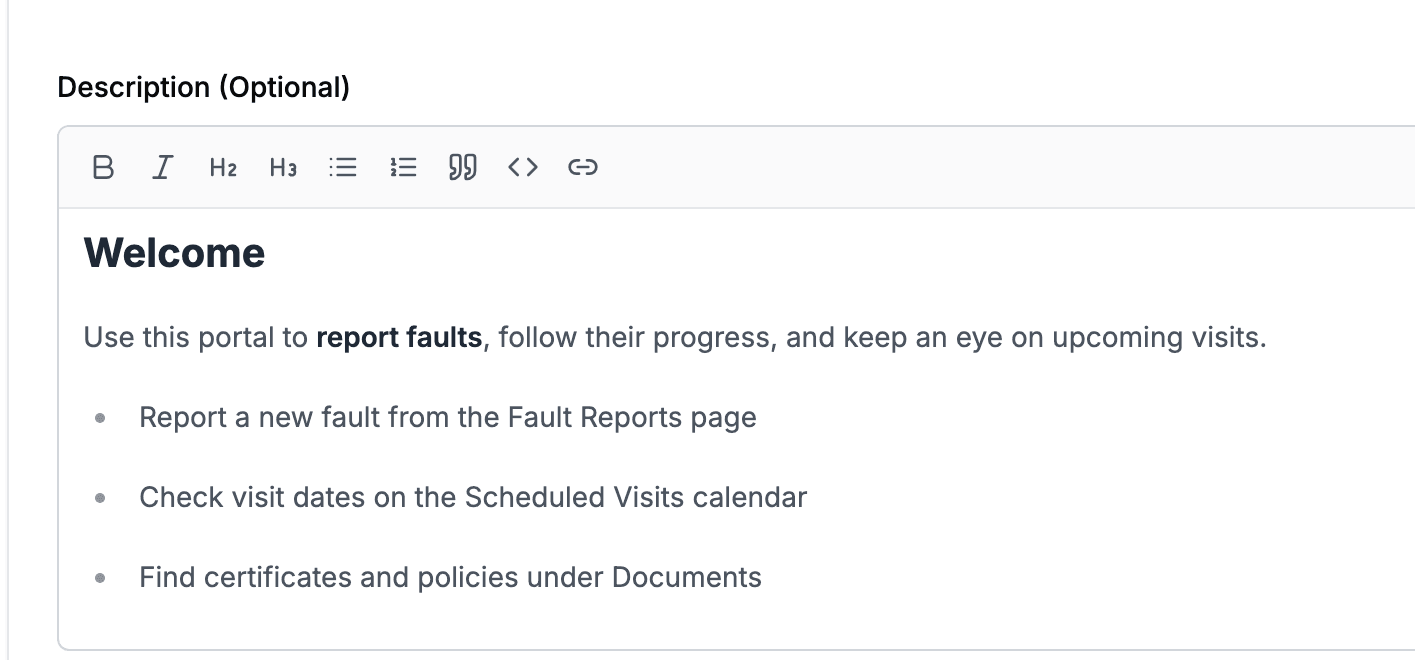
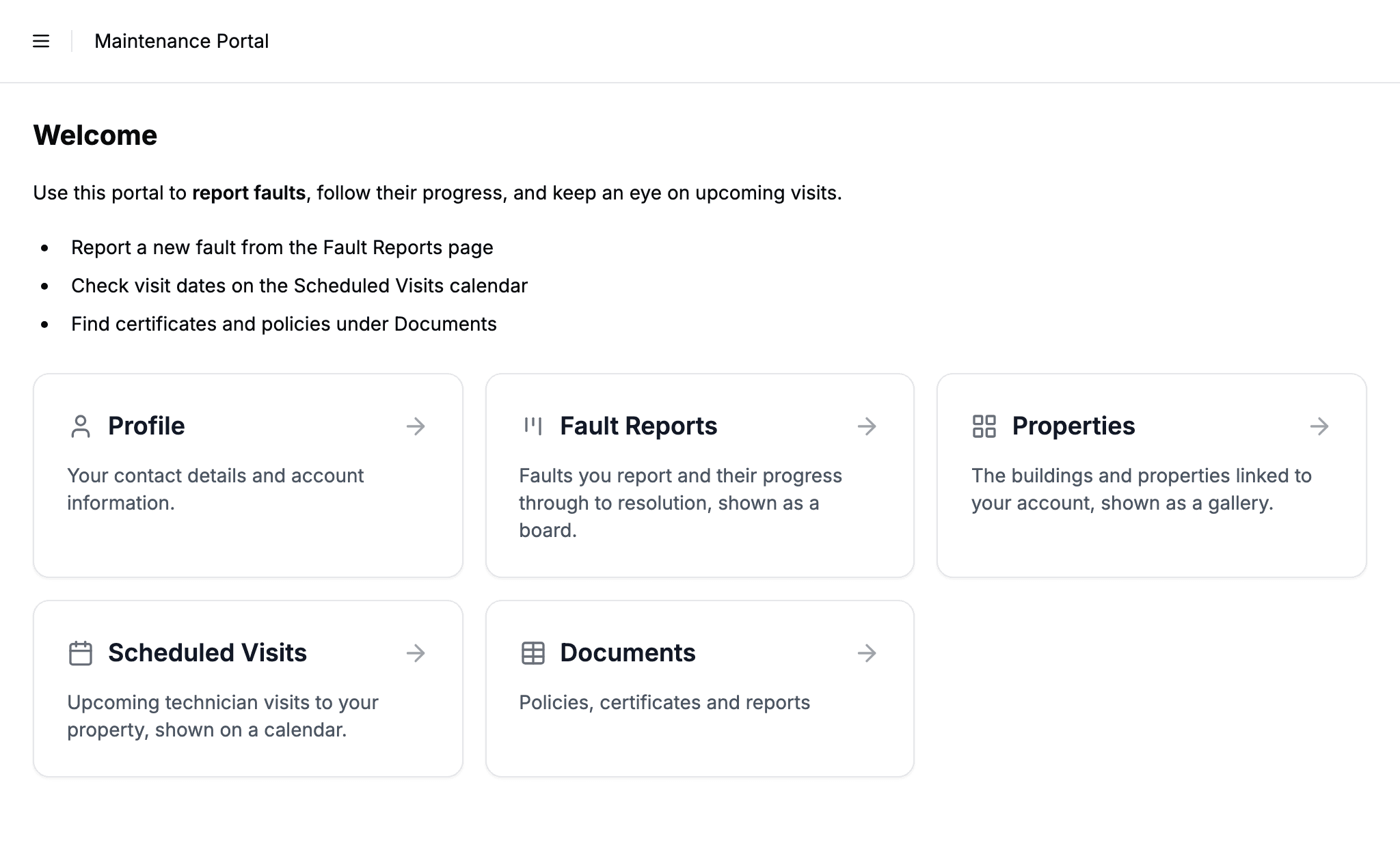
One more wording change from the last fortnight: the portal description is now a proper formatting editor rather than a plain text box, and it shows on the portal home page below the header. Headings, bold, lists, quotes and links all work, and markdown shortcuts do too. It is the right place for a short welcome in your users' language, and a pointer at the page they most likely want.
What a full translation takes
Three passes, all in the settings:
- The portal's own words, on the portal-level Labels tab. Start with the sign-in screen, since it is the first thing users see.
- Each table's record words, on the table's Labels tab: dossier, intervention, demande. Check the plural, which we fill in with an English "s".
- The login email, on the Emails tab.
Field names come from your Airtable base, so rename the fields there and the portal follows. Page names have a box of their own on each table's Labels tab, so a table whose Airtable name has to stay as it is can still show your users a name in their language. The full walkthrough, including the short list of what cannot be translated yet, is in the labels documentation.
Who this helps
Anyone whose users do not work in English, and anyone whose users simply do not talk the way software does.
- Client portals, where the words your clients see are part of the service
- Maintenance portals run for tenants and contractors in their own language
- Membership portals for clubs and associations outside the English-speaking world
How it compares
Most Airtable portal builders treat translation as an integration. Softr's documented route is Weglot, a separate subscription that machine-translates the rendered page. Noloco lists multi-language portals as an open feature request, with community-written custom code as the current workaround.
We went the other way: the boxes are part of the product. You type the words once, they are stored with the portal, and there is no add-on, no per-word pricing, and no machine translation guessing at your terminology. The trade-off is honest too: you write the translation yourself, and it is one language per portal rather than a switcher.
Getting started
Open your portal in the admin, go to Portal Setup, then the Labels tab. Work through the sections, press Save, and reload your portal.
Full details are in the labels documentation, including how table labels and roles interact and what stays in English.
Let me know what language your portal runs in, or if there is a word you still cannot change.

About the author
Matt Shepherd
Founder, CollabPortals
Matt is the founder of CollabPortals. A software engineer and Airtable power user who kept running into the same frustration: no easy way to give external users a simple and secure view to edit their data. He built CollabPortals as the lightweight solution to that problem, allowing you to set up a secure, permissioned portal in a few clicks.
Related reading
Clients
Give your clients secure, branded access to their project data in Airtable. No extra seats, no code, no complex setup, just share a link.
Use caseMaintenance
Let tenants, clients, or building occupants submit fault reports with photos and track repair status through a portal connected to your Airtable maintenance database.
Use caseMembership Management
Give your members secure, self-service access to their profile, roster, and account data in Airtable. No extra seats, no member login headaches.
ComparisonCollabPortals vs Softr: Lightweight Portal or Full App Builder?
Compare CollabPortals and Softr for Airtable portals. See how a $10/month focused portal tool stacks up against a full no-code app builder starting at $49/month.