Build an Airtable Membership Management Portal
Give your members secure, self-service access to their profile, roster, and account data in Airtable. No extra seats, no member login headaches.

See it working, then start from a ready-made Airtable base.
See a live demoCopy the Airtable templateThe Problem: Members Need Access, But Not to Everything
You run a membership organization: a professional association, a consortium, a cooperative, a chamber of commerce, or a trade group. Your operations live in Airtable because it handles the relational data well. Members, contacts, dues, events, certifications, committees.
But giving members access to their own data is harder than it should be:
- Email requests - members email you to update their address, add a new employee, or check their status. You become the bottleneck.
- Member directories as spreadsheets - outdated the moment you share them. No access control. Everyone sees everything.
- Adding members to Airtable - $20/month per seat. For a 100-member organization, that's $2,000/month for people who just need to see their own record.
- Dedicated membership platforms - Wild Apricot, MemberClicks, or similar. $50-300/month, rigid data models, and your data lives in two places.
What you need is a portal where each member logs in, sees their own data, updates what needs updating, and stays out of everyone else's records.
How CollabPortals Works for Membership
CollabPortals connects to your Airtable membership base and creates a branded portal. Upload your logo so members see your brand on every page. They log in with their email, get matched to their record, and interact with only the tables and fields you allow.
Example: Industry Consortium Portal
A safety services company manages a consortium of trucking companies. Each member company has contacts, employees (drivers), service subscriptions, and compliance records.
What members see:
| Table | Member Access | Purpose |
|---|---|---|
| My Company | View, edit | Members update their company details, address, and service selections |
| Our Drivers | View, create, edit, delete | Members manage their own roster of drivers |
| Our Contacts | View only | Members see who their points of contact are |
| Onboarding Progress | View only (via lookup fields) | Members track where they are in the setup process |
| Internal Operations | Hidden | Consortium admin workflows, billing, scheduling |
Members log in, see their company profile, manage their driver list, and check their onboarding status. The consortium admin never has to field "can you update our driver list" emails again.
Build a Membership Portal Step by Step
Here is how the live demo above is put together. It takes about an hour the first time, with no code involved.
- 1
Set up your Airtable base
Start in Airtable with a table for each part of the membership: an Organizations table for your member companies, a Representatives table for the people at each one, an Events calendar, a Documents library, and a Contacts table for the people who log in. Contacts is the hub. It holds each member's email, and the other tables link back to it, so each organization only ever sees its own people and records.
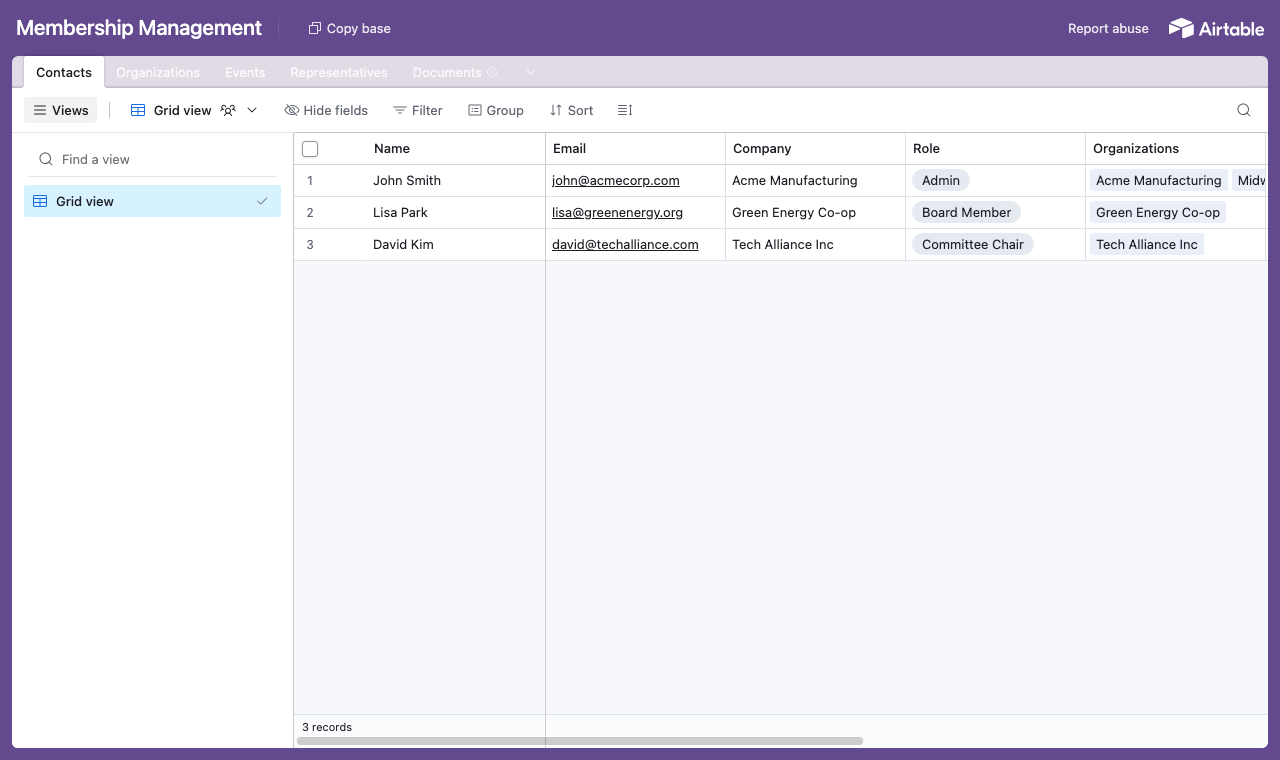
A table for each part of the membership, with a Contacts table everything links back to. - 2
Connect the base and pick the user table
Point CollabPortals at that base, then choose Contacts as your user table and Email as the login field. Each member signs in with their email and is matched to their own record.
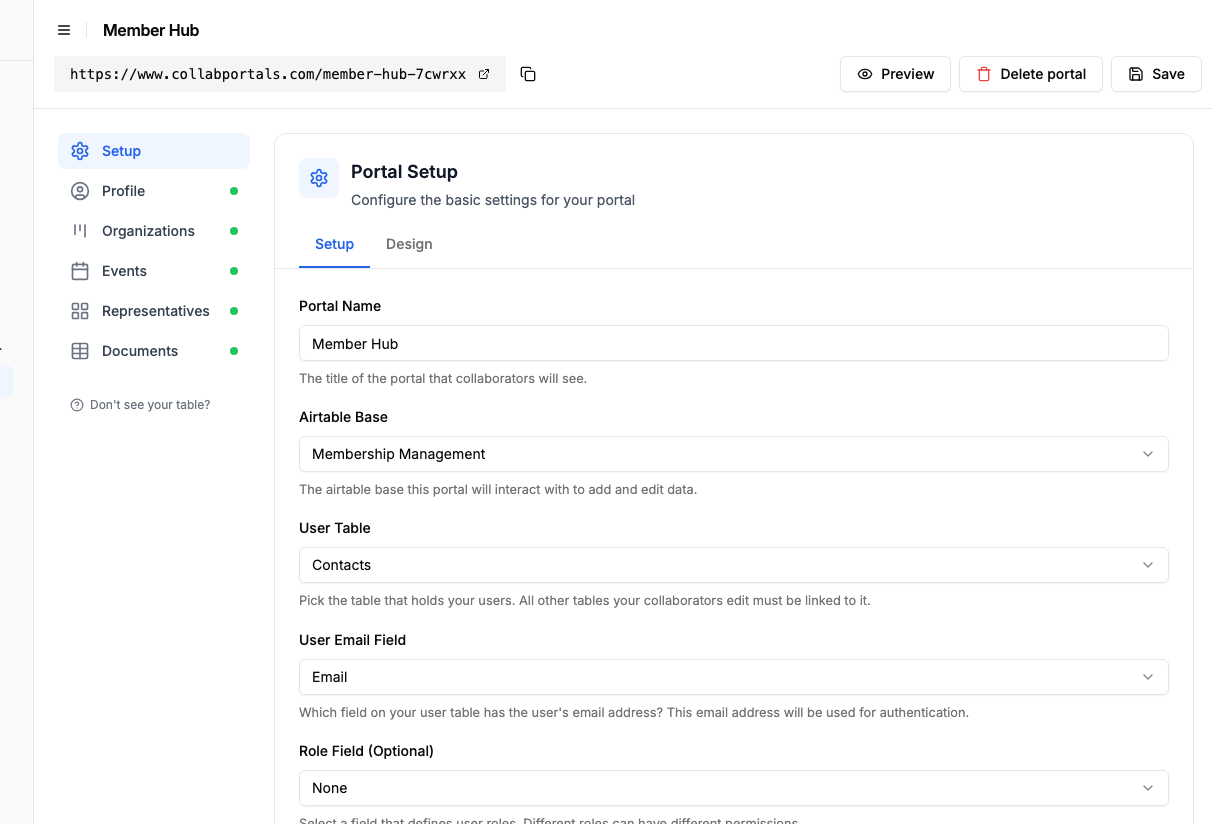
Connect the base, then point CollabPortals at the Contacts table and its email field. - 3
Let members manage their roster, hide the back office
On the Representatives table, turn on create, edit and delete so each member keeps their own roster current, adding a new representative or removing one who has left. Show the fields they manage, like name, role and committee, and hide internal ones such as admin notes and other organizations' people.
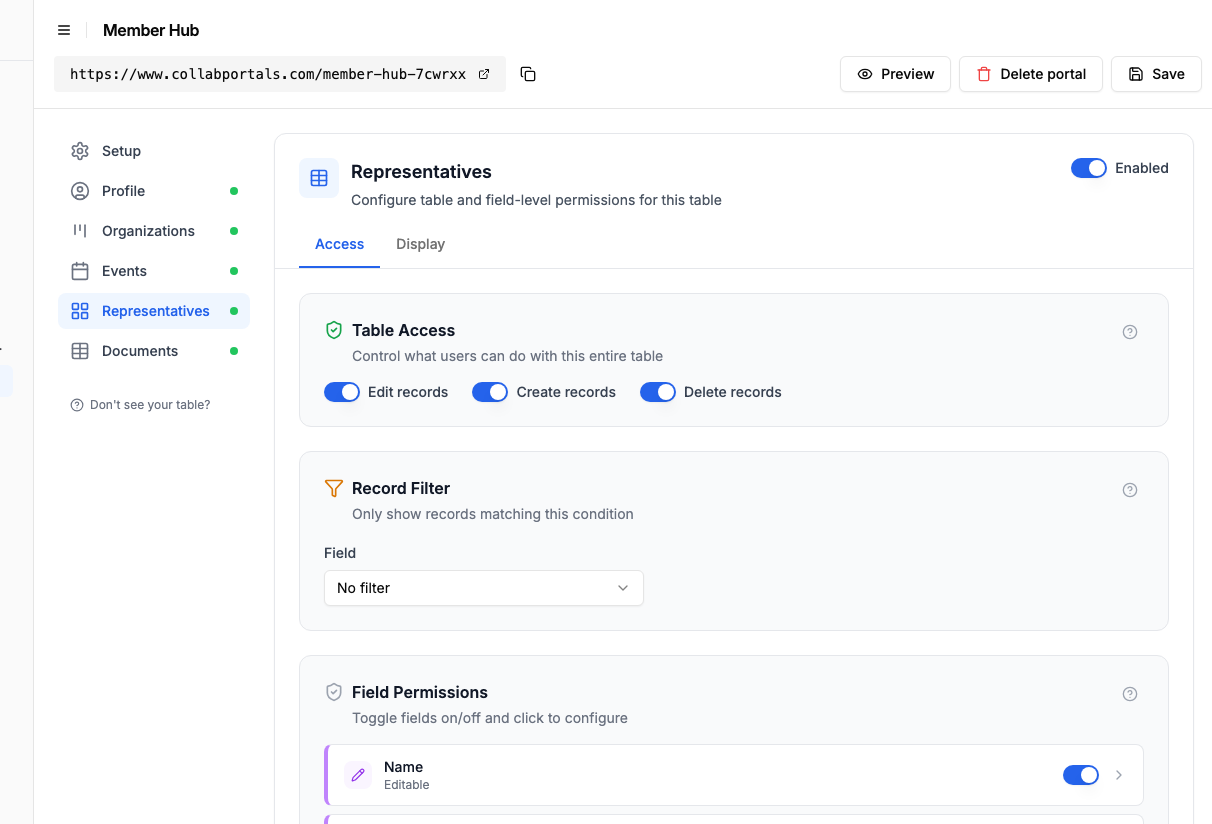
Let members manage their own roster, while admin-only fields and other members' data stay hidden. - 4
Give each table the view that fits
Pick how each table appears. Representatives as a gallery so members browse faces and roles, Organizations as a board, Events on a calendar, Documents as a table. Same Airtable data, shaped for self-service.
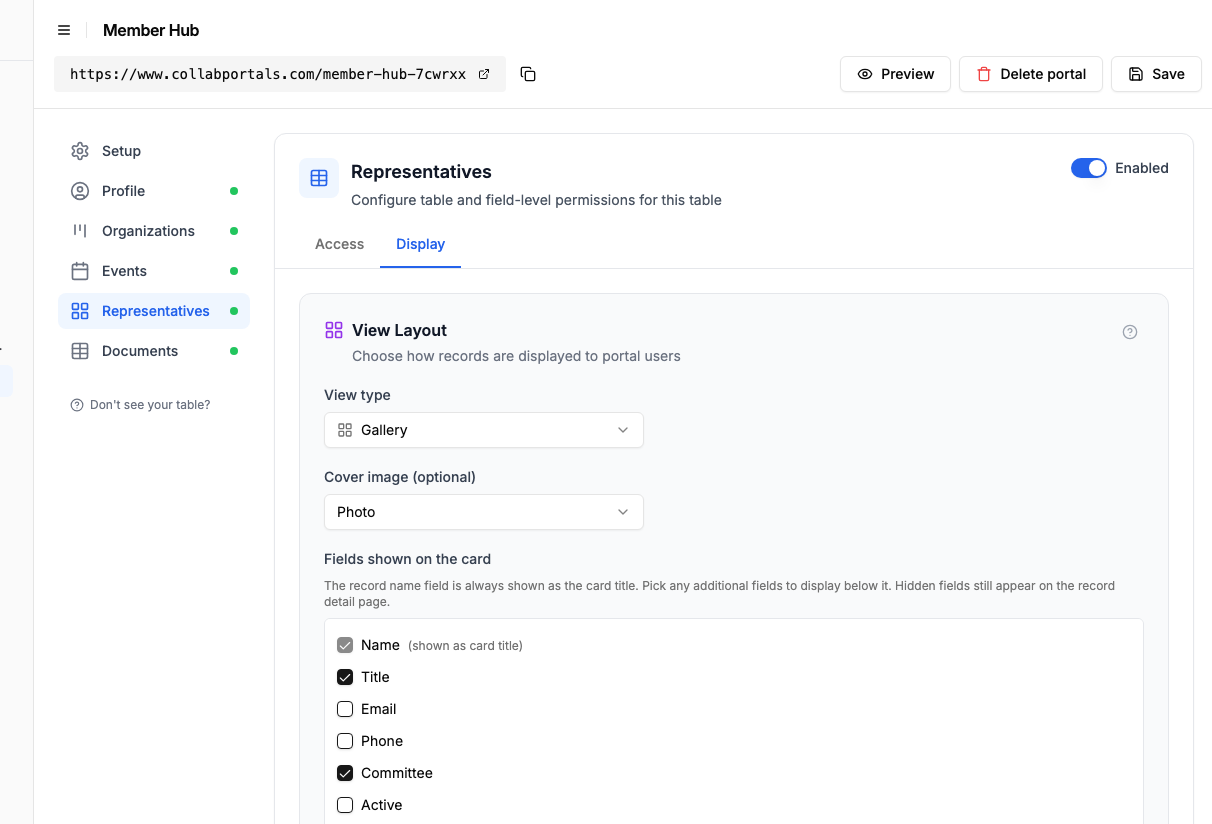
The Display tab lays the Representatives table out as a gallery of people. - 5
Members get a self-service hub
The result is a clean, branded portal. Each member organization signs in, updates its own representatives, checks upcoming events, and pulls the documents it needs, all writing straight into your Airtable base.
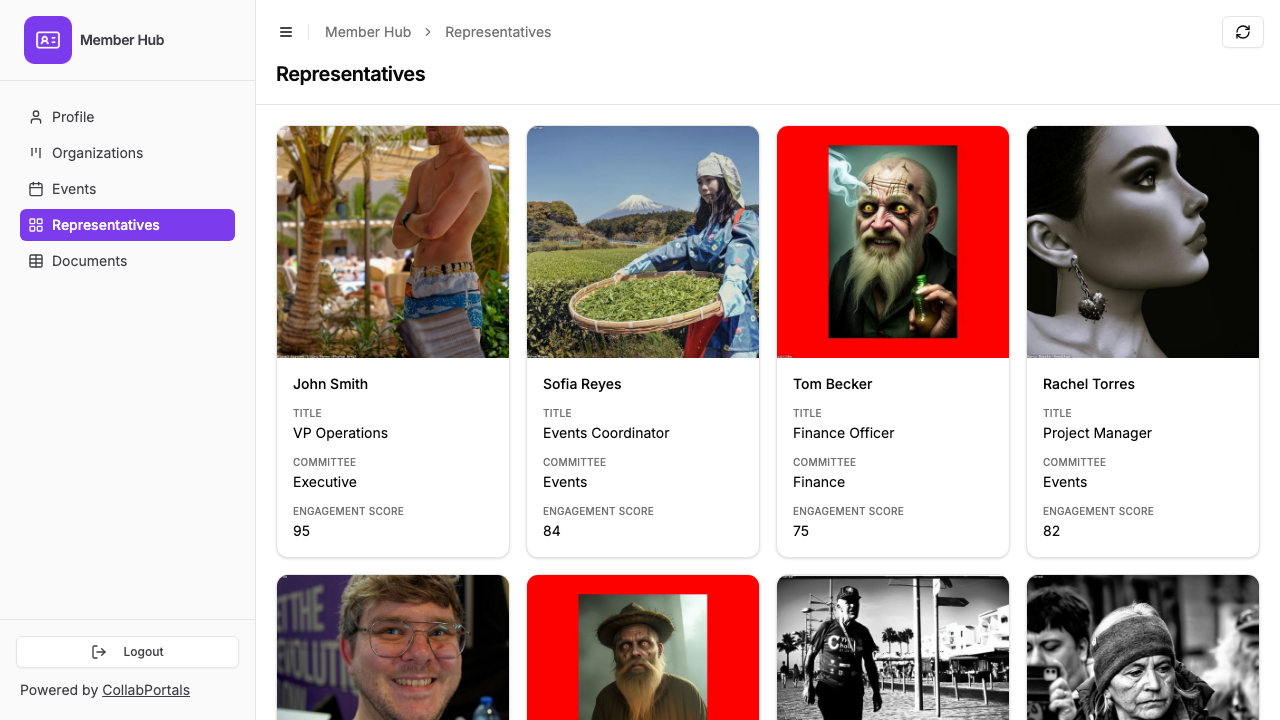
Members see and manage only their own representatives, as a gallery of people. - 6
They log in with their email
Share the link with your members. Each one signs in with their email and a one-time code, so there are no passwords to manage and no Airtable seats to buy.
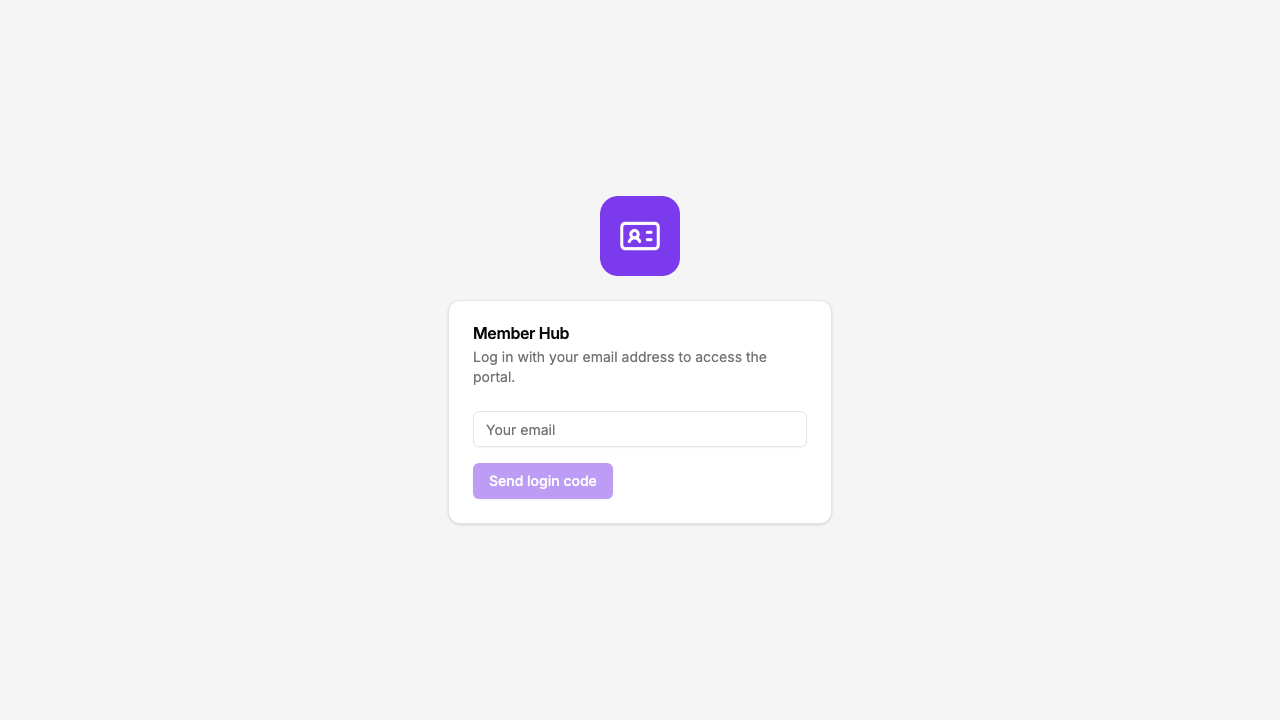
Email and one-time code login, branded with your organization's logo and colour.
Want to start from this exact setup? Open the live demo or copy the Airtable template and connect it to your own base in minutes.
Common Membership Portal Patterns
Member Profile & Directory Portal
A professional association gives members access to their own profile and a directory of other members.
- My profile (view, edit) - name, company, title, contact info, specializations
- Member directory (view only) - searchable list of all members (public fields only)
- My membership (view only) - membership tier, join date, renewal date, dues status
- Events (view only) - upcoming events, registration status
- Hidden: payment history, internal notes, board discussions, membership scores
Cooperative or Buying Group Portal
A purchasing cooperative gives member businesses access to their account and order data.
- My organization (view, edit) - company details, billing address, authorized buyers
- Our orders (view, create) - members place and track orders through the co-op
- Pricing / catalog (view only) - member-exclusive pricing tiers
- Account balance (view only) - current balance, credits, rebates earned
- Hidden: supplier costs, margin data, other members' order volumes
Trade Association Portal
A trade group or chamber of commerce gives members access to their benefits and participation.
- Company profile (view, edit) - business info, logo, website, description for directory listing
- Representatives (view, create, edit) - members manage who from their organization participates
- Committee assignments (view only) - which committees each representative serves on
- Sponsorship / advertising (view, edit) - manage sponsorship commitments and ad placements
- Hidden: dues calculations, board notes, event financials, staff task tracking
Alumni or Network Portal
An alumni association or professional network gives members access to their history and connections.
- My profile (view, edit) - bio, current role, graduation year, contact preferences
- Directory (view only) - searchable alumni/member directory
- My involvement (view only) - past event attendance, volunteer history, donations
- Mentorship (view, create) - sign up as mentor or mentee, view matches
- Hidden: donation amounts, engagement scores, outreach history
Why Airtable + CollabPortals for Membership
Membership data is inherently relational: members belong to organizations, attend events, serve on committees, pay dues. Airtable models this naturally. CollabPortals adds the member-facing layer without duplicating data.
| Approach | Cost for 50 Members | Self-Service Updates | Access Control | Data in Airtable |
|---|---|---|---|---|
| CollabPortals | $10/month | Yes | Per-member | Yes (native) |
| Airtable seats | $1,000/month | Yes | Limited | Yes |
| Wild Apricot | $100-300/month | Yes | Yes | No (separate system) |
| Spreadsheet + email | Free | No | No | After manual entry |
| Custom web app | $5,000+ to build | Yes | Yes | Via API integration |
For organizations already managing membership in Airtable, CollabPortals is the simplest path to member self-service.
Field-Level Permissions for Membership Data
Membership portals often need to show the same table to different audiences with different field visibility:
- Show to members: Their company name, contact details, membership tier, renewal date, roster
- Hide from members: Internal notes, dues calculations, engagement scoring, board discussions, other members' private data
- Editable by members: Contact information, company details, personnel roster
- Read-only for members: Membership status, renewal dates, committee assignments, account balances
CollabPortals gives you field-level control on every table, so members see exactly what they should and nothing more.
For the generic version that applies to any base, see the setup guide.
Take It Further
The walkthrough above is the whole build. A few options are worth knowing once you are up and running:
- Nest the roster under each organization. Turn on related tabs so an organization's representatives and committee assignments show as tabs on the organization record, scoped to it, so a member manages its own people from the company's own page.
Frequently Asked Questions
Can each member only see their own data?
Yes. Members are matched to their record in your Airtable Users table via email. Each member sees only companies, people, and records linked to them.
Can members manage a roster of people under their organization?
Yes. If you have a linked table for employees, drivers, representatives, or contacts, members can add, edit, and remove people in their roster. You control which fields they can see and edit.
Can I show a member directory while keeping some fields private?
Yes. You can expose a members or companies table as view-only and use field-level permissions to show only directory-appropriate fields (name, company, city) while hiding private fields (phone, email, dues status). To help members find each other in a long list, turn on filter, search and sort controls so they can search the directory and filter it by the fields you choose.
How do members log in?
Members log in with their email address and receive a verification code. No passwords to manage. Their email is matched to their record in your Airtable base, so they automatically see only their own data.
Can I have different access levels for different member tiers?
Yes. You can create separate portals for different member types (e.g., full members vs. associate members) with different table and field permissions. Or use roles within a single portal to control what each tier can access.
What if a member belongs to multiple organizations?
CollabPortals matches members by email. If a member's email is linked to multiple organization records in your Airtable base, they will see data for all linked organizations. You can structure your Airtable schema to handle multi-org membership naturally.

About the author
Matt Shepherd
Founder, CollabPortals
Matt is the founder of CollabPortals. A software engineer and Airtable power user who kept running into the same frustration: no easy way to give external users a simple and secure view to edit their data. He built CollabPortals as the lightweight solution to that problem, allowing you to set up a secure, permissioned portal in a few clicks.
Related use cases and guides
Nonprofits
Give donors, volunteers, beneficiaries, and board members secure access to the data they need, without Airtable seats or custom development.
Use caseStudents
Give students self-service access to their records, licensing progress, and program status through a secure portal connected to your Airtable base.
ComparisonCollabPortals vs Airtable Portals: Third-Party Tool or Native Feature?
Compare CollabPortals ($10/month, unlimited users) with Airtable's native Portals, where read-only guests are free and editing guests are sold in packs from $120/month. See which fits how your users actually work.
ComparisonCollabPortals vs Softr: Lightweight Portal or Full App Builder?
Compare CollabPortals and Softr for Airtable portals. See how a $10/month focused portal tool stacks up against a full no-code app builder starting at $49/month.