Build an Airtable Sports Club Portal
Run a youth sports club in Airtable and give parents a portal for sessions, availability, fees, evaluations and consent forms, with coach notes kept private.

See it working, then start from a ready-made Airtable base.
See a live demoCopy the Airtable templateThe Problem: Parents Need Answers, and Children's Records Need Protecting
Plenty of junior clubs, academies and youth programs already run on Airtable. Players, squads, the training schedule, attendance, monthly dues, coach evaluations, tournament entries and a folder of signed consent forms. The base does the work.
The people with the most questions are parents. Is training still on tonight? Did the concussion form arrive? What do we owe this month? How did my daughter's review go? They should be able to answer those themselves, and update their own child's allergies or pickup list, without seeing anybody else's child. Coach notes, safeguarding records and background checks must stay with the club.
So most clubs end up doing one of these:
- Running the season through group chats, where schedule changes scroll away, and every family sees every message about every child.
- Sending forms on paper or by email, then retyping medical details into Airtable and chasing whoever has not returned them.
- Building Airtable Interfaces for parents, which means paying for a seat per parent and still not scoping each family to their own children.
- Buying a club management app and moving the whole season into it, leaving the Airtable workflows, formulas and automations you already have behind.
How CollabPortals Works for Sports Clubs
CollabPortals connects to your Airtable base and gives each parent a branded portal. They sign in with their email, see only their own children, and read or update the fields you allow. Coach notes, safeguarding flags, treasurer notes and every other family's records stay in Airtable, out of view.
Example: Junior Soccer Club Family Portal
A junior soccer club runs eight squads from U8 to U16. A parent with three children, in the U8, U11 and U14 squads, logs in and sees three players, their three squads' sessions and notices, and every fee, evaluation, registration and form that belongs to those children. Nothing about anyone else's child.
| Table | Parent Access | Purpose |
|---|---|---|
| Players | View, edit | Parents keep medical conditions, allergies, emergency contacts and authorized pickups up to date |
| Sessions | View only | Training, matches and jamborees on a calendar, with cancellations and moves highlighted |
| Attendance | View, edit | Parents set availability ahead of each session; coaches record who attended |
| Announcements | View only | Club and squad notices addressed to the family's squads |
| Fees | View only | Registration, monthly dues, uniform and entry fees with what is paid, due and overdue |
| Evaluations | View only | Coach reviews four times a year across Technical, Tactical, Physical and Mindset |
| Events | View only | Tournaments, camps, clinics and club socials for the whole season |
| Registrations | View, create, edit | Parents register a child for an event or accept a coach's tournament invitation |
| Consent Forms | View, create, edit | Parents upload signed medical, photo, code of conduct, concussion, carpool and travel forms |
| Squads | View only | Training times, home field and league for each of the family's squads |
| Coaches | View only | The coaches and staff who work with the family's squads |
| Parents | Own profile | Parents update their own phone, address and volunteer roles |
| Coach notes, safeguarding flags | Hidden | Stay with coaching staff and the Club Safeguarding Officer |
| Treasurer notes, background checks | Hidden | Stay with the club office |
The club office runs the season in Airtable. Parents get a clean portal for the parts that involve their own children.
Build a Sports Club Portal Step by Step
Here is how the live demo above is put together. It takes about an hour the first time, and there is no code involved.
- 1
Set up your Airtable base
Start with a Parents table holding each parent's email, and a Players table where every child links to their parents. Then add one table per thing you track: Squads, Sessions, Attendance, Fees, Evaluations, Events, Registrations, Consent Forms and Announcements. Fees, evaluations and forms link to a player; sessions link to a squad. A lookup on each table carries the parents across that chain, so a session knows which families it belongs to without anyone keeping a second link up to date.
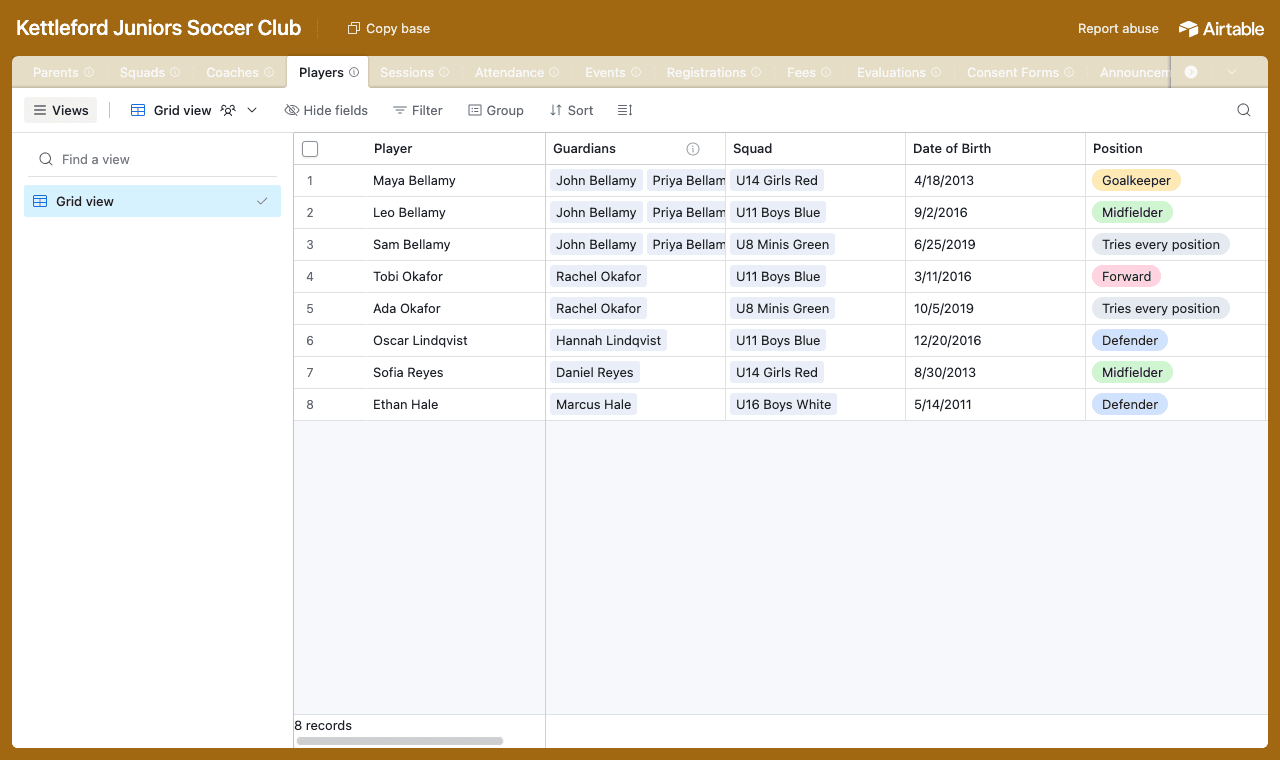
One table per thing, with Players linked to Parents and everything else linked to a player or a squad. - 2
Connect the base and pick the parents table
Point CollabPortals at the base, then choose Parents as the user table and Email as the login field. Each parent signs in with the email on their record and CollabPortals matches them to it. On tables that reach parents through a lookup, pick that lookup as the ownership field, and each family sees only its own rows.
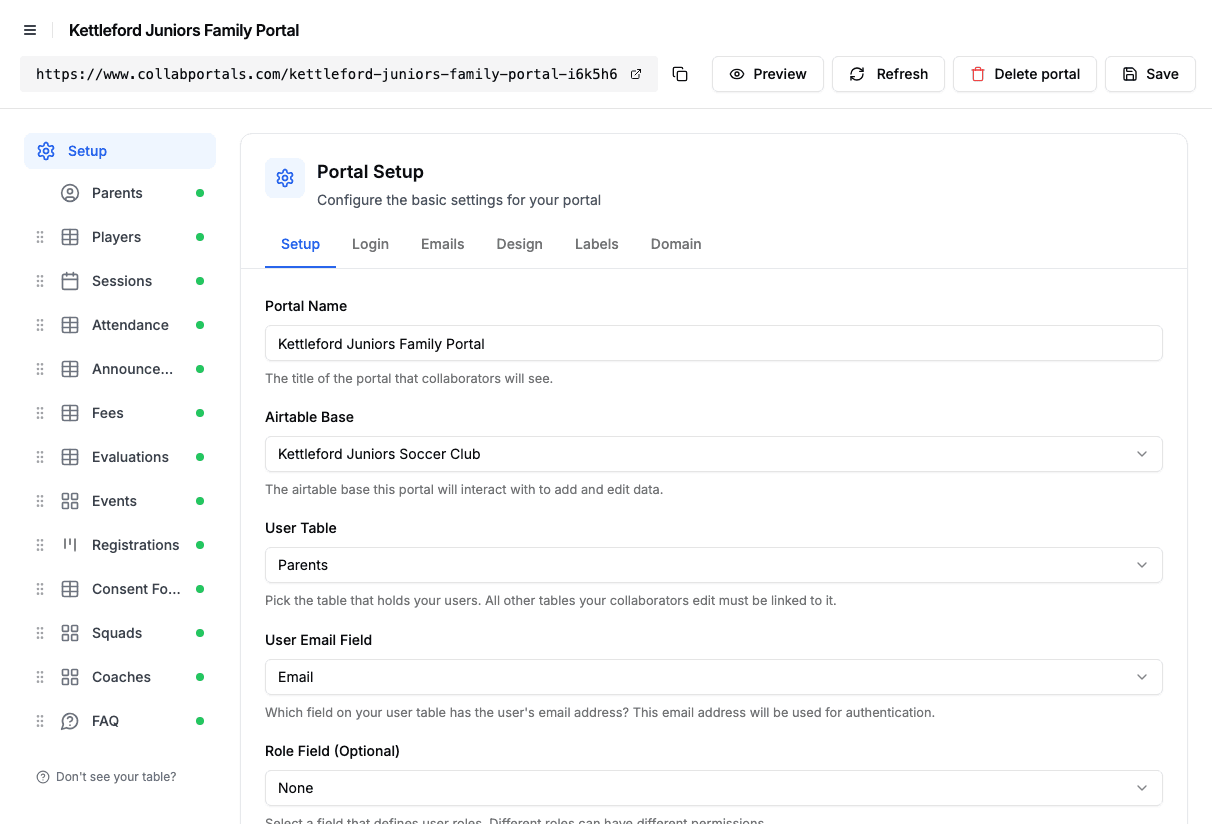
Connect the base, then point CollabPortals at the Parents table and its email field. - 3
Hide coach notes and safeguarding flags, open up the medical fields
On Players, parents can edit medical conditions, allergies, medications, the doctor, the emergency contact and authorized pickups, while Coach Notes, Safeguarding Flag and the Guardians link stay hidden. The table allows editing but not creating or deleting, so the club office still controls who is on the roster.
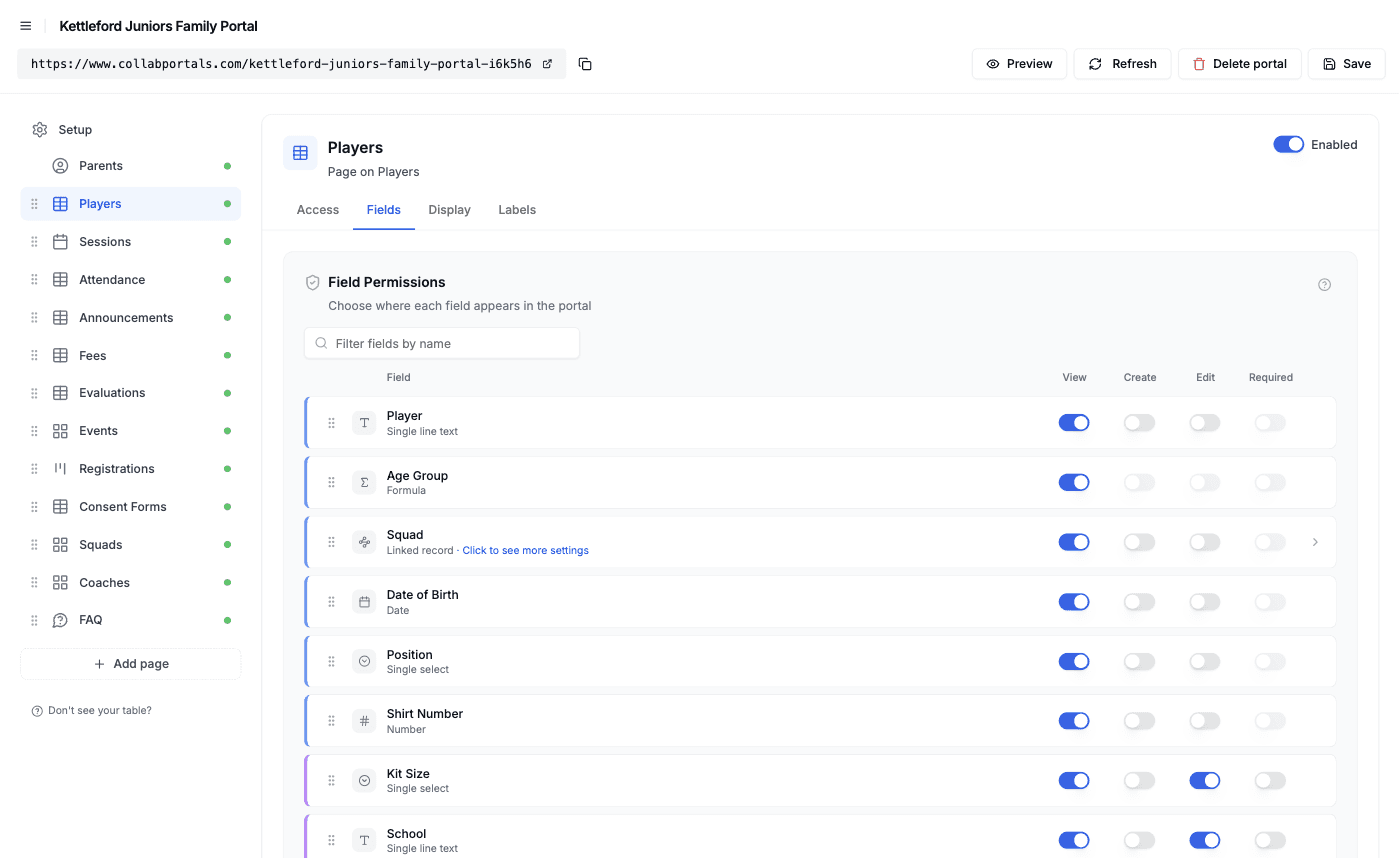
Field-level permissions: parents edit their child's medical details, and coach and safeguarding notes stay hidden. - 4
Give each table the view that fits
Pick how parents see every table. Sessions as a calendar, Registrations as a kanban by status, Events as a gallery, Attendance and Fees as tables grouped by player, and Evaluations grouped by review. It is the same Airtable data, laid out for a busy parent on a phone.
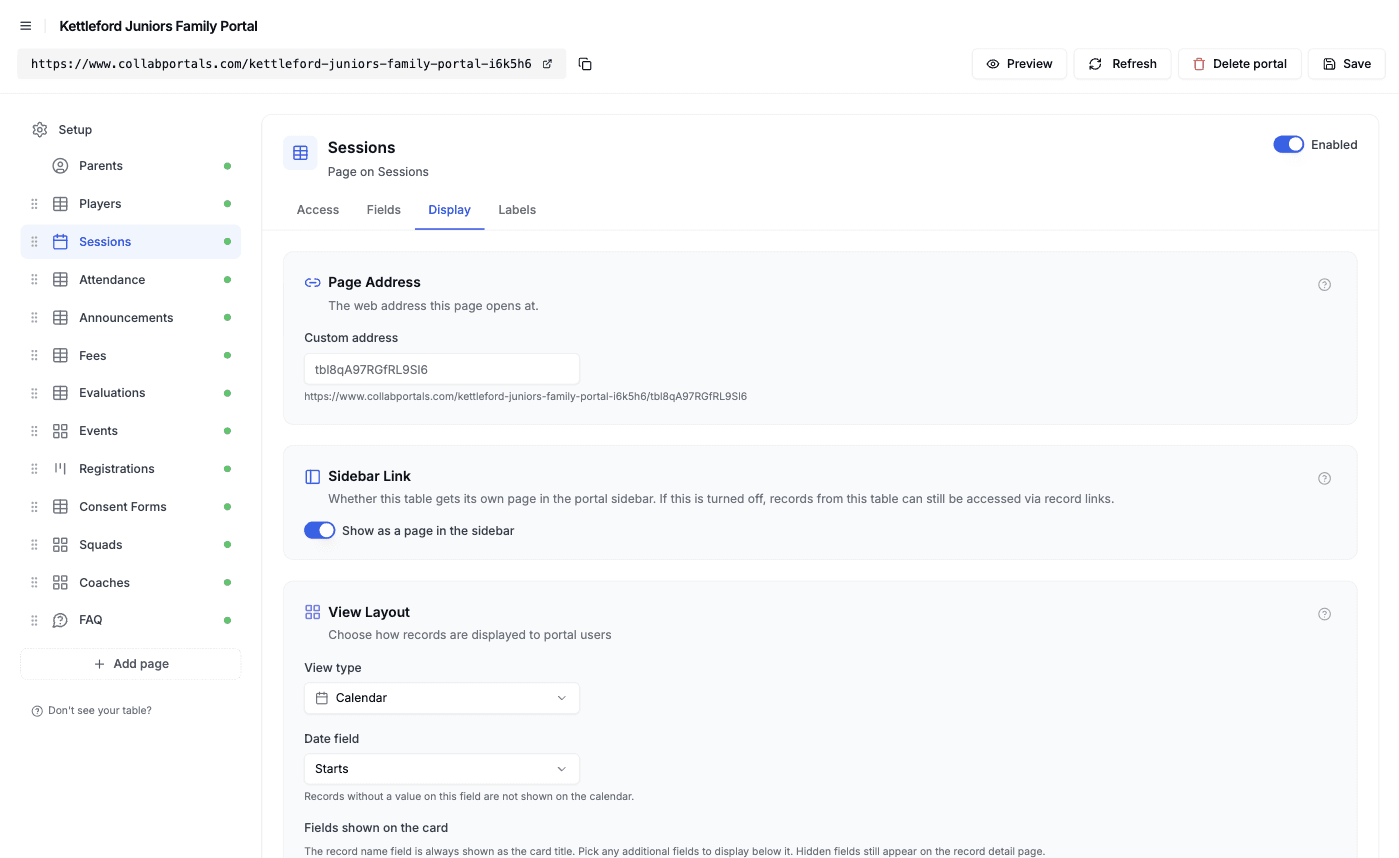
The Display tab turns each table into a calendar, kanban, gallery or table. - 5
Parents get a clean, branded app
The result is a portal in your club colors. Parents check the calendar, mark a child unavailable for Saturday, see what is due, read the latest coach review and upload a signed form, all writing straight back to your base. Open a player and their attendance, fees, evaluations and forms sit right under their details.
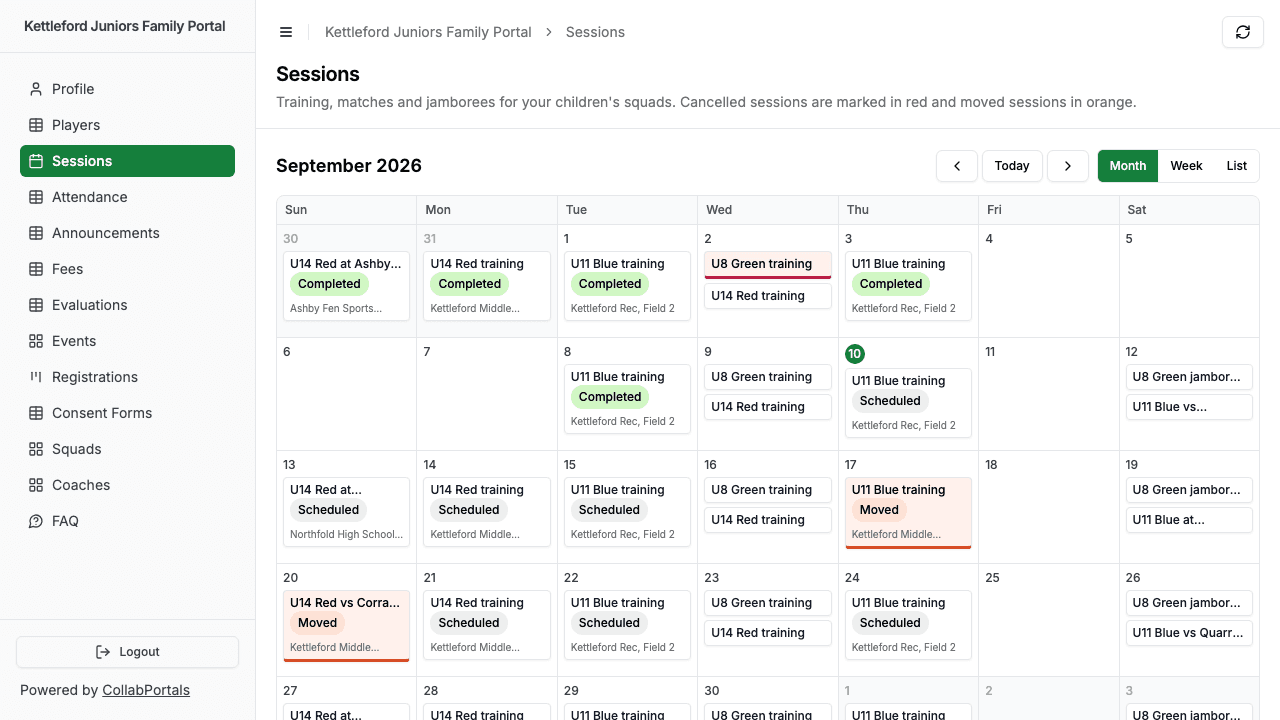
The family's sessions on one calendar, with the cancelled and moved ones highlighted. - 6
They log in with just their email
Share the link. Parents sign in with the email on their record and a one-time code, so there are no passwords to manage and no Airtable seats to buy. For a public example you can switch on a one-click demo user instead.
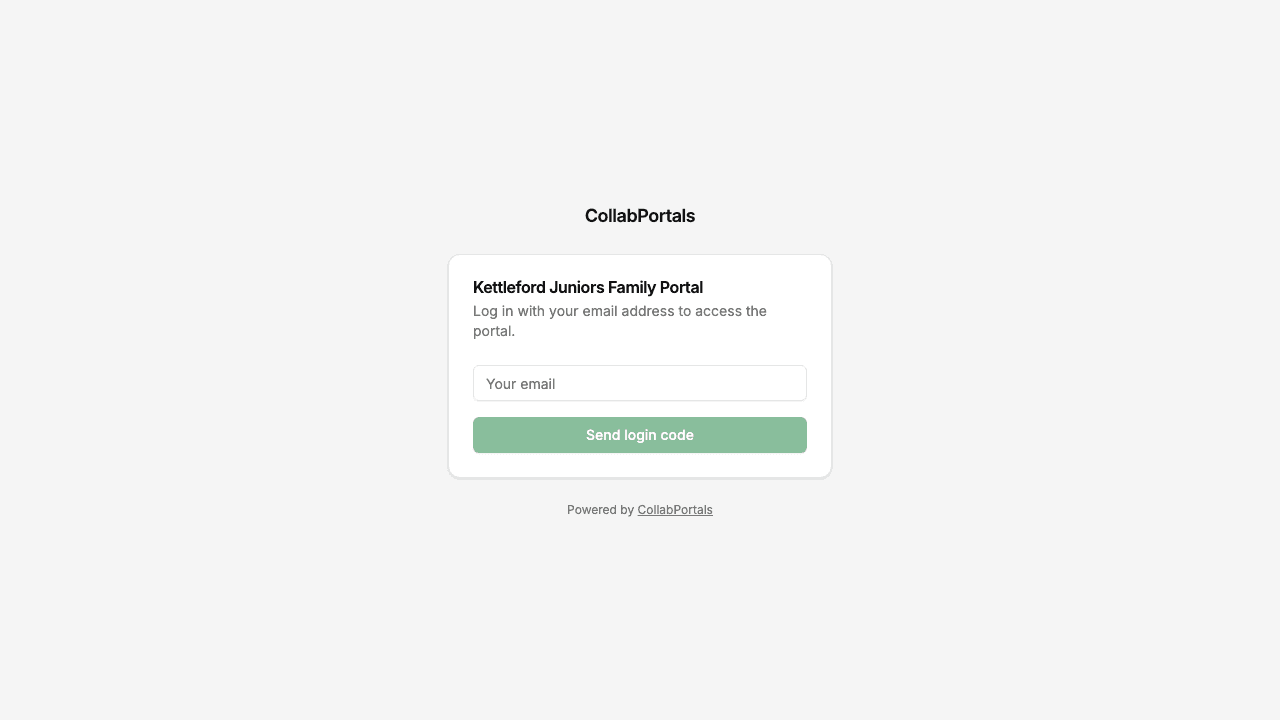
Email and one-time code login, with the club's name and color.
Want to start from this exact setup? Open the live demo or copy the Airtable template and connect it to your own base in minutes. The demo deliberately has no photos of players anywhere: squad and event cards use generated artwork instead.
Use Cases for Sports Club Portals
Youth Soccer, Basketball and Multi-Squad Clubs
A club with a squad for every age group, volunteer coaches and a busy fall season. Parents follow each child's squad without sitting in five group chats.
- Players (view, edit), squad, position, medical and emergency details, authorized pickups
- Sessions (view), training and match calendar with field, kit and arrival time
- Attendance (edit), availability for each session
- Fees (view), registration, monthly dues and tournament entries
- Hidden: coach notes, safeguarding flags, background checks, other families' children
Racket Sports and Skills Academies
Players train in small groups by level and move up as they improve. Parents want to see progress and keep lessons paid up.
- Players (view, edit), level, group, medical details
- Evaluations (view), a skills review each term with a next target
- Sessions (view), group lessons on a calendar
- Fees (view), lesson fees and what is due
- Hidden: coach feedback kept for staff, level decisions not yet shared
Swim, Gymnastics and Martial Arts Programs
Programs where a child's progress runs through badges, grades or levels, and parents sign a lot of forms.
- Players (view, edit), current level, medical details, pickup list
- Evaluations (view), level tests and coach comments
- Consent Forms (create, edit), medical, photo and competition travel forms uploaded as PDFs
- Events (view) and Registrations (create), meets, gradings and competitions
- Hidden: incident reports, safeguarding records, staff certifications
Holiday Camps and Development Programs
Short programs where families register for camps and clinics through the year.
- Events (view), camps, clinics and trips in a gallery
- Registrations (create, edit), which child is booked on what, with waitlists
- Consent Forms (create), medical and photo consent for each camp
- Fees (view), camp fees and what has been paid
- Hidden: staff ratios, supplier costs, other families' bookings
What Makes This Better Than the Alternatives
| Capability | Group chats and paper forms | Airtable seats for parents | Club management apps | CollabPortals |
|---|---|---|---|---|
| Parents update their own child's medical and pickup details | No | Yes | Yes | Yes |
| Each family sees only its own children | No | No | Yes | Yes |
| Coach notes and safeguarding records stay private | N/A | No | Yes | Yes |
| You keep working in Airtable (formulas, automations, views) | Yes | Yes | No, separate system | Yes |
| Cost | Free, plus hours of chasing | $20/seat/month per parent | Per-team or per-club plans | $12/month flat, or $10/month billed annually |
| Time to set up | None, but ongoing pain | Quick, but unsafe | Weeks of migration | Around an hour |
For a side-by-side breakdown, see CollabPortals vs Softr and CollabPortals vs Airtable Interfaces, or the roundup of the best Airtable portal builders.
Field-Level Permissions for Sports Clubs
A club base mixes what parents need (schedule, fees, reviews) with what they must never see (other children, coach notes, safeguarding records). CollabPortals decides it field by field:
- Show to parents: squad, position, session times and fields, availability, attendance marks, fee amounts and status, evaluation ratings, strengths and next targets, event details
- Hide from parents: coach notes, safeguarding flags, internal coach comments on evaluations, treasurer notes, coach background check dates, the links to other parents
- Editable by parents: medical conditions, allergies, medications, emergency contact, authorized pickups, kit size, availability and notes for each session, event registrations, signed form uploads
- Read-only for parents: fees, evaluations, attendance marks, the schedule and squad details
Keep medical details off lists and cards and show them only on the child's own page. That way they never appear on a shared screen by accident.
Take It Further
The walkthrough above is the whole build. A few options are worth knowing once you are up and running:
- Coaches in the same portal. If your user table holds coaches as well as parents, with a role field, each role gets its own permissions. A coach can mark attendance and write evaluations while parents only read them.
- Everything about a child on one page. Turn on related records so a player's attendance, fees, evaluations and forms sit under their details, each scoped to that child.
- Highlight what needs attention. Conditional formatting tints overdue fees red, missing forms orange and cancelled sessions on the calendar, so parents spot them at a glance.
- Let parents filter and search. Turn on filter, search and sort controls so a parent can pull up one child's fees or only the forms still needed.
- Put it on your own domain. Serve the portal from your club's own custom domain and brand it with your colors.
After the first evening of set-up, schedule changes, availability, forms and fee updates flow through the portal and land straight in your Airtable base.
For the generic version that applies to any base, see the setup guide.
Frequently Asked Questions
Can parents see other families' children?
No. Each parent signs in with their own email and sees only the players linked to them, along with those players' sessions, fees, evaluations, registrations and forms. Squad rosters and the links to other parents can be hidden with field permissions, so no other child's record is shown to them.
Can I keep coach notes and safeguarding records private?
Yes. Mark coach notes, safeguarding flags, internal evaluation comments and background check dates as hidden. They stay in Airtable for your staff and never reach the portal, even though parents can open the same player, evaluation or coach record.
Can parents pay fees through the portal?
No. CollabPortals shows each fee, when it is due and whether it has been paid, but it does not take payments. Keep taking payments through your existing payment provider, and mark fees paid in Airtable, by hand or with an Airtable automation.
How do parents tell the coach their child cannot make a session?
Give the Attendance table edit access on an Availability field. Set up an Airtable automation to create an attendance row for each player when a session is scheduled, and parents set it to Available, Not sure or Unavailable with a short note. Coaches record who actually came on the day.
Can parents upload signed consent forms?
Yes. Give a Consent Forms table create and edit access with an attachment field, and parents upload the signed PDF from their phone or computer. CollabPortals does not collect e-signatures, so parents sign on paper or in your e-signature tool and upload the result. If your e-signature tool allows embedding, a record embed can show each form's signing page on its record, so parents sign without leaving the portal.
Does the portal send reminders about sessions or fees?
No, CollabPortals does not send notifications on its own. Use Airtable automations to email a reminder when a fee becomes due or a session moves, and link parents to the portal for the details.

About the author
Matt Shepherd
Founder, CollabPortals
Matt is the founder of CollabPortals. A software engineer and Airtable power user who kept running into the same frustration: no easy way to give external users a simple and secure view to edit their data. He built CollabPortals as the lightweight solution to that problem, allowing you to set up a secure, permissioned portal in a few clicks.
Related use cases and guides
Membership Management
Give your members secure, self-service access to their profile, roster, and account data in Airtable. No extra seats, no member login headaches.
Use caseEvent Scheduling
Give speakers, authors, tutors, and performers a self-service portal to view their upcoming events, confirm availability, and access venue details from your Airtable schedule.
ComparisonCollabPortals vs Airtable Interface Designer: Can You Use Interfaces as a Portal?
Airtable Interface Designer is free, but can it replace a dedicated portal? Compare it to CollabPortals for sharing data with external users.
ComparisonCollabPortals vs Softr: Lightweight Portal or Full App Builder?
Compare CollabPortals and Softr for Airtable portals. See how a $10/month focused portal tool stacks up against a full no-code app builder starting at $49/month.