Build an Airtable Event Scheduling Portal
Give speakers, authors, tutors, and performers a self-service portal to view their upcoming events, confirm availability, and access venue details from your Airtable schedule.

See it working, then start from a ready-made Airtable base.
See a live demoCopy the Airtable templateThe Problem: Keeping Scheduled People in the Loop
You manage a roster of external people, speakers, authors, tutors, performers, consultants, and schedule them for events in Airtable. But the people you schedule have no way to check their own calendar:
- Email updates go stale the moment something changes. You send a confirmation, then the venue shifts or the time moves, and now you are chasing people with corrections.
- Shared calendar links show everyone's schedule, not just theirs. You cannot scope a Google Calendar or Airtable view to show one person their events without showing everyone else's too.
- Spreadsheet exports are a snapshot. The speaker checks their schedule on Monday, you reschedule their Thursday talk on Tuesday, and they show up at the wrong time.
- Dedicated scheduling software (Calendly, Acuity, SignUpGenius) handles availability and booking but does not connect to your Airtable operations data. You end up managing two systems.
What you need is a portal where each person logs in and sees only their own events with venue details, times, and status, always up to date, without seeing other people's schedules or your internal planning data.
How CollabPortals Works for Event Scheduling
CollabPortals connects to your Airtable base and creates a branded portal for your scheduled people. Each person logs in with their email, sees only the events linked to them, and can update their availability or add notes. Your scheduling team continues working in Airtable.
Example: Speaker Bureau Event Portal
A speaker management company gives speakers access to their upcoming engagements.
| Table | Speaker Access | Purpose |
|---|---|---|
| Events | View, edit | Speakers see their upcoming talks with dates, venues, and topics |
| Venues | View only | Speakers check venue address, capacity, and contact info |
| Speakers | View, edit | Speakers manage their own profile and bio |
| Availability | View, create, edit | Speakers submit dates they are available or unavailable |
| Internal Planning | Hidden | Fee negotiations, client budgets, logistics notes |
Speakers see: their event schedule, venue details, and a way to flag availability. Your team sees: the full operation with fees, client contacts, and logistics.
Build an Event Scheduling Portal Step by Step
Here is how the live demo above is put together. It takes about an hour the first time, with no code involved.
- 1
Set up your Airtable base
Start with your scheduling base: an Events table for the talks and bookings you arrange, a Venues table, an Availability table for the dates people can work, a Documents library, and a Speakers table for the people who log in. Speakers is the hub. It holds each person's email, and their events and availability link back to it, so each speaker only ever sees their own schedule.
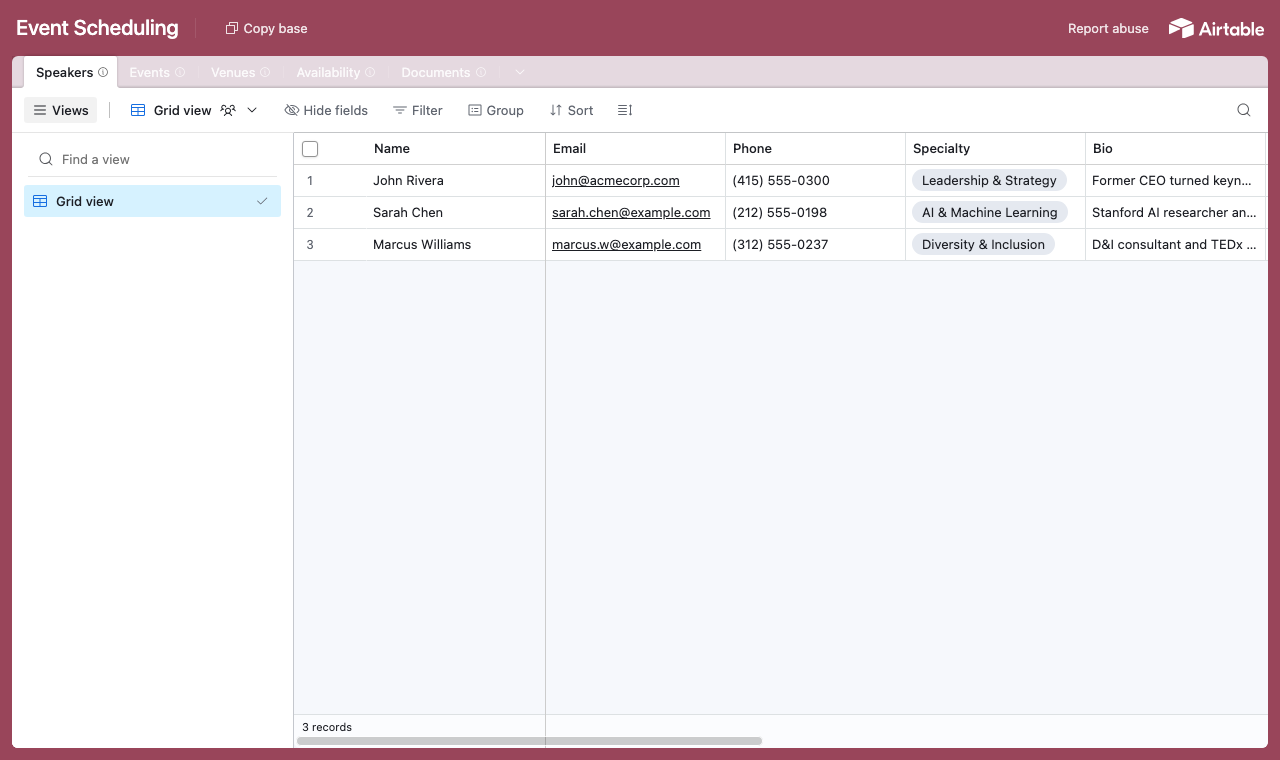
A table for each part of the schedule, with a Speakers table every event and slot links back to. - 2
Connect the base and pick the user table
Point CollabPortals at that base, then choose Speakers as your user table and Email as the login field. Each speaker signs in with their email and is matched to their own record.
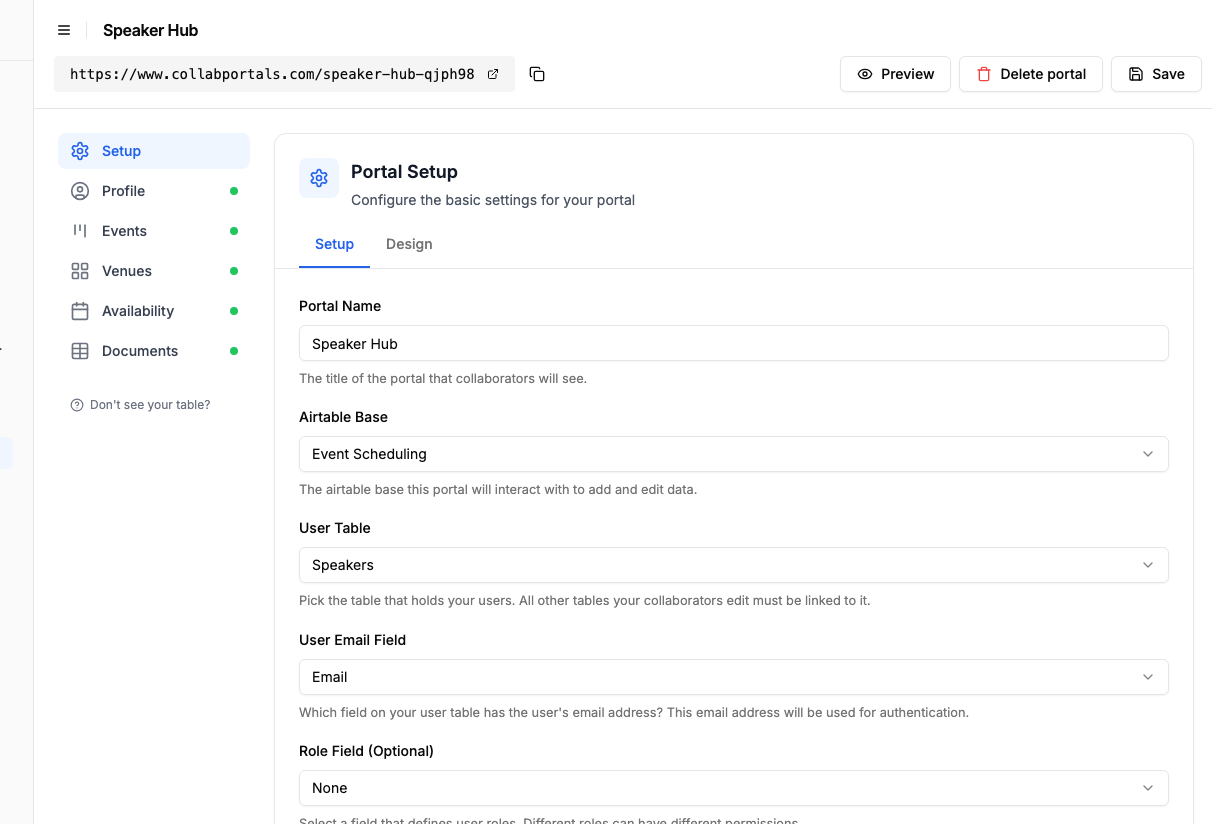
Connect the base, then point CollabPortals at the Speakers table and its email field. - 3
Let people submit their availability, hide your fees
On the Availability table, turn on create and edit so each speaker can mark the dates they are free or unavailable, and leave delete off. Show the fields they fill in, like date and preference, and hide internal ones such as fee negotiations and client budgets, which stay in Airtable for you.
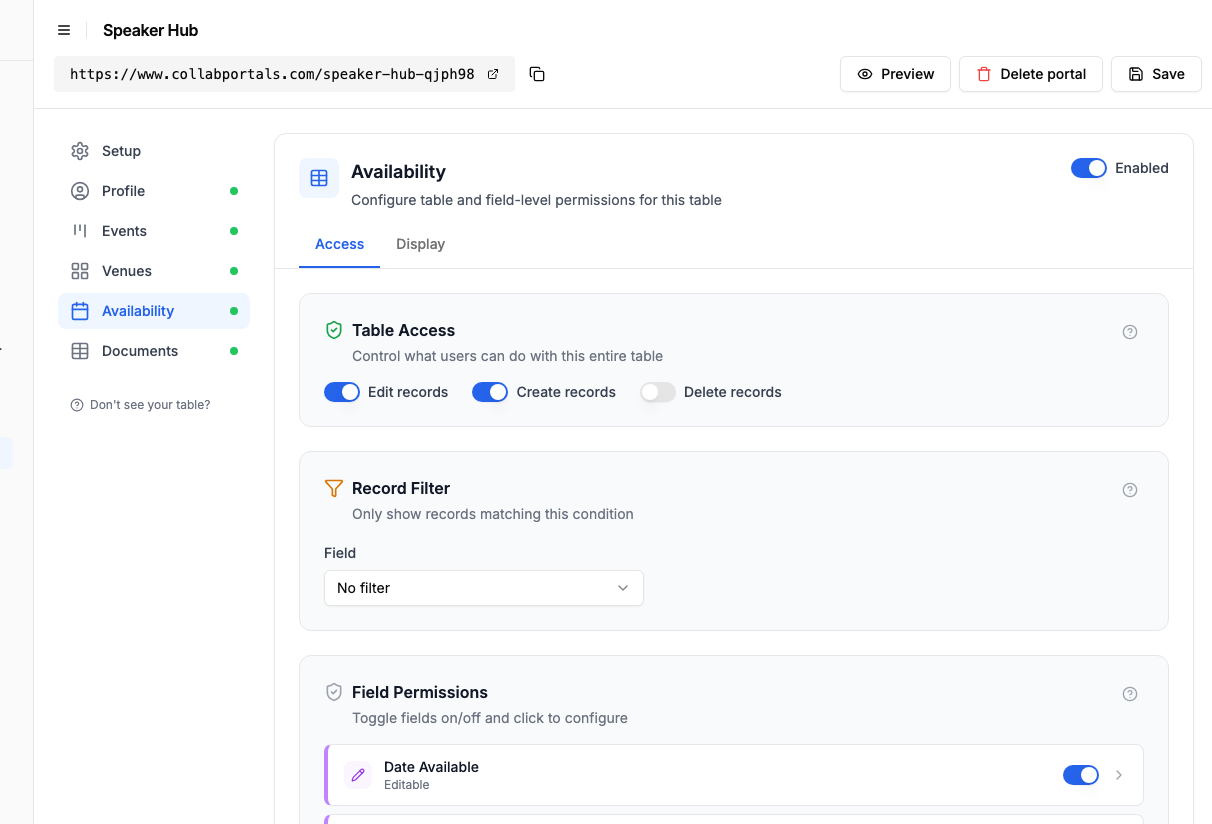
Let speakers add and update the dates they are free, while the booking itself stays read-only. - 4
Give each table the view that fits
Pick how each table appears. Availability on a calendar so people add a slot on the day, Events as a board of upcoming bookings, Venues and Documents as tables. Same Airtable data, shaped for your roster. A table can also have more than one page, so Events can be both a board of upcoming bookings and a calendar of the season.
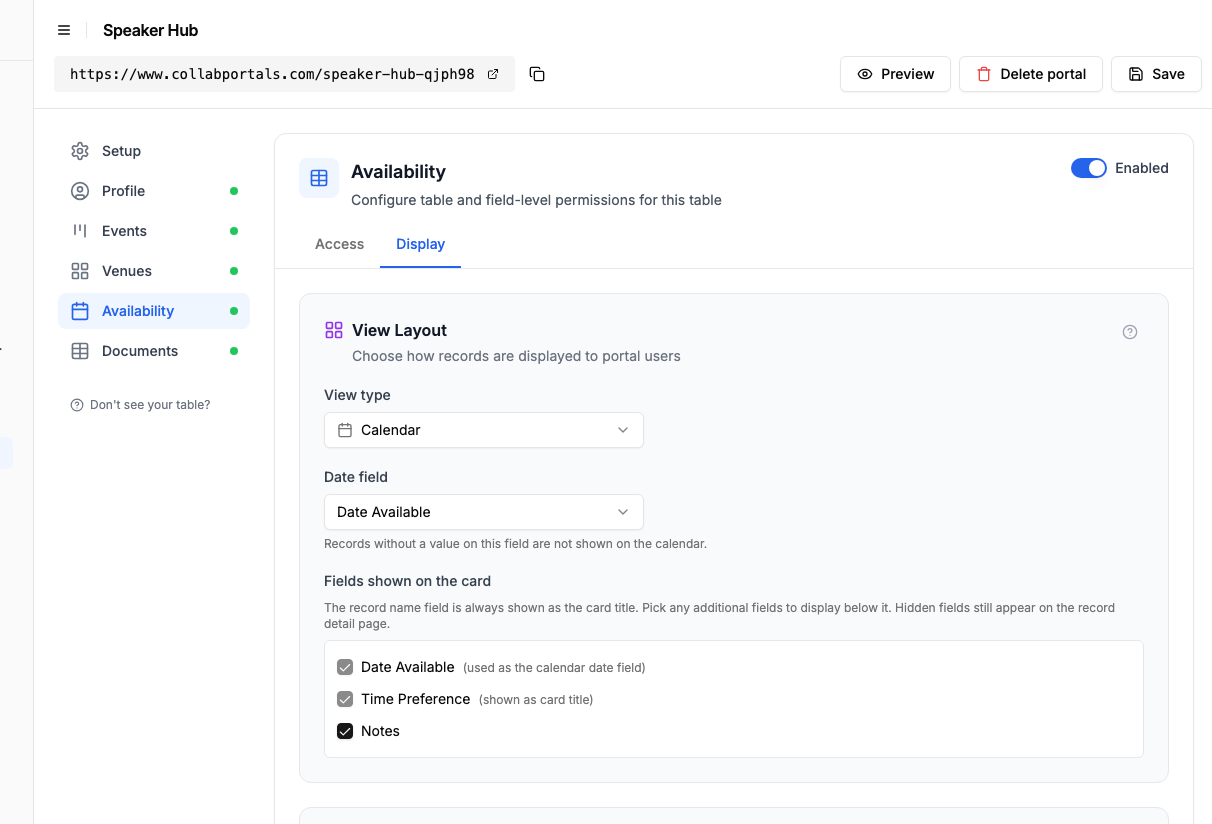
The Display tab lays Availability out as a calendar people add their slots to. - 5
People manage their own schedule
The result is a clean, branded portal. Each speaker signs in, sees only their own events, checks the venue details, and marks when they are available, all writing straight into your Airtable base.
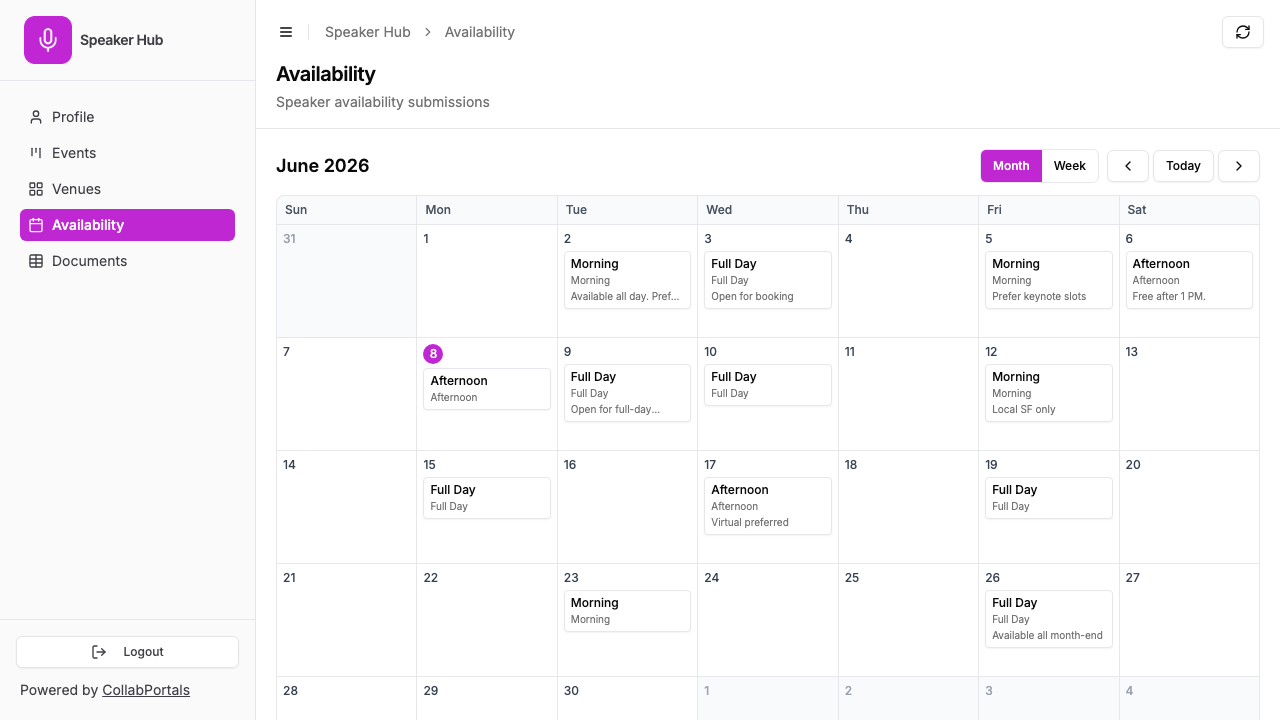
Each speaker marks their own availability on a calendar, in their own colour. - 6
They log in with their email
Share the link with your roster. Each one signs in with their email and a one-time code, so there are no passwords to manage and no Airtable seats to buy.
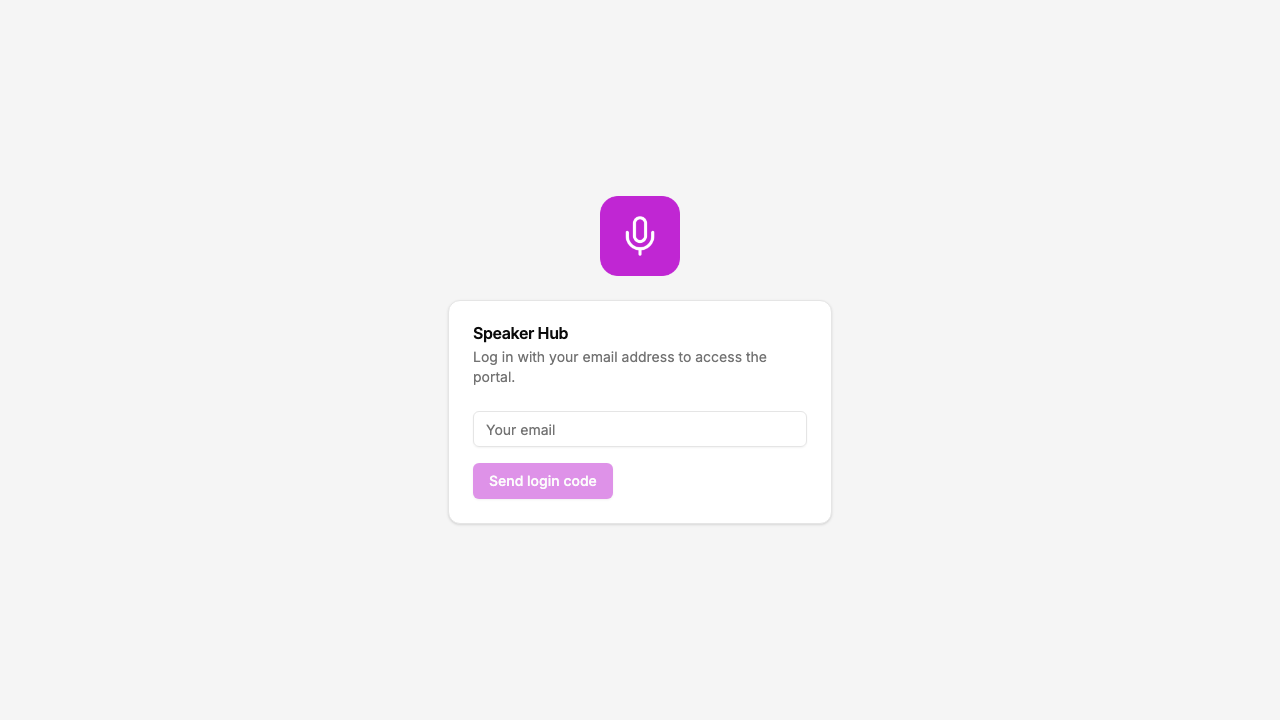
Email and one-time code login, branded with your logo and colour.
Want to start from this exact setup? Open the live demo or copy the Airtable template and connect it to your own base in minutes.
Use Cases for Event Scheduling Portals
Speaker and Conference Management
Speakers or panelists access their session details, venue info, and presentation requirements.
- Events (view, edit), date, time, topic, session type, presentation notes, status
- Venues (view only), venue name, address, room, capacity, AV setup, parking info
- Availability (view, create), submit available/blocked dates for future scheduling
- Hidden: speaker fees, client contact, budget, travel reimbursement, internal ratings
Author Events and Book Signings
Authors or illustrators see their scheduled appearances at bookstores, fairs, and festivals.
- Events (view, edit), date, time, bookstore/venue, event type (signing, reading, panel), status, notes
- Venues (view only), store name, address, contact person, directions
- Hidden: print run numbers, distributor margins, internal event priority
Tutoring and Teaching Schedules
Tutors or instructors see their assigned sessions, student info, and locations.
- Sessions (view, edit), date, time, subject, student name, location, status, session notes
- Locations (view only), room assignments, building address, access instructions
- Availability (view, create), submit weekly availability windows
- Hidden: hourly rates, payment status, student contact details, internal performance notes
Performer and Talent Booking
Musicians, DJs, or entertainers see their upcoming gigs and venue details.
- Gigs (view, edit), date, time, venue, set length, genre, status, rider notes
- Venues (view only), venue name, address, load-in times, stage specs, sound setup
- Hidden: booking fees, agent commission, client budget, competing bids
What Makes This Better Than Email or Shared Calendars
| Capability | Email Updates | Shared Calendar | Scheduling Tool | CollabPortals |
|---|---|---|---|---|
| Always shows current data | No (stale on send) | Yes | Yes | Yes (live from Airtable) |
| Scoped to one person | Yes | No (all or nothing) | Partially | Yes (automatic by user) |
| Shows venue/event details | Limited | Minimal | Varies | Yes (full Airtable fields) |
| Person can update status/notes | Reply email (messy) | No | Yes | Yes (edit access) |
| Person can flag availability | No | Separate tool | Yes | Yes (create access on table) |
| Data lives in Airtable | No | No | Via integration | Yes (native) |
| Cost | Free | Free | $10-30+/user/month | $10/month flat |
The key advantage: each person sees only their events, always current, with full context from your Airtable data. No separate system, no manual updates, no per-user charges. For a deeper comparison, see CollabPortals vs Airtable Interfaces and CollabPortals vs Softr.
Field-Level Permissions for Event Data
Event tables often have fields meant for different audiences:
- Show to scheduled people: Event name, date, time, venue, status, topic, event type, any notes they should see
- Hide from scheduled people: Fees, client contact, internal priority, budget, logistics notes, competing options
- Editable by scheduled people: Confirmation status, personal notes, presentation topics, rider requirements
- Read-only for scheduled people: Date, time, venue (set by your team), event type
This means each person sees a clean, relevant view of their schedule while your team has full planning data in the same Airtable tables.
Take It Further
The walkthrough above is the whole build. A few options are worth knowing once you are up and running:
- Event confirmation. Give the Events table an editable confirmation field so people accept or decline a booking from the portal, without an email thread.
- Editable profiles. Let speakers keep their own bio, photo and topics current on a profile table, so your directory stays fresh.
- Required fields. Make date and preference required on an availability slot so every submission comes in complete.
After set-up, every availability slot and confirmation lands in your Airtable base, where your scheduling team already works.
For the generic version that applies to any base, see the setup guide.
Frequently Asked Questions
Can each person only see their own events?
Yes. Each person is matched to their record in your Airtable People table via email. They only see events linked to them. One speaker cannot see another speaker's schedule.
Can people confirm or decline events through the portal?
Yes. If your Events table has a status or confirmation field and you make it editable, people can update their response directly in the portal. Your team sees the update in Airtable immediately.
Can people submit their availability?
Yes. If you create an Availability table and enable create access, people can submit dates and time preferences through the portal. Your scheduling team can then use this data when planning future events.
Can I show venue details without letting people edit them?
Yes. Set the Venues table to view-only access. People can see venue name, address, and other details but cannot modify them.
How do I hide fees and internal planning data?
Use field-level permissions. For each table, you choose which fields are visible and which are hidden. Show the "Event Name" and "Date" fields but hide "Speaker Fee" and "Client Budget".
Can I use this for recurring events?
Yes. If your Airtable base tracks recurring events as individual records (one row per occurrence), each instance appears in the portal with its own date and details. CollabPortals displays whatever your Airtable schema contains.
What if someone should no longer have access?
Remove or update their record in your Airtable People table. Since authentication is tied to email matching, they will no longer be able to log in once their record is removed.

About the author
Matt Shepherd
Founder, CollabPortals
Matt is the founder of CollabPortals. A software engineer and Airtable power user who kept running into the same frustration: no easy way to give external users a simple and secure view to edit their data. He built CollabPortals as the lightweight solution to that problem, allowing you to set up a secure, permissioned portal in a few clicks.
Related use cases and guides
Event Crew
Give event crew, temporary staff, and contractors a self-service portal to view schedules, assignments, and logistics, powered by your Airtable event database.
Use caseVolunteers
Give volunteers self-service access to their assignments, schedules, and tasks. No extra Airtable seats, no code, no passwords to manage.
ComparisonCollabPortals vs Airtable Portals: Third-Party Tool or Native Feature?
Compare CollabPortals ($10/month, unlimited users) with Airtable's native Portals, where read-only guests are free and editing guests are sold in packs from $120/month. See which fits how your users actually work.
ComparisonCollabPortals vs Softr: Lightweight Portal or Full App Builder?
Compare CollabPortals and Softr for Airtable portals. See how a $10/month focused portal tool stacks up against a full no-code app builder starting at $49/month.