Build an Airtable Service Business Portal
Give repeat customers one place for their bookings, briefs, files and payment schedule, straight from your Airtable base. Bookings stay on your own calendar.

See it working, then start from a ready-made Airtable base.
See a live demoCopy the Airtable templateThe Problem: Your Customers Keep Asking What You Already Have in Airtable
Groomers, wedding vendors, salons, tailors and coaches all run on repeat customers. The same people come back every few weeks or book you for a string of events, and the business keeps the whole relationship in Airtable: bookings, notes, files, invoices and what each customer asked for last time.
The customer sees none of it. So they ask. When is my next appointment? Did you get the vaccination certificate? What do I still owe on the deposit? Here is my brief, where should I send it? Every one of those questions is a text, an email or a phone call that someone on your team answers by looking in Airtable and typing the answer back.
You end up doing one of these:
- Texting screenshots and answering emails all day. It works until you have more than a handful of regulars, and the brief that arrived by email still has to be retyped into Airtable.
- Inviting customers into Airtable, which costs a seat each and shows them staff notes, commission and other customers' rows unless you build a separate view for every one of them.
- Sharing a public view link, which anyone with the link can open, and which cannot let the customer upload a file or fill in their details.
- Moving to a booking or practice-management app (a grooming or salon system, or a client CRM for wedding vendors), then either leaving Airtable behind or paying to keep two systems in sync.
One thing to be clear about up front: CollabPortals is not a booking engine. It does not show live availability, let customers pick a slot, or take payments. Customers ask for a visit with a request form, and you confirm it on your own calendar the way you already do. If your business depends on self-serve slot booking, keep your booking tool for that and use a portal for everything around the booking.
How CollabPortals Works for Service Businesses
CollabPortals connects to your Airtable base and gives your customers a branded client hub. Each customer logs in with their email, sees only their own bookings, files and invoices, and can update the things that are theirs to update: contact details, notes for the team, a brief, an uploaded document. Staff notes, commission and pricing logic stay in Airtable.
Example: Pet Grooming and Boarding Client Hub
A grooming and boarding business looks after dogs that come back every four to eight weeks, plus daycare days and vacation stays. The live demo is one household with four dogs, so one login carries over a year of appointments, reports, photos and invoices. Their Airtable base holds every appointment, the groomer's report from each visit, vaccination certificates, photos and every charge. The portal gives each owner their side of it.
| Table | Customer Access | Purpose |
|---|---|---|
| Appointments | View, edit owner instructions | Grooms, daycare days and boarding stays on a calendar, with the groomer's report once the visit is done |
| Booking Requests | View, create, edit | Customers ask for a visit; the front desk replies and books it |
| Pets | View, create, edit | Each dog's profile, with feeding, medication and allergy notes the owner keeps current |
| Photos | View, star favorites | Pictures the team took during each visit |
| Vaccinations | View, create, edit | Owners upload certificates; the front desk checks them |
| Invoices | View only | Visit charges, boarding deposits and balances, and monthly daycare |
| Profile (Customers) | View, edit | Contact details, emergency contact and vet practice |
| FAQ | View only | How booking, deposits and payments work |
| Staff notes, groomer commission, internal notes | Hidden | Stay with the business in Airtable |
The business runs its schedule in Airtable. Customers get one place to check it instead of asking.
Build a Service Business Portal Step by Step
Here is how the live demo above is put together. The whole thing takes about an hour the first time, and there is no code involved.
- 1
Set up your Airtable base
Start in Airtable with one table per thing you track: Customers, Pets, Appointments, Booking Requests, Photos, Vaccinations and Invoices. Customers is the hub. It holds each person's email, and every other table links back to it, which is what later lets the portal show each customer only their own records. The tables also link to each other the way the work flows: a booking request becomes an appointment, and an appointment carries the photos and invoices from that visit.
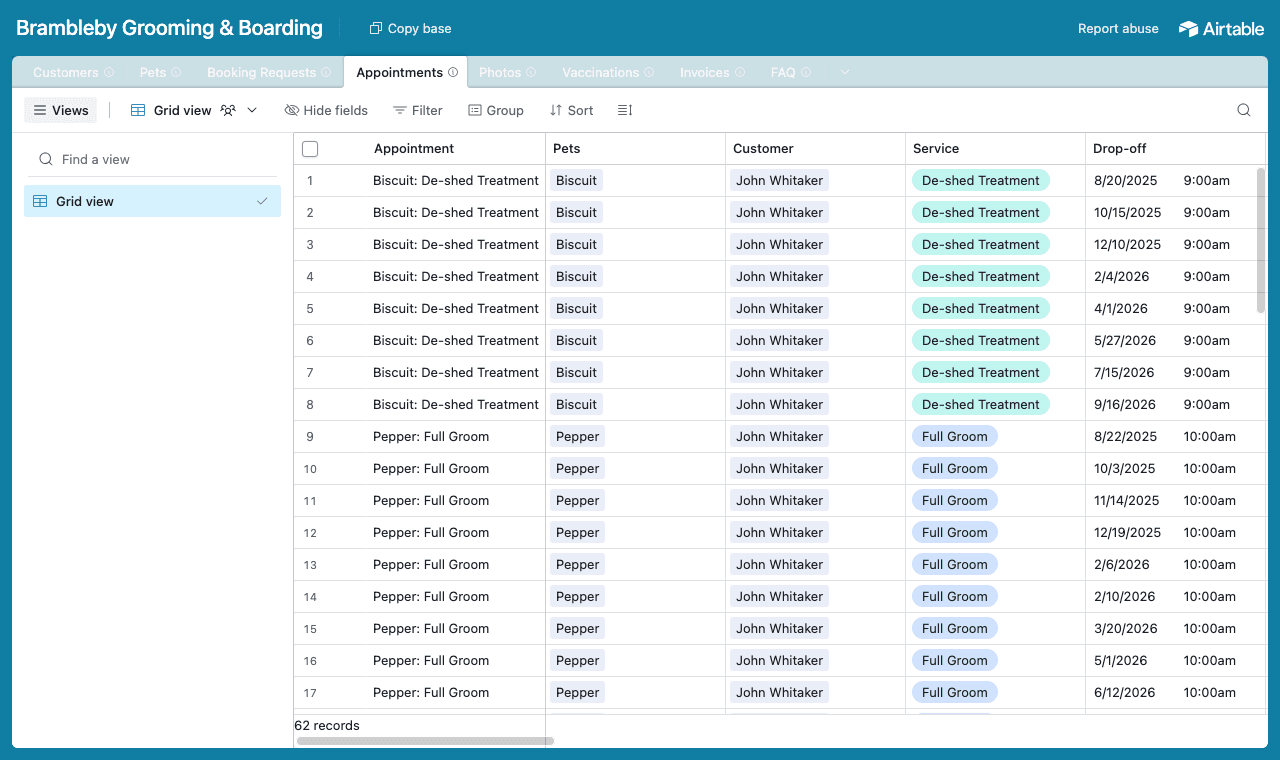
One table per thing, with a Customers table every other table links back to. - 2
Connect the base and pick the customer table
Point CollabPortals at that base, then choose the Customers table as your user table and Email as the login field. Each customer signs in with the email on their record, and CollabPortals matches them to their row.
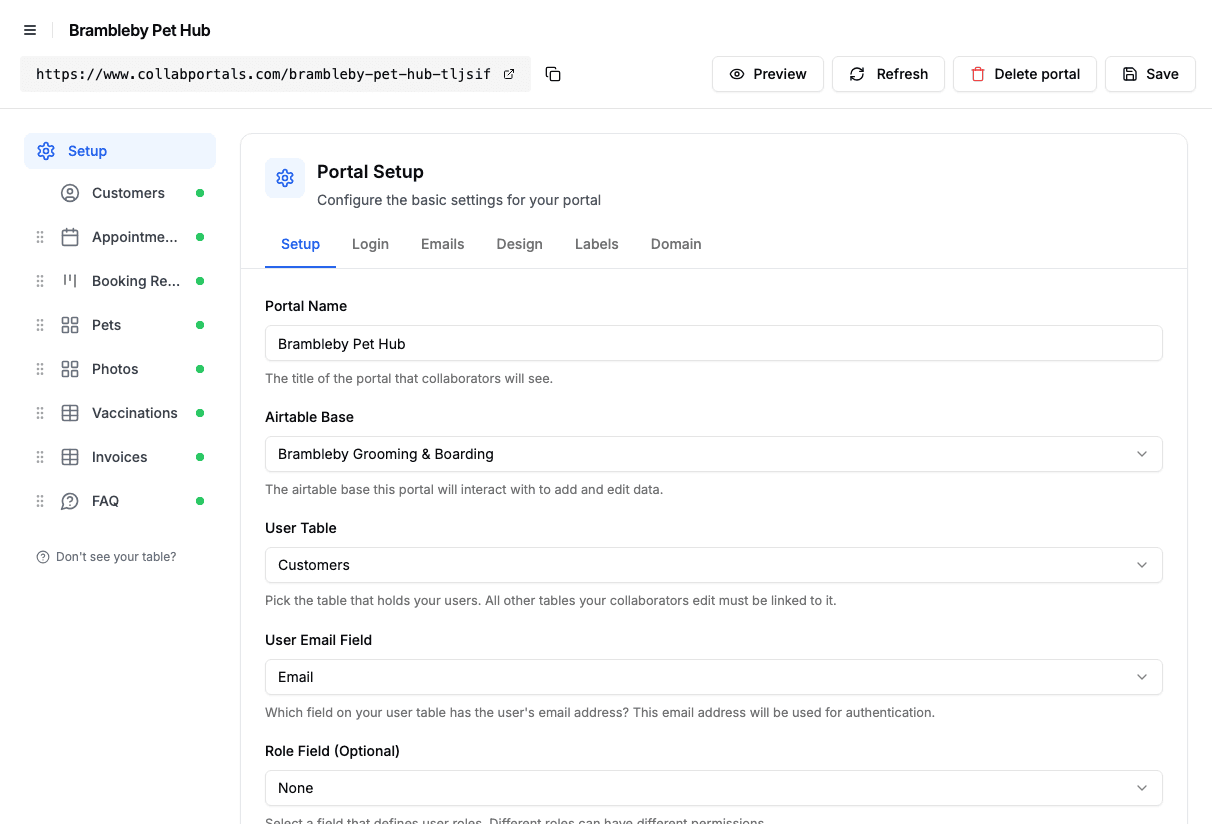
Connect the base, then point CollabPortals at the Customers table and its email field. - 3
Hide what is internal, open up what the customer owns
On each table you toggle fields on or off. On Appointments, customers see the service, drop-off and pick-up times, price, groomer's report and any flag the groomer raised, and they can edit Owner Instructions and nothing else. Groomer Commission and Internal Notes stay hidden. Table access is view and edit, with no create or delete, because appointments come from confirmed requests.
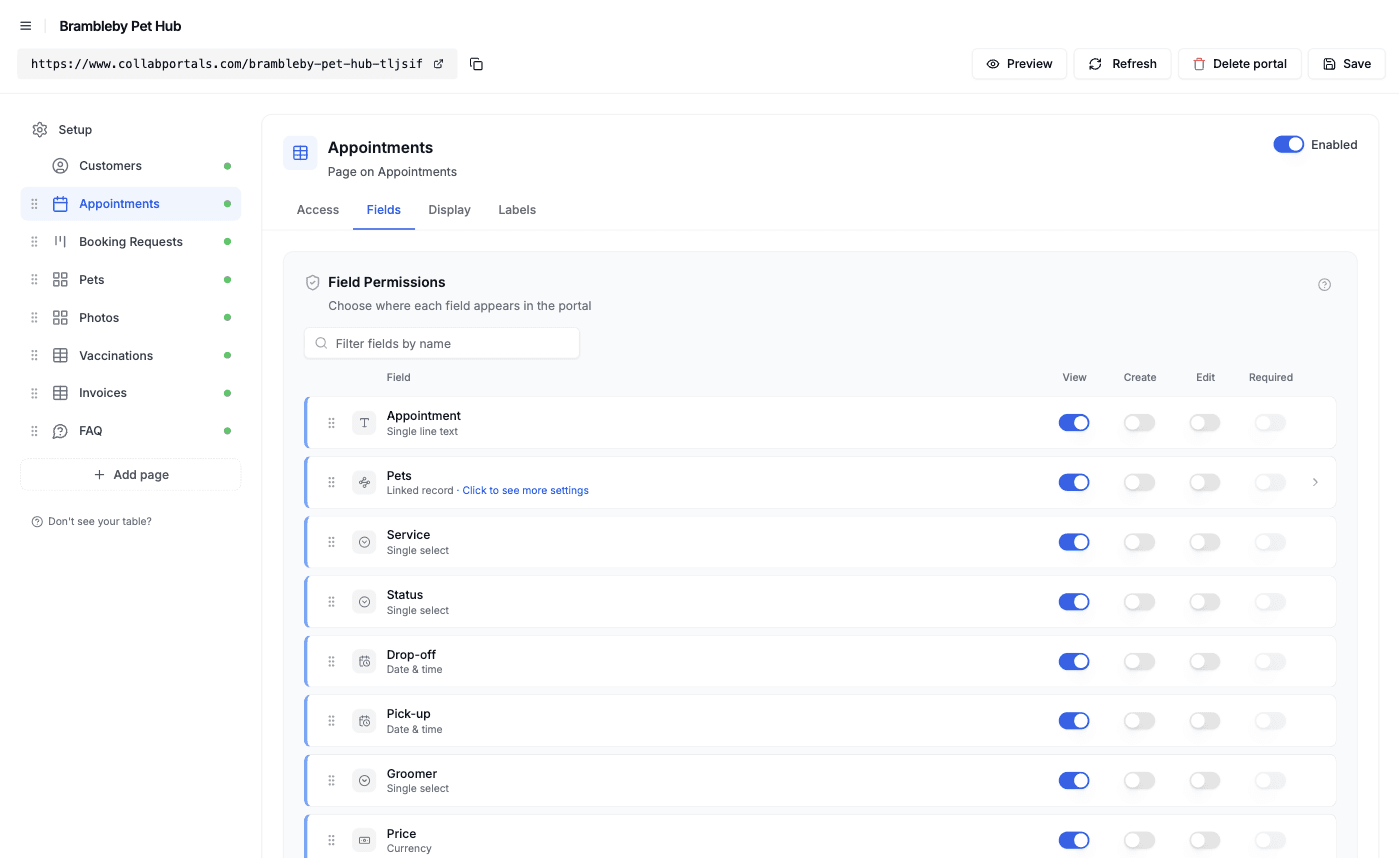
Field-level permissions: show the visit, hide the commission and the internal notes. - 4
Give each table the view that fits
Pick how every table is shown. Appointments as a calendar on the drop-off date, Booking Requests as a kanban by status, Pets and Photos as galleries, Vaccinations as a table grouped by pet and Invoices as a table grouped by status. Open an appointment and its photos and invoices sit right under the details.
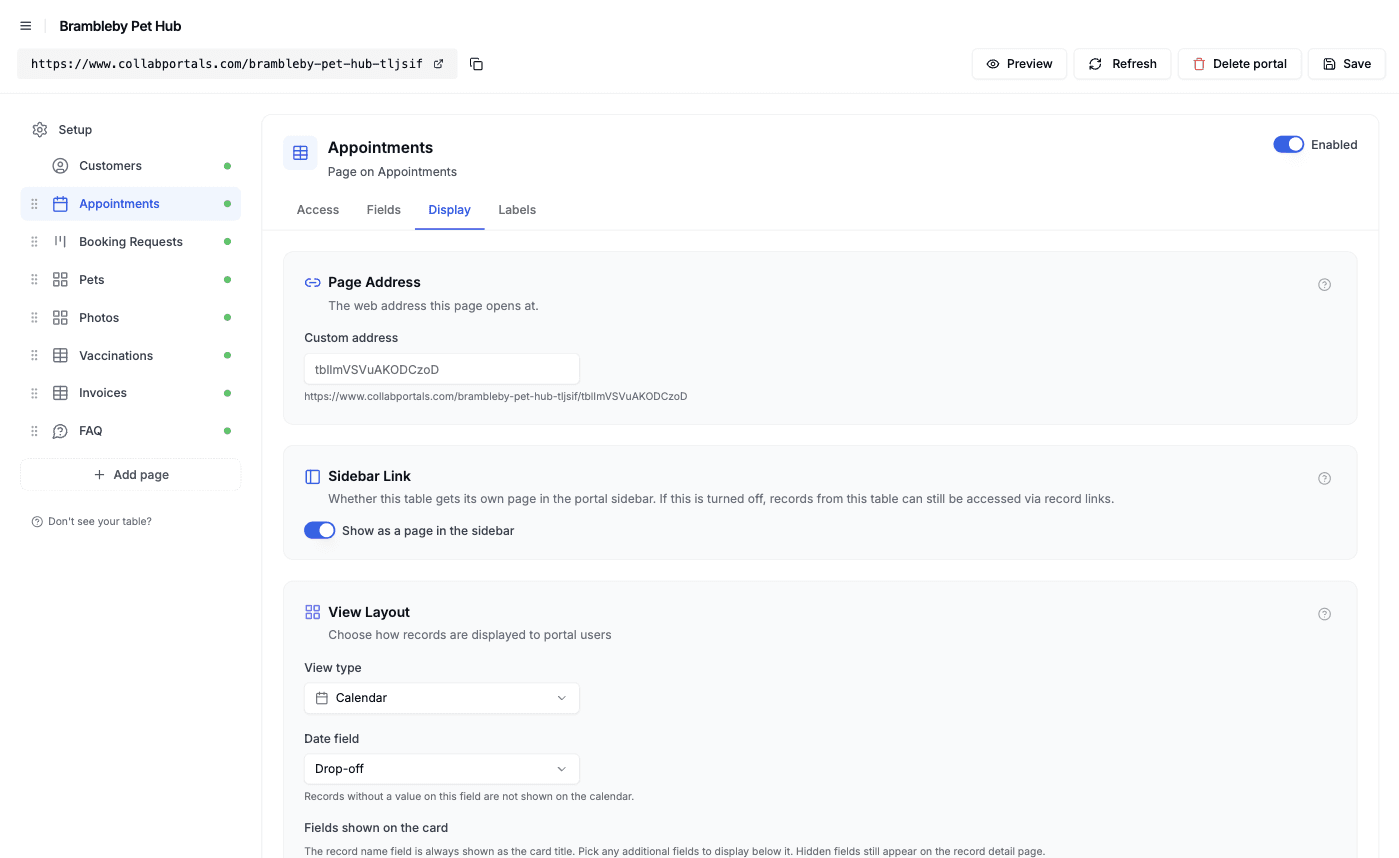
The Display tab turns each table into a calendar, kanban, gallery or table. - 5
Customers get a clean, branded hub
The result is a portal in your colors. Customers check their next visit, send a request, read what the groomer found, upload a certificate and see what is due, all reading from and writing to your Airtable base. Boarding requests are tinted because they need a deposit before the stay is held.
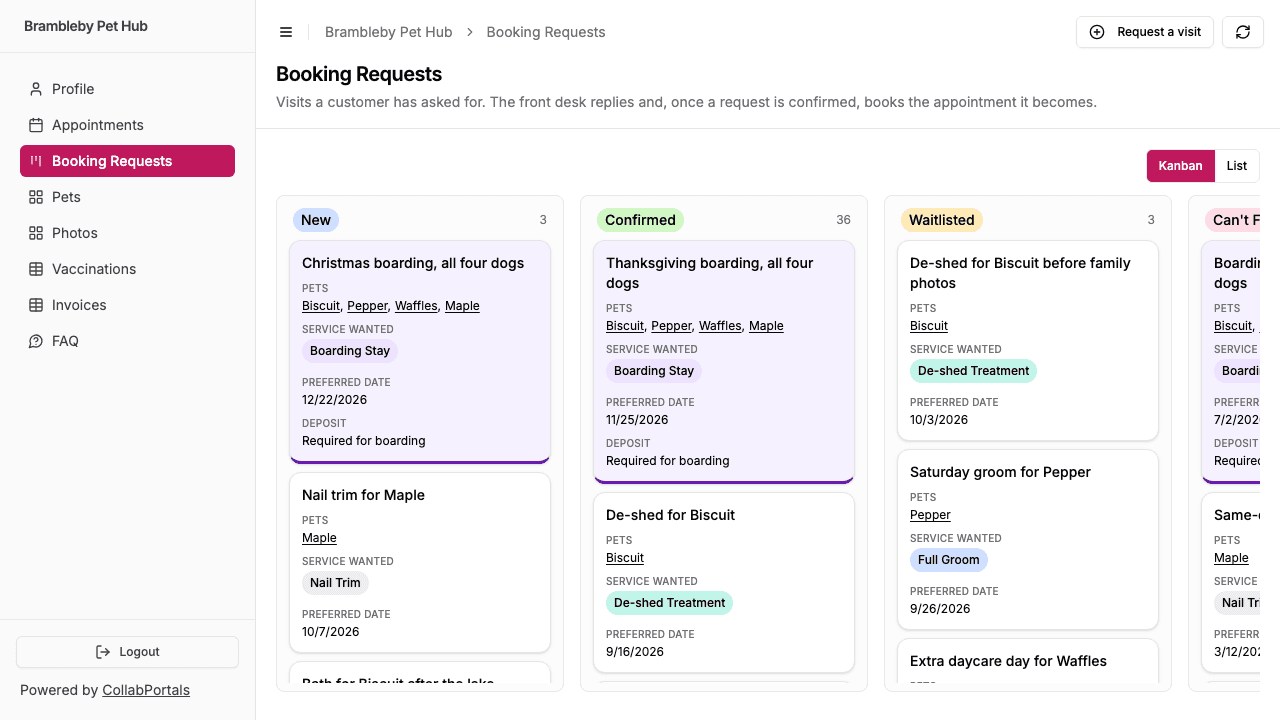
Booking Requests as a customer sees them: a request, the front desk's answer, and a tint on anything that needs a deposit. - 6
They log in with just their email
Share the link. Each customer signs in with the email on their record and a one-time code, so there are no passwords to manage and no Airtable seats to buy. For a public example you can flip on a one-click demo user instead.
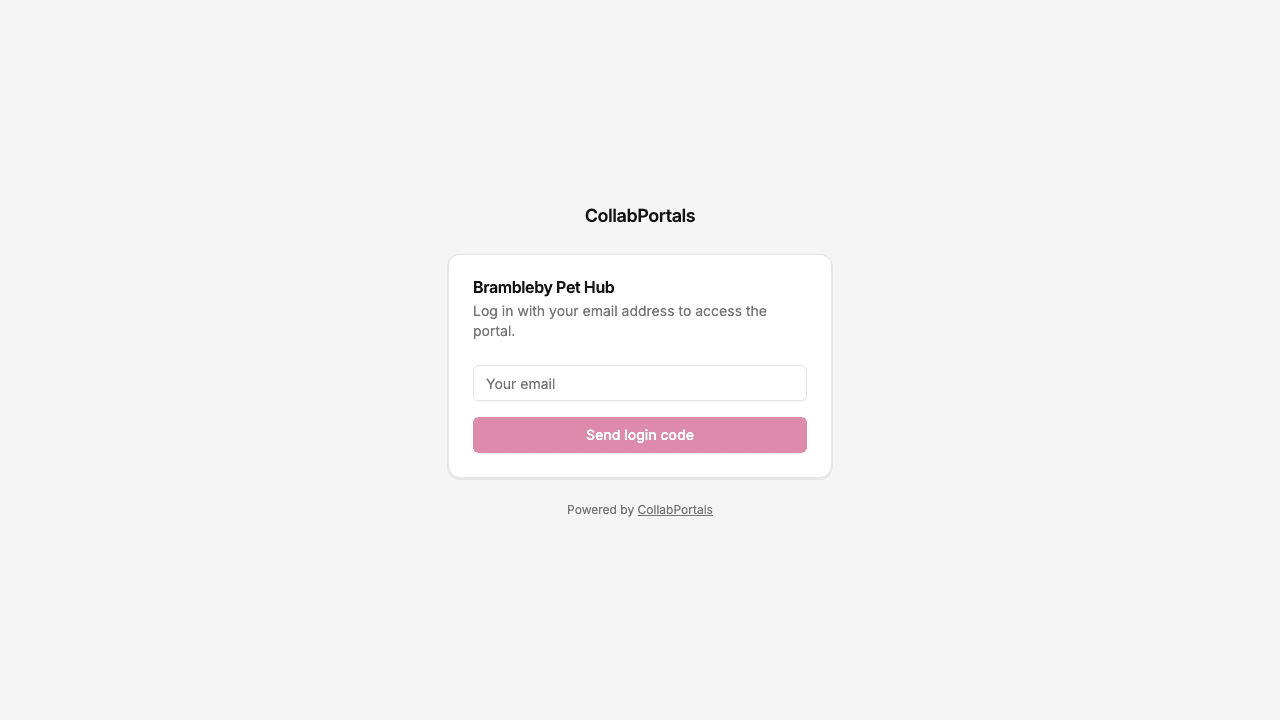
Email and one-time code login, branded with the business's name and color.
Want to start from this exact setup? Open the live demo or copy the Airtable template and connect it to your own base in minutes.
Use Cases for Service Business Portals
Wedding and Event Vendors
Photographers, bands, DJs, florists and caterers book months ahead and need a lot from the couple before the day. The client hub is where the couple checks the booking, sees the payment schedule and fills in the brief.
- Bookings (view), date, venue, package, timings for the day
- Payment Schedule (view), deposit, installments and final balance with due dates and pay links
- Briefs (create, edit), must-have moments, song or shot lists, key people
- Files (view, upload), contracts, run sheets, finished galleries
- Hidden: supplier and crew costs, margin, other couples' bookings
Salons and Spas
Book appointments in the salon software you already use, and give clients a hub for everything around the chair: their history, consultation notes and the forms you need before a treatment.
- Visit History (view), date, service, stylist, products used
- Consultation Forms (create, edit), allergies, patch test dates, preferences
- Before and After Photos (view)
- Packages (view), sessions used and remaining
- Hidden: stylist commission, product cost, internal notes
Tailors and Made-to-Measure
A made-to-measure order runs through fittings, fabric choices and several payments. Clients check where their order is and confirm details without an email chain.
- Orders (view), garment, fabric, status, fitting dates
- Measurements (view), the client's saved measurements from each fitting
- Fittings (view), on a calendar
- Invoices (view), deposit and balance
- Hidden: fabric and making costs, margin, supplier pricing
Coaching and Consulting
Programs with sessions and deliverables. Clients see what is coming up, review what you have delivered and leave feedback on the record.
- Program (view), start and end dates
- Sessions (view), on a calendar, with notes you choose to share
- Deliverables (view, edit feedback), status and client feedback
- Invoices (view), what is due
- Hidden: team notes, internal status
What Makes This Better Than the Alternatives
| Capability | Texts and email | Airtable seats for customers | Booking or practice-management app | CollabPortals |
|---|---|---|---|---|
| Customers see their own bookings, files and invoices in one place | No | No, not scoped per customer | Yes | Yes |
| Staff notes, commission and costs stay hidden | N/A | No | Yes | Yes |
| Customers upload files and fill in briefs straight into your data | No | Yes | Yes | Yes |
| Customers book against live availability and pay online | No | No | Yes | No: requests are confirmed on your own calendar, and payment links point to your card processor |
| You keep working in Airtable (formulas, automations, views) | Yes | Yes | No, separate system | Yes |
| Per-customer cost | Free, plus the admin time | $20/seat/month | Monthly subscription, often per staff member or location | $12/month flat, or $10/month billed annually |
| Time to set up | None, but ongoing | Quick, but unsafe | Weeks of migration | Around an hour |
For a side-by-side breakdown, see CollabPortals vs Softr and CollabPortals vs Airtable Portals, or the roundup of the best Airtable portal builders.
Field-Level Permissions for Service Businesses
Service bases mix what the customer should see (their booking, their report, what they owe) with what they should not (staff notes, commission, cost). CollabPortals lets you decide per field:
- Show to customers: booking date and time, service, price, the report from each visit, invoices and due dates, certificate status
- Hide from customers: staff notes on the account, commission, internal notes, cost and margin
- Editable by customers: contact details, emergency contact, notes for the team, pet or client profile details, briefs, uploaded files
- Read-only for customers: booking status, the team's reply to a request, payment status, anything the business signs off
The same Airtable record, two different views.
Take It Further
The walkthrough above is the whole build. A few options are worth knowing once you are up and running:
- Related records under each record. In the demo, an appointment shows its photos and invoices under the details, and a pet shows its vaccinations there with its appointments, requests and photos in related tabs.
- Let customers search and filter. Turn on filter, search and sort controls so a regular with a year of history can find last spring's invoice or every photo of one dog.
- Highlight what needs attention. Conditional formatting tints overdue invoices, certificates that need a new copy and visits where the groomer raised a flag.
- Notify customers from Airtable. CollabPortals does not send notifications on its own. An Airtable automation can email or text the customer when a request's status changes to Confirmed.
- Roles. Add staff to the user table with a role field, and each role gets its own table and field permissions, so a groomer can work through the day's appointments while customers still see only their own.
After the first day of set-up, customers check the portal instead of texting, and every request, brief and upload lands straight in your Airtable base.
For the generic version that applies to any base, see the setup guide.
Frequently Asked Questions
Can customers book appointments through the portal?
Not against live availability. CollabPortals has no slot picker or calendar sync. Customers send a booking request with a preferred date, you check your schedule and confirm it, and the confirmed appointment then shows on their calendar. If you need self-serve slot booking, keep a booking tool for that and send its bookings into Airtable.
Can I hide staff notes and commission from customers?
Yes. Field-level permissions let you mark staff notes, commission, cost and any internal field as hidden in the portal while they stay in Airtable. The customer sees the same record without those fields.
Can customers upload files, like certificates or a brief?
Yes. Give an attachment field create or edit permission and customers can upload a photo or PDF from their phone. In the demo, owners upload vaccination certificates and the front desk sets each one to Verified or Needs New Copy.
Can the portal take payments?
No. CollabPortals does not process payments. Put a pay link from your card processor in a URL field on each invoice, and customers click through to pay there. You mark the invoice paid in Airtable, by hand or with an automation.
Will customers be notified when I confirm a request?
Not by CollabPortals, which does not send notifications on its own. Use an Airtable automation to email or text the customer when the request's status changes. The portal then shows the confirmed appointment the next time they look.
Does each customer see only their own records?
Yes. Every table links back to the Customers table, and CollabPortals scopes each table to the records linked to the person who signed in. A shared table like the FAQ can be set to show every record to everyone.

About the author
Matt Shepherd
Founder, CollabPortals
Matt is the founder of CollabPortals. A software engineer and Airtable power user who kept running into the same frustration: no easy way to give external users a simple and secure view to edit their data. He built CollabPortals as the lightweight solution to that problem, allowing you to set up a secure, permissioned portal in a few clicks.
Related use cases and guides
Clients
Give your clients secure, branded access to their project data in Airtable. No extra seats, no code, no complex setup, just share a link.
Use caseFreelancers
Give freelancers and contractors a self-service portal to manage their profiles, track projects, and log timesheets, all powered by your Airtable base.
ComparisonCollabPortals vs Softr: Lightweight Portal or Full App Builder?
Compare CollabPortals and Softr for Airtable portals. See how a $10/month focused portal tool stacks up against a full no-code app builder starting at $49/month.
ComparisonCollabPortals vs Airtable Portals: Third-Party Tool or Native Feature?
Compare CollabPortals ($10/month, unlimited users) with Airtable's native Portals, where read-only guests are free and editing guests are sold in packs from $120/month. See which fits how your users actually work.