Build an Airtable Freelancer and Contractor Portal
Give freelancers and contractors a self-service portal to manage their profiles, track projects, and log timesheets, all powered by your Airtable base.

See it working, then start from a ready-made Airtable base.
See a live demoCopy the Airtable templateThe Problem: Managing Freelancers at Scale
You work with freelancers and contractors. Their profiles, project assignments, availability, timesheets, and deliverables all live in Airtable because it is the most flexible way to manage a non-traditional workforce.
But the collaboration layer is missing:
- Freelancers cannot update their own profiles, you manually enter and maintain their contact info, skills, availability, and rates
- Timesheet collection is fragmented, freelancers email spreadsheets, send messages, or use a separate tool that you then copy into Airtable
- Project visibility is one-way, you assign work in Airtable but freelancers cannot see their assignments without you forwarding the details
- Adding them to Airtable is expensive, $20/month per freelancer on Team plans. For a roster of 30 freelancers, that is $600/month for basic data entry access
What you need is a portal where freelancers log in, see their assignments, update their profiles, and submit timesheets, all feeding directly into your Airtable base.
How CollabPortals Works for Freelancer Management
CollabPortals creates a branded portal connected to your Airtable base. Each freelancer logs in with their email, gets matched to their record in your Users table, and sees only the data linked to them. You can serve it on your own domain so the portal reads as part of your business, not a third-party tool.
Example Portal Configuration
| Table | Freelancer Access | Purpose |
|---|---|---|
| Freelancers (Profile) | View, create, edit | Freelancers maintain their own contact info, skills, availability, and bio |
| Projects | View, edit | Freelancers see their assigned projects and update status or notes |
| Timesheets | View, create, edit, delete | Freelancers log hours, edit entries, and delete mistakes |
| Invoices | View only | Freelancers see their payment history and invoice status |
| Rates / Contracts | Hidden | Internal rate cards, contract terms, and margin data stay private |
| Client Details | Hidden | Your client information is never exposed to freelancers |
What This Replaces
| Before | After |
|---|---|
| Freelancers email you profile updates | They edit their own profile in the portal |
| Timesheets arrive via email, Slack, or spreadsheets | Freelancers log hours directly into Airtable via the portal |
| You forward project briefs manually | Freelancers see their assignments when they log in |
| You manually check availability | Freelancers update their own availability status |
| Invoice questions require email threads | Freelancers check their payment status in the portal |
Build a Freelancer Portal Step by Step
Here is how the live demo above is put together. It takes about an hour the first time, with no code involved.
- 1
Set up your Airtable base
Start in Airtable with a table for each part of the relationship: Projects for the work you assign, Timesheets for logged hours, a Documents library, and a Contacts table for the freelancers themselves. Contacts is the hub. It holds each freelancer's email, and the Projects and Timesheets tables link back to it, so every assignment and every hour is tied to the person it belongs to. That link is what later lets the portal show each freelancer only their own work.
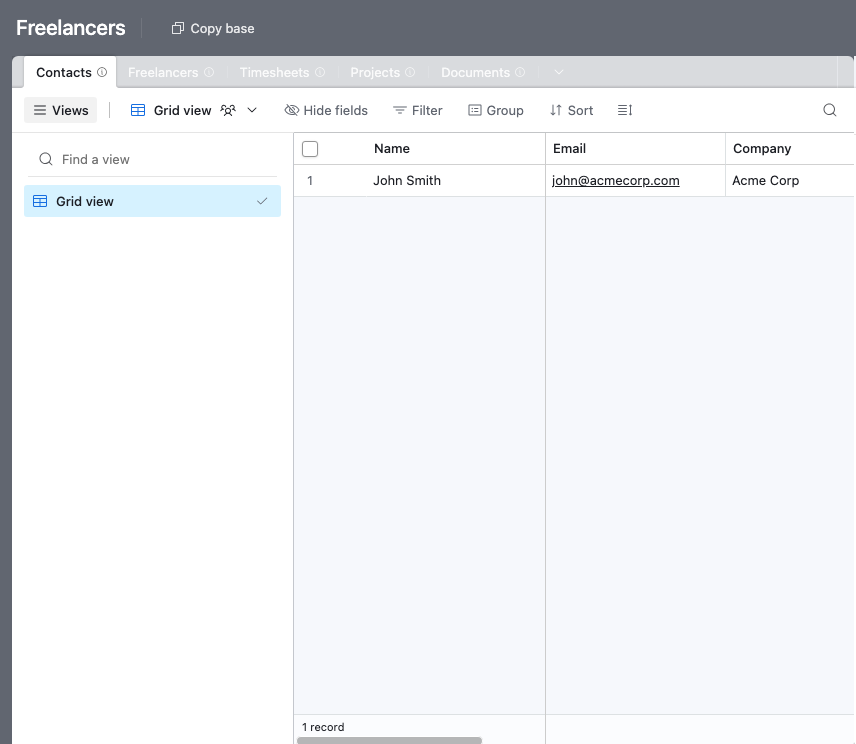
A table for each part of the relationship, with a Contacts table every project and timesheet links back to. - 2
Connect the base and pick the user table
Point CollabPortals at that base, then choose Contacts as your user table and Email as the login field. Each freelancer signs in with their email and is matched to their own record.
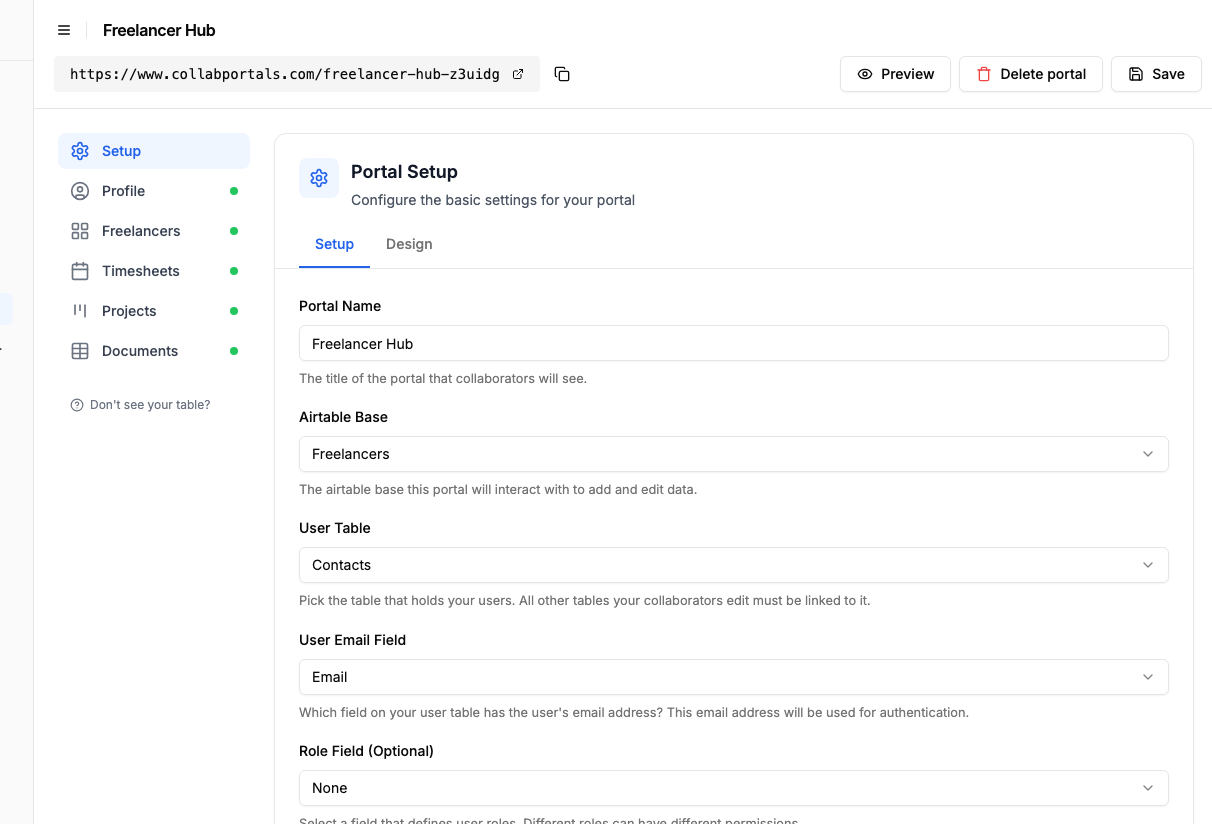
Connect the base, then point CollabPortals at the Contacts table and its email field. - 3
Let freelancers log hours, hide your rates
On the Timesheets table, turn on create, edit and delete so freelancers can log hours and fix a mistake. Show the fields they fill in, like date, project and hours, and hide anything internal, such as your cost rates and the approved or billed flags, which stay in Airtable for you.
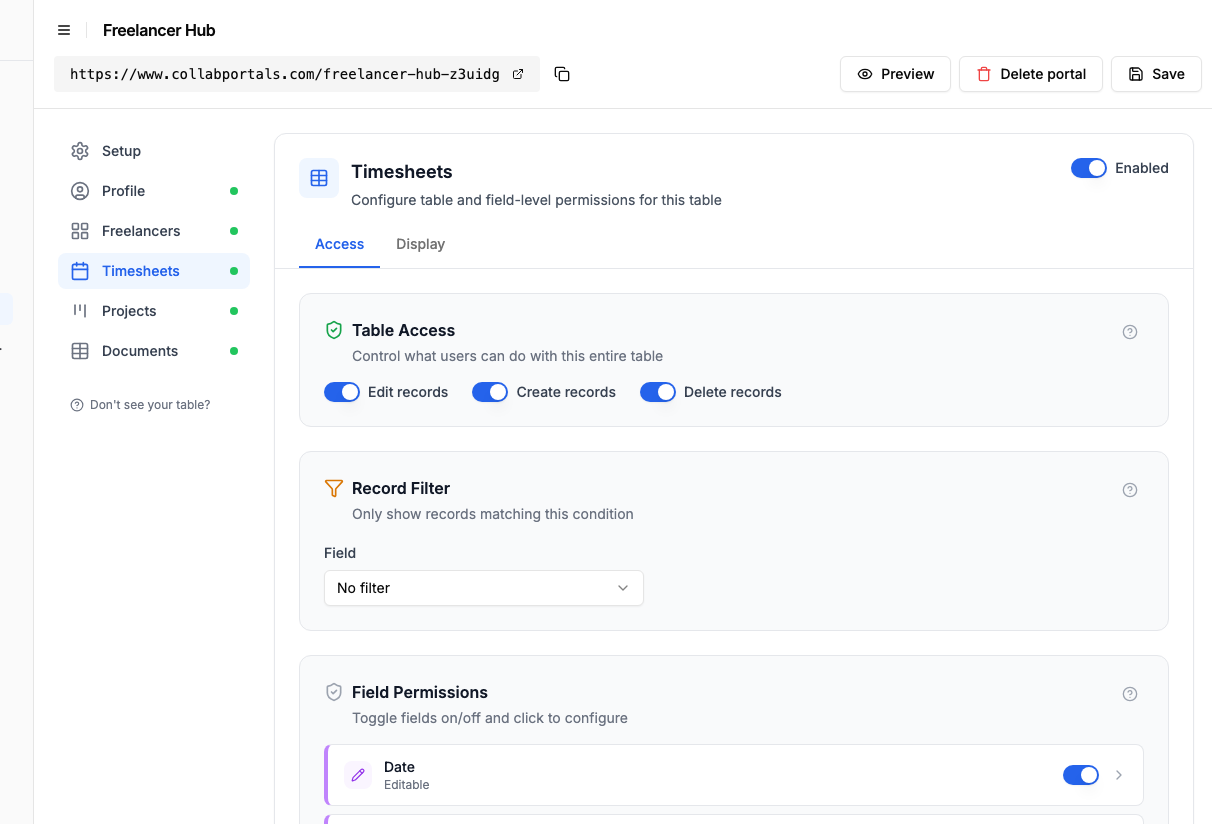
Let freelancers log and correct their hours, while your rates and billing flags stay hidden. - 4
Give each table the view that fits
Pick how each table appears. Timesheets on a calendar so hours sit on the day they were worked, Projects as a kanban that tracks each job from Planning to In Review, Documents as a table. Same Airtable data, shaped for self-service.
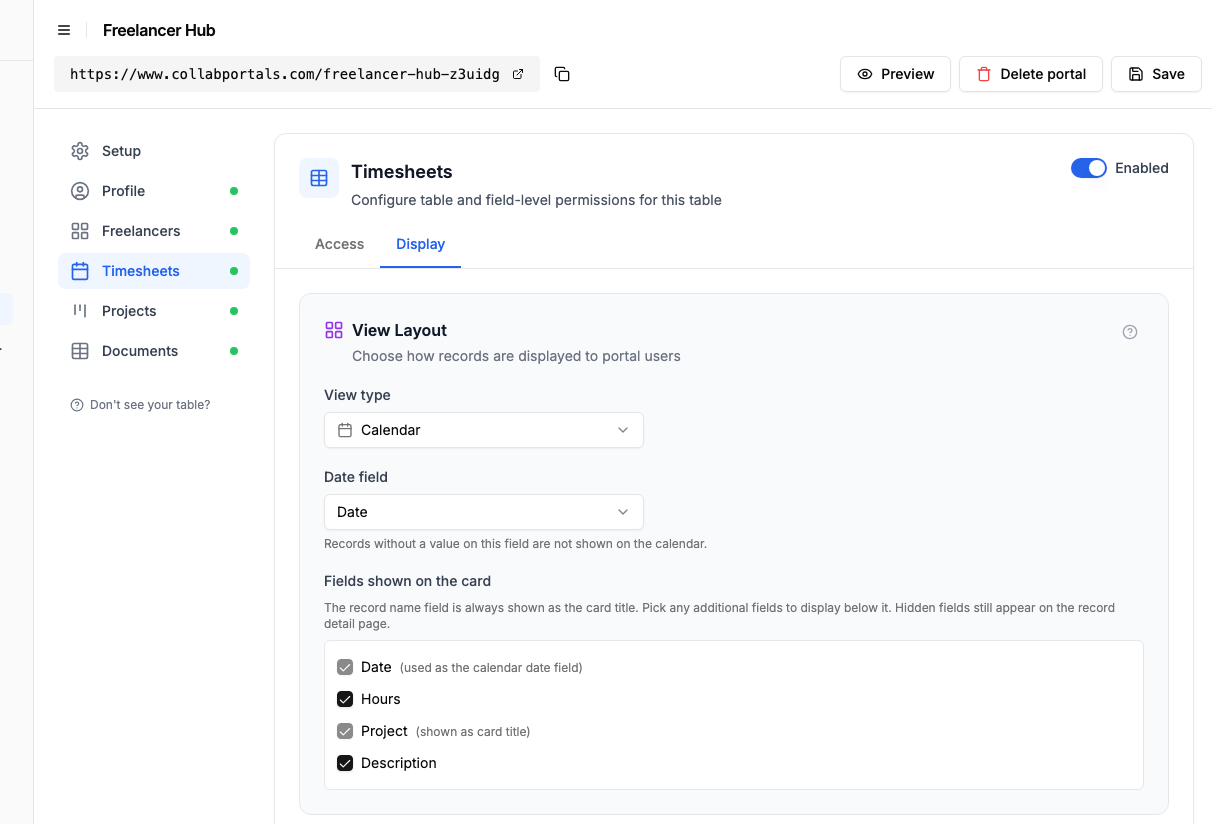
The Display tab puts Timesheets on a calendar, with hours on the day they were worked. - 5
Freelancers get their own workspace
The result is a clean, branded portal. Each freelancer sees only their own projects and timesheets, logs their hours, and picks up new briefs the moment you assign them, all writing straight into your Airtable base.
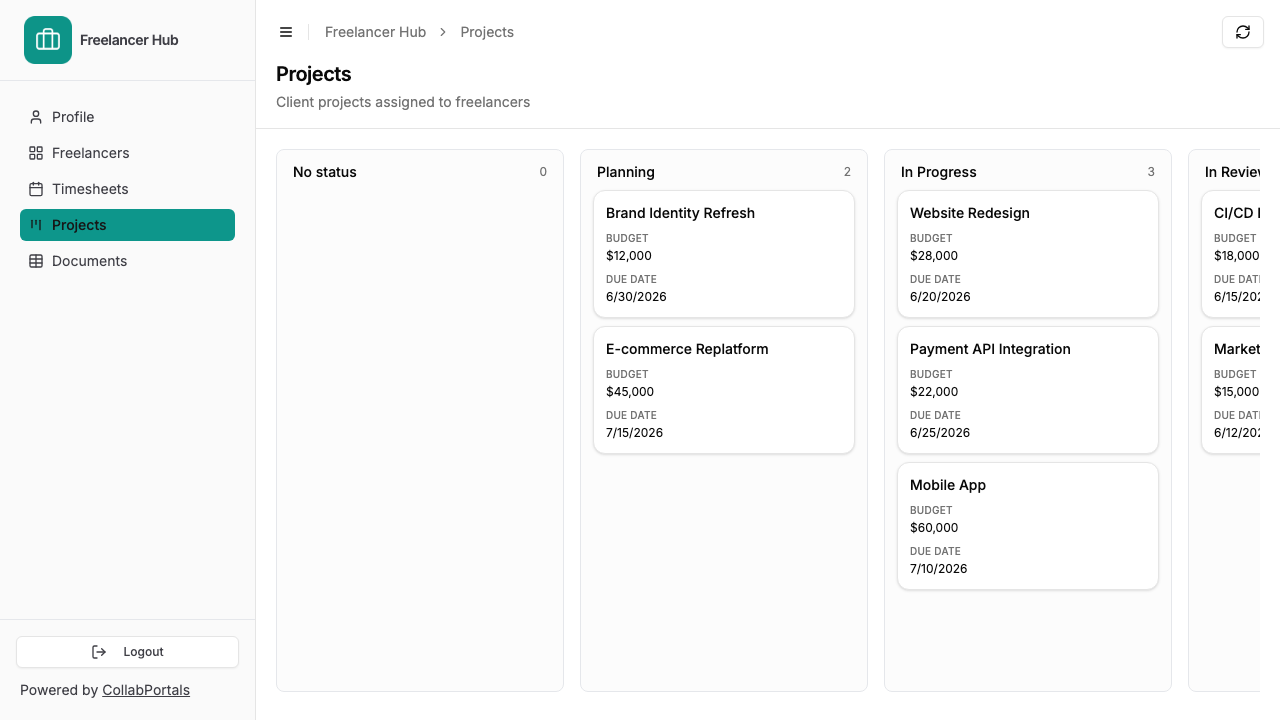
Each freelancer sees only their own work: assigned projects on a board, hours on a calendar. - 6
They log in with their email
Share the link with your roster. Each freelancer signs in with their email and a one-time code, so there are no passwords to manage and no Airtable seats to buy.
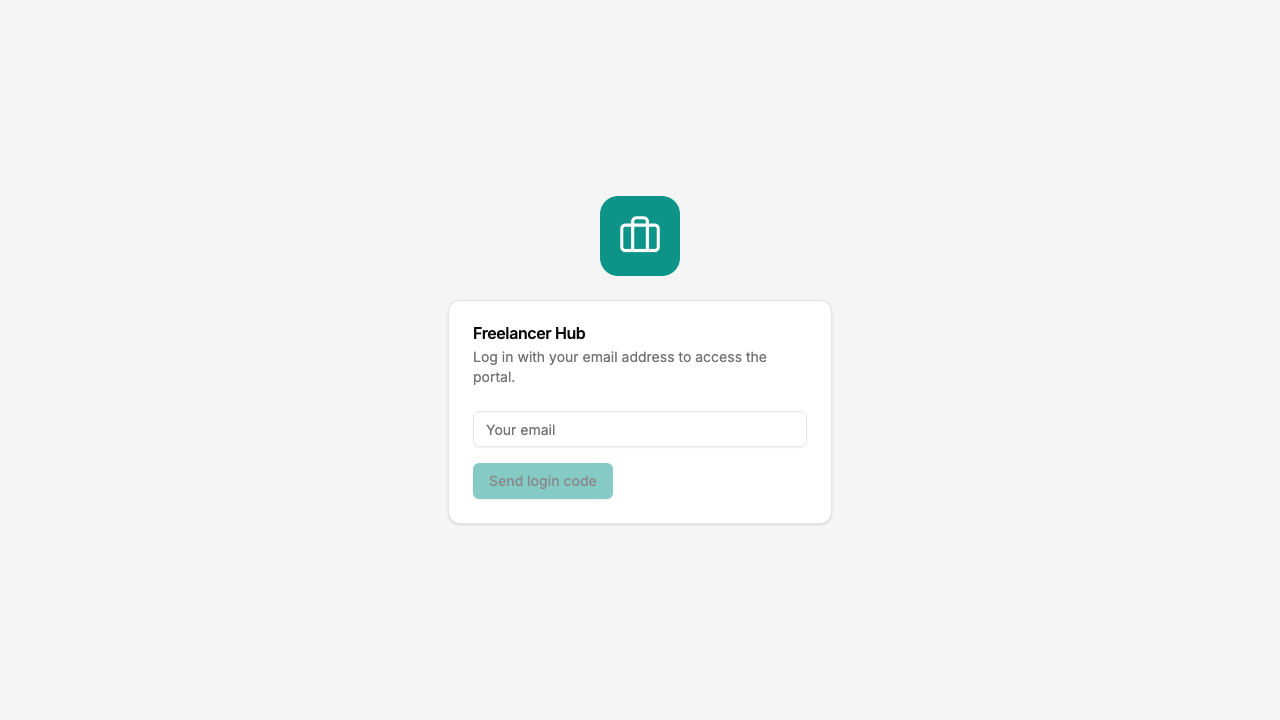
Email and one-time code login, branded with your logo and colour.
Want to start from this exact setup? Open the live demo or copy the Airtable template and connect it to your own base in minutes.
Portal Patterns for Freelancer Management
Profile and Skills Management
Freelancers keep their own information current. You stop being the bottleneck for data entry.
- Freelancers table with full edit access, name, email, skills, portfolio links, availability, location
- Field-level restrictions hide internal fields like "Rating", "Preferred for" or "Hourly Cost" that you use internally but do not want freelancers to see
- Required fields ensure freelancers provide essential information
Timesheet Portal
Freelancers log their hours, and the data flows directly into your Airtable base for invoicing and project tracking.
- Timesheets table with create, edit, and delete access, date, hours worked, project (linked record), notes
- Projects table as read-only reference, freelancers see project names and details but cannot modify assignments
- Hidden fields on timesheets for "Approved", "Billed", and "Rate Applied", these are internal workflow fields
Project Assignment Portal
Freelancers see what they have been assigned to and update their progress.
- Projects table with view and edit access, freelancers update status, add comments, mark milestones
- Deliverables table with create access, freelancers submit completed work
- Schedule table as read-only, freelancers see deadlines without modifying them
- Hidden tables for client details, budgets, and internal planning
Cost Comparison
| Approach | Cost for 30 Freelancers | Freelancer Data Entry | Real-Time Sync |
|---|---|---|---|
| CollabPortals | $10/month | Yes, self-service | Yes, writes to Airtable |
| Airtable seats | $600/month | Yes | Yes |
| Google Forms to Airtable | Free + automation cost | Limited (form submissions only) | Via Zapier/Make ($20+/month) |
| Separate timesheet tool | $5 to 15/user/month ($150 to 450/month) | Yes (but separate system) | Manual or via integration |
| Email + manual entry | Free | No, you do it | No |
For detailed pricing breakdowns, see CollabPortals vs Miniextensions and CollabPortals vs Stacker, or the roundup of the best Airtable portal builders.
Take It Further
The walkthrough above is the whole build. A few options are worth knowing once you are up and running:
- Editable profiles. Give the Freelancers table edit access so each person keeps their own skills, availability and contact details current, and you stop being the data-entry bottleneck.
- Required fields. Make project and hours required on a timesheet so every entry comes in complete and ready to invoice against.
- Invoices. Add an Invoices table, read-only so freelancers track payment status, or create-enabled so they submit invoices straight into your base.
- Nest hours and deliverables under each project. Turn on related tabs so a project's timesheets and deliverables show as tabs on the project record, scoped to it, so a freelancer logs hours and submits work against the right job.
After the first day of set-up, every hour a freelancer logs lands in your Airtable base, where your projects and invoicing already live.
For the generic version that applies to any base, see the setup guide.
Frequently Asked Questions
Can freelancers only see their own timesheets and projects?
Yes. Each freelancer is matched to their record in your Airtable Users table via their email address. They only see records linked to them, never other freelancers' data.
Can I hide the rates I pay freelancers from each other?
Yes. You can hide any field using field-level permissions. Rate, cost, and margin fields can be completely invisible in the portal while remaining in your Airtable base for internal use.
Can freelancers delete their own timesheet entries?
You control this per table. You can enable delete permissions on the timesheets table so freelancers can correct mistakes, or disable it so entries are permanent once submitted. Edit permissions can be configured separately from delete.
How do I onboard a new freelancer?
Add their email to your Airtable Users table and share the portal link. They verify their email and can immediately start using the portal. No account creation or invitation workflow needed.
Can freelancers submit invoices through the portal?
You can set up an Invoices table with create access so freelancers submit invoice records directly. Or keep invoices as read-only so they can view payment status but submit invoices through your existing process.

About the author
Matt Shepherd
Founder, CollabPortals
Matt is the founder of CollabPortals. A software engineer and Airtable power user who kept running into the same frustration: no easy way to give external users a simple and secure view to edit their data. He built CollabPortals as the lightweight solution to that problem, allowing you to set up a secure, permissioned portal in a few clicks.
Related use cases and guides
Project Management
Give clients and external collaborators a branded view into their projects in Airtable, with controlled access to tasks, timelines, and deliverables.
Use caseInternal Requests
Let employees submit hardware requests, IT tickets, supply orders, and internal service requests through a portal connected to your Airtable operations base.
ComparisonCollabPortals vs Airtable Portals: Third-Party Tool or Native Feature?
Compare CollabPortals ($10/month, unlimited users) with Airtable's native Portals, where read-only guests are free and editing guests are sold in packs from $120/month. See which fits how your users actually work.
ComparisonCollabPortals vs Miniextensions: Which Airtable Portal Tool Is Right for You?
A detailed comparison of CollabPortals and Miniextensions for building Airtable portals. Compare pricing, features, and limitations to find the best fit.