Build an Airtable Real Estate Transaction Portal
Give clients and agents a branded portal to track property listings, transactions, and documents, all powered by your existing Airtable base.

See it working, then start from a ready-made Airtable base.
See a live demoCopy the Airtable templateThe Problem: Sharing Real Estate Data with Clients and Agents
You manage properties, transactions, and client relationships in Airtable. But when a buyer asks for a status update or an agent needs to check a listing, your options are limited:
- Add them as an Airtable collaborator, they see every property, every deal, and every internal note across all clients. Each seat costs $20/month on Team plans.
- Send email updates, stale the moment you hit send. Clients reply asking for information you already updated yesterday.
- Build a custom portal, weeks of development for something that should take minutes. Ongoing maintenance every time you add a field.
- Use a generic CRM tool, expensive, overpowered for what you need, and disconnected from your Airtable workflow.
What you actually need is a way to let clients and agents log in and see just their properties and transactions, with exactly the fields and permissions you choose, without exposing your entire base.
How CollabPortals Solves This
CollabPortals connects to your existing Airtable base and creates a branded portal that clients and agents access via a shared link. Upload your logo so the portal header carries your brand, not ours. You control everything:
Table-Level Permissions
Choose exactly which tables each portal exposes. A real estate firm might show clients their Properties and Transactions tables while hiding internal Commission and Lead Source tables entirely.
| Table | Client Access | Why |
|---|---|---|
| Properties | View, edit | Clients see listings and update preferences |
| Transactions | View only | Clients track deal progress without modifying records |
| Documents | View only | Clients access contracts and disclosures |
| Commissions | Hidden | Internal financial data stays private |
| Lead Sources | Hidden | Marketing data stays internal |
Field-Level Permissions
Within each visible table, you pick which fields clients can see and which they can edit. Show the "Status" and "Asking Price" fields but hide "Internal Valuation". Let clients edit their "Preferences" but not their "Assigned Agent".
Email-Based Authentication
Clients log in with their email address via a verification code, no passwords to manage. CollabPortals matches each client to their record in your Airtable Contacts table, so they only see properties and transactions linked to them.
Real-World Real Estate Portal Patterns
Based on how teams actually use CollabPortals, real estate portals typically follow one of these patterns:
The Buyer/Seller Dashboard
Clients log in to check the status of their transactions. Property and transaction tables are read-only, with one editable table for client requests or document uploads.
Common in: residential brokerages, buyer's agents, relocation services
- 2 to 4 visible tables
- Properties and Transactions as read-only
- 1 table with create/edit for client requests
- Sensitive fields like commission and internal notes hidden
The Agent Workspace
Agents actively manage their pipeline through the portal. Multiple tables allow create and edit operations with field-level restrictions protecting brokerage-wide data.
Common in: brokerages with independent agents, property management firms
- 3 to 6 visible tables
- Agents can create new property records and update transaction status
- Heavy field-level restrictions on financial columns
- Contacts table for agent self-service profile management
The Property Management Portal
Tenants and property owners access their specific units and lease information. They can submit maintenance requests and view payment history without seeing other tenants' data.
Common in: property management companies, landlords with multiple units, HOAs
- 3 to 5 tables with mixed permissions
- Maintenance requests table with create access
- Lease and payment tables as read-only
- Unit details viewable but not editable
What Makes This Different from Real Estate Software
Dedicated real estate platforms charge hundreds per month and force you into their workflow. CollabPortals works with the Airtable base you already have:
| Capability | CollabPortals | Traditional Real Estate Software |
|---|---|---|
| Works with your existing data | Yes, connects to your Airtable base | No, import/export or start from scratch |
| Per-user cost | None, unlimited users for $10/month | $25 to $100+ per user per month |
| Customizable fields | Fully, it is your Airtable schema | Limited to the platform's data model |
| Setup time | Minutes | Days to weeks |
| Lock-in | None, your data stays in Airtable | Data lives in their system |
The key difference: real estate software dictates your workflow. CollabPortals extends the Airtable workflow you already built.
Build a Real Estate Portal Step by Step
Here is how the live demo above is put together. It takes about an hour the first time, with no code involved.
- 1
Set up your Airtable base
Start with a table for each part of the operation: a Properties table for your listings with photos, a Transactions table for deals, a Viewings table for scheduled visits, a Documents table for contracts and surveys, and a Contacts table for the people who log in. Contacts is the hub. It holds each person's email, and their properties, transactions and viewings link back to it, so each one only ever sees their own.
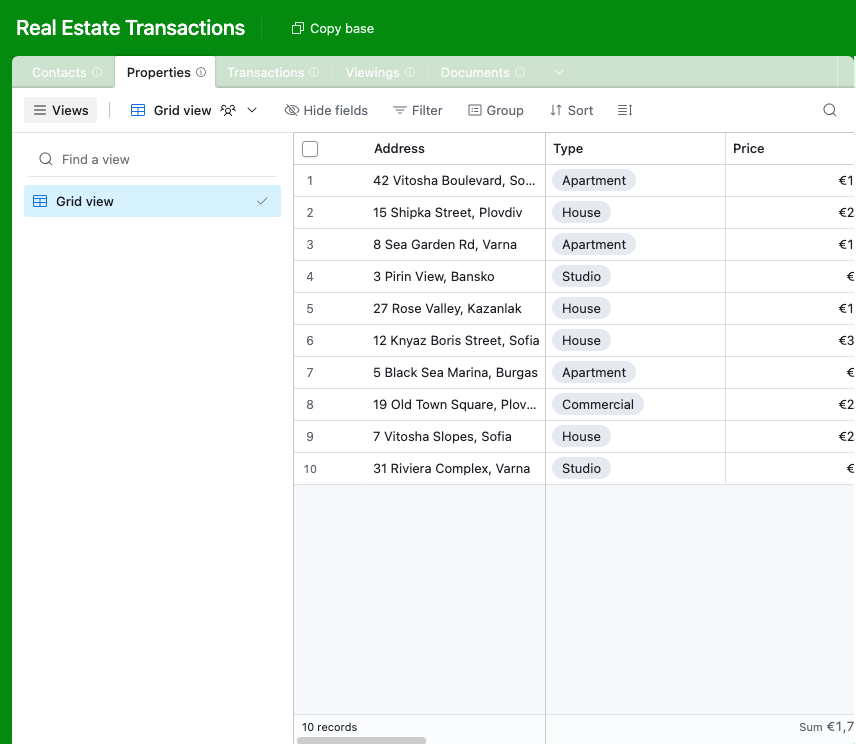
A table for each part of the operation, with a Contacts table every property links back to. - 2
Connect the base and pick the user table
Point CollabPortals at that base, then choose Contacts as your user table and Email as the login field. Each client or agent signs in with their email and is matched to their own record.
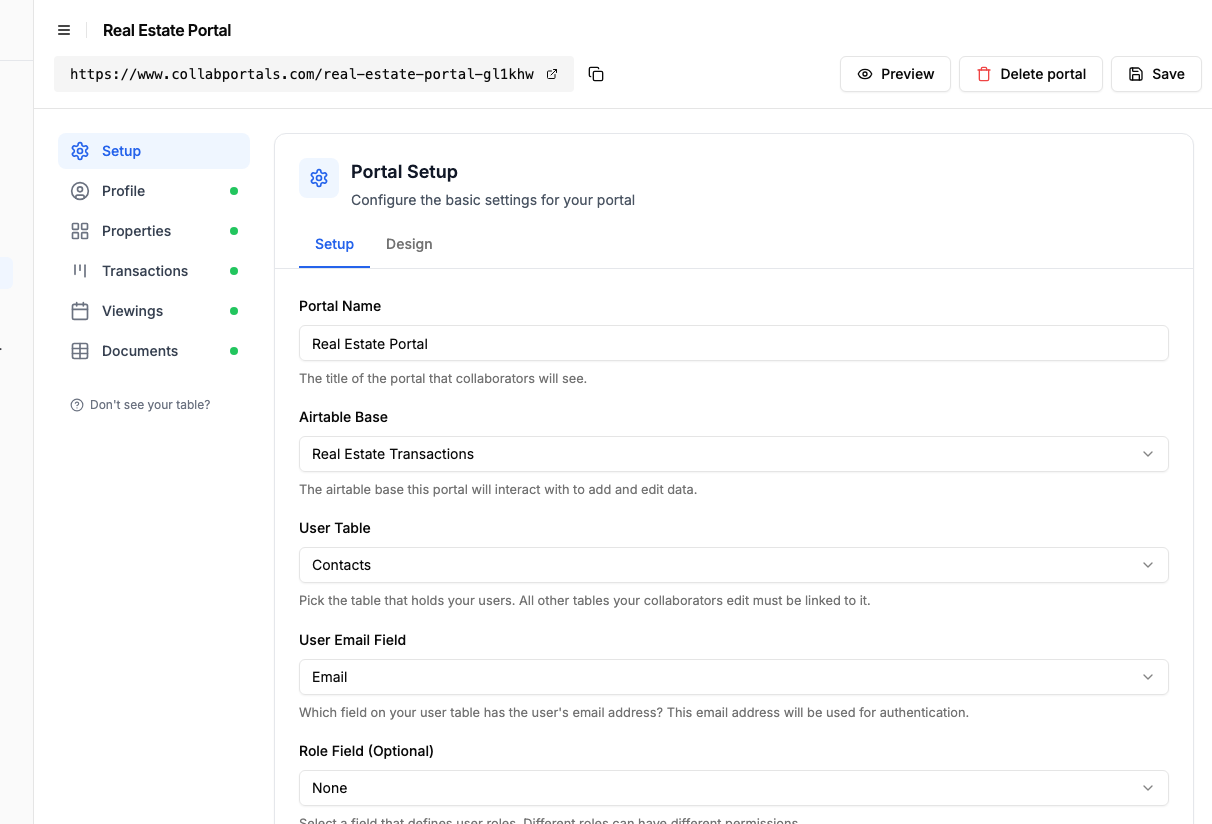
Connect the base, then point CollabPortals at the Contacts table and its email field. - 3
Let clients see listings, hide your valuations
On the Properties table, turn on create and edit so agents can add a listing and update it, and leave delete off. Show the fields clients should see, like address, type, price and status, and hide internal ones such as your own valuation and commission. Keep Transactions so clients track a deal from Pending to Completed.
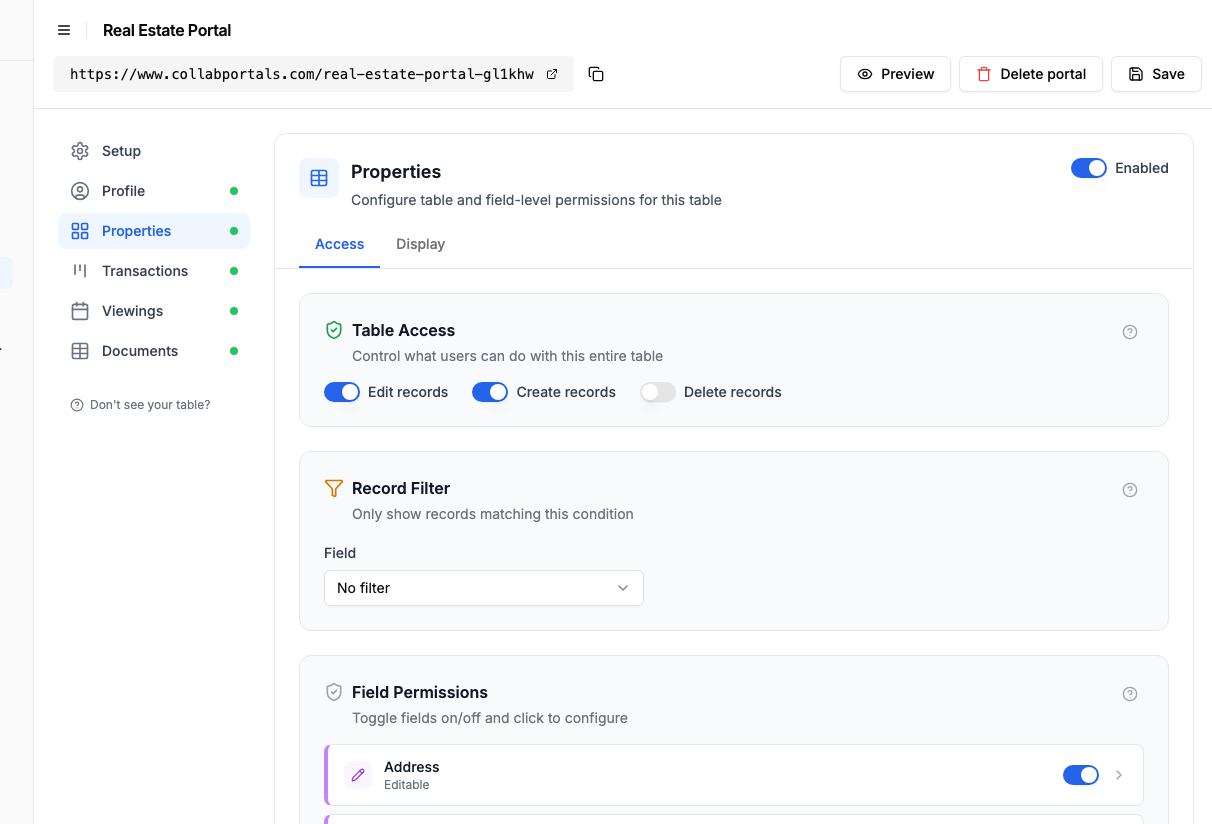
Let agents manage listings, while internal valuations and commission stay hidden. - 4
Give each table the view that fits
Pick how each table appears. Properties as a gallery so clients browse listings with photos, Transactions as a board that moves from Pending to Active to Completed, Viewings on a calendar, Documents as a table to download. Same Airtable data, shaped for each audience.
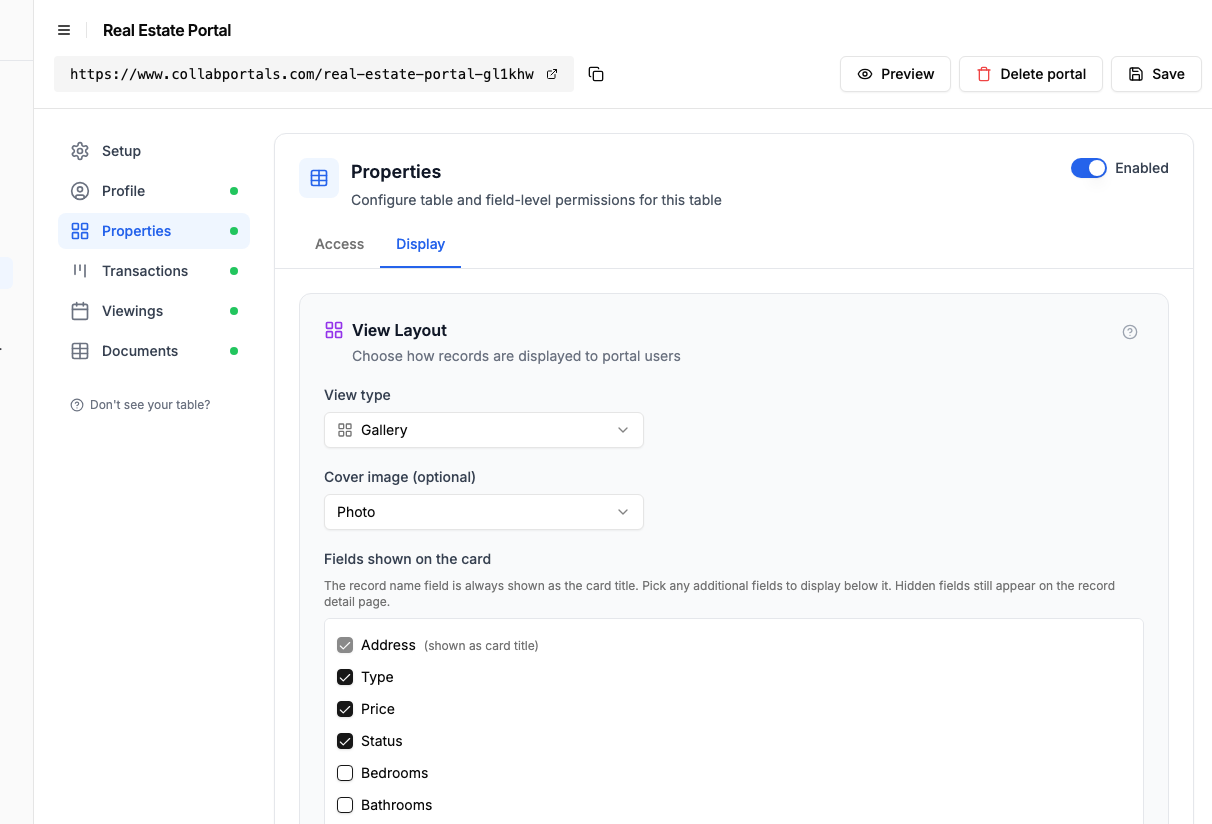
The Display tab lays Properties out as a gallery with a photo on every card. - 5
Clients browse and track
The result is a clean, branded portal. Each client signs in, browses their own properties as a gallery, tracks each transaction across the board, and checks upcoming viewings, all reading straight from your Airtable base.
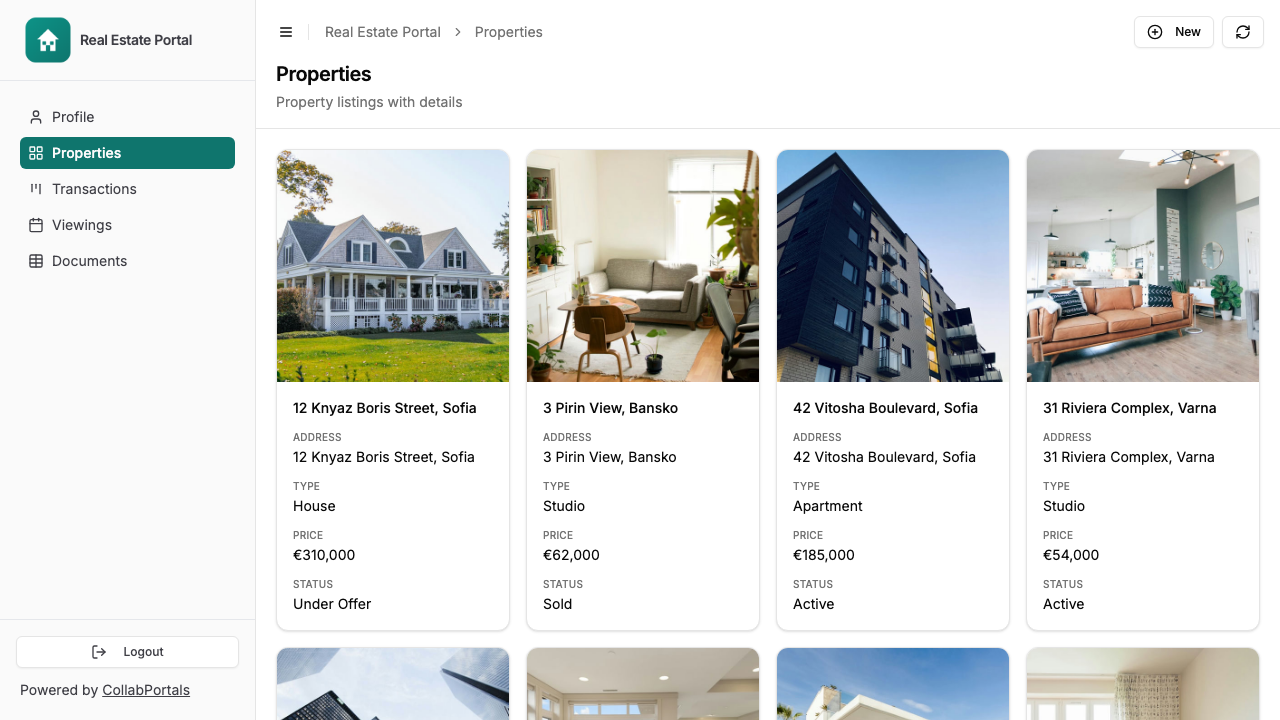
Clients browse their properties as a gallery, with price and status on every card. - 6
They log in with their email
Share the link with your clients and agents. Each one signs in with their email and a one-time code, so there are no passwords to manage and no Airtable seats to buy.
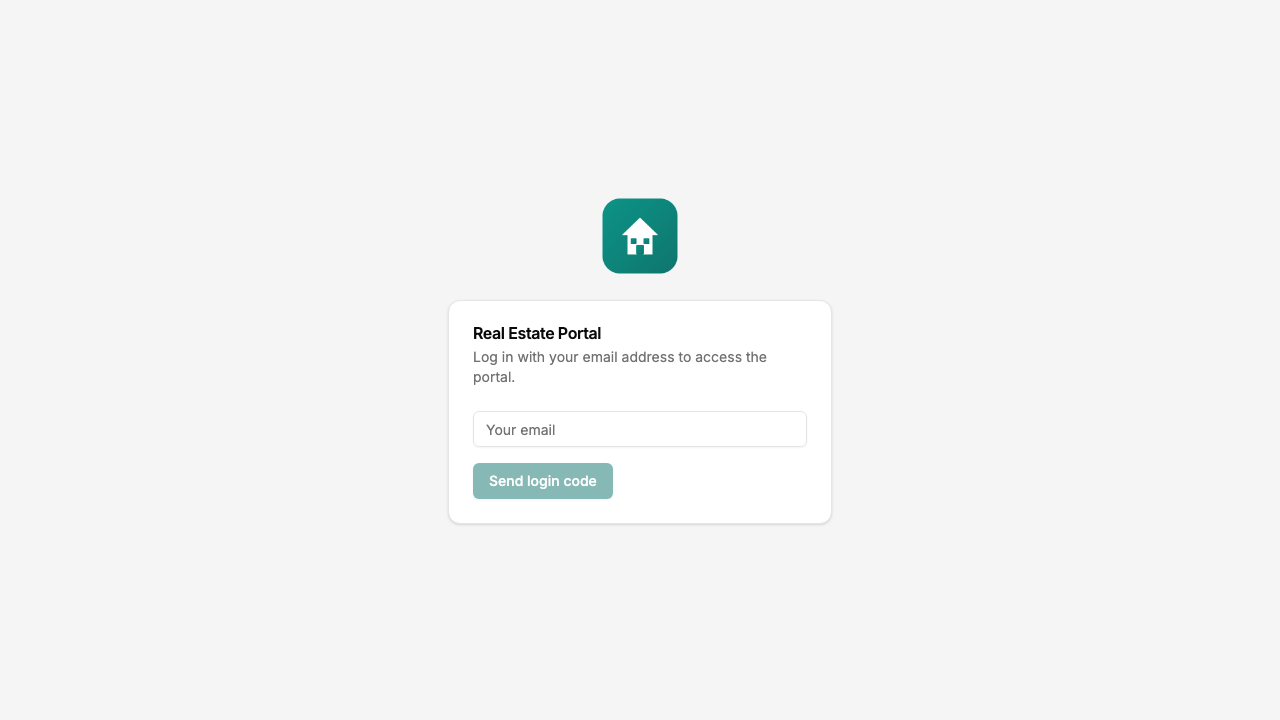
Email and one-time code login, branded with your logo and colour.
Want to start from this exact setup? Open the live demo or copy the Airtable template and connect it to your own base in minutes.
Take It Further
The walkthrough above is the whole build. A few options are worth knowing once you are up and running:
- Scope each client to their own. Set a record filter so a buyer only sees properties and transactions linked to them, while your team sees the whole pipeline in Airtable.
- Agent and client roles. Add a role field on Contacts so agents manage listings and deals while buyers and sellers see their own read-only, both from the same base.
- Document downloads. Keep contracts, surveys and mortgage offers in a Documents table clients can download, with create access if you want them to upload their own.
- Let clients filter the listings. Turn on filter, search and sort controls so a buyer can narrow the Properties gallery by type, rating or status and search by address.
- Nest reports under each property. Turn on related tabs so a property's surveys, reports and documents show as tabs on the property record, scoped to it.
After set-up, every listing update and document lands in your Airtable base, where your team already works.
For the generic version that applies to any base, see the setup guide.
Frequently Asked Questions
How do clients log in to the portal?
Clients enter their email address and receive a verification code. CollabPortals matches their email to a record in your Airtable Contacts table, so they only see properties and transactions linked to them. No passwords to manage.
Can different clients see different properties?
Yes. Each client is matched to their record in your Airtable Contacts table via their email address. They only see records linked to them, not other clients' properties or transactions. You control which tables and fields are visible at the portal level.
Can agents and clients have different permissions?
Yes. Use roles within a single portal: an "Agent" role with broader access and edit rights, and a "Client" role restricted to read-only views and scoped by record filter to their own transactions. Both roles live in the same portal, mapped to a field on your Users table. You can still run separate portals if you want the URLs to differ.
What if I need to hide financial details from clients?
CollabPortals has field-level permissions. For each table, you choose which fields are visible and which are editable. You can show a property's asking price but hide the internal valuation, commission rate, or seller's minimum.
Does my data leave Airtable?
No. CollabPortals reads and writes directly to your Airtable base using the Airtable API. Your data stays in Airtable, CollabPortals is just a controlled window into it.
Can clients submit offers or requests through the portal?
Yes, if you enable create permissions on a table. You can set up a Requests or Offers table where clients submit new records, while keeping property and transaction tables read-only.
How much does it cost compared to real estate CRM software?
CollabPortals costs $10/month for unlimited users and unlimited portals. Most real estate CRM platforms charge $25 to $100+ per user per month. For a team with 20 clients and 5 agents, that is $10/month vs hundreds per month.

About the author
Matt Shepherd
Founder, CollabPortals
Matt is the founder of CollabPortals. A software engineer and Airtable power user who kept running into the same frustration: no easy way to give external users a simple and secure view to edit their data. He built CollabPortals as the lightweight solution to that problem, allowing you to set up a secure, permissioned portal in a few clicks.
Related use cases and guides
Location Management
Give field teams, franchisees, and regional partners secure access to their location data in Airtable. Track sites, jobs, inventory, and tickets without sharing your entire base.
Use caseClients
Give your clients secure, branded access to their project data in Airtable. No extra seats, no code, no complex setup, just share a link.
ComparisonCollabPortals vs Stacker: Simple Portal or Full App Builder?
Compare CollabPortals ($10/month) with Stacker Classic ($9+/month) for Airtable portals. Find out which tool fits your budget and use case.
ComparisonCollabPortals vs Noloco: Focused Portal or Full-Featured App Builder?
Compare CollabPortals ($10/month) with Noloco ($49+/month) for building Airtable portals. See which tool matches your budget, features, and complexity needs.