Build an Airtable Location Management Portal
Give field teams, franchisees, and regional partners secure access to their location data in Airtable. Track sites, jobs, inventory, and tickets without sharing your entire base.

See it working, then start from a ready-made Airtable base.
See a live demoCopy the Airtable templateThe Problem: Managing Locations Across Teams and Partners
You manage dozens or hundreds of physical locations in Airtable: stores, sites, branches, franchise units, or client premises. Each location has installation records, service jobs, inventory, and contact details. But the people responsible for those locations, field teams, franchisees, regional managers, or service partners, cannot access Airtable directly:
- Add them as Airtable collaborators and they see every location, every cost figure, and every internal note. Each seat costs $20/month on Team plans, and 50 field partners means $1,000/month in seats alone.
- Export filtered views to spreadsheets and they are outdated the moment you send them. Partners reply asking about data that has already changed.
- Build a custom dashboard and you are maintaining a separate application that needs to stay in sync with Airtable.
- Use Airtable Interfaces and you still cannot scope views by who is logged in. Every user with access sees the same data.
What you need is a portal where each partner logs in and sees only their locations, can update job status, upload installation photos, and log issues, without seeing other partners' data or your internal cost breakdowns.
How CollabPortals Works for Location Management
CollabPortals connects to your Airtable base and creates a branded portal for your field teams and partners. Each user logs in with their email, sees only the locations linked to them, and interacts with exactly the tables and fields you allow. Your operations team continues working in Airtable.
Example: Multi-Site Service Operations Portal
A company managing installations and service across retail locations gives regional partners access to their assigned sites.
| Table | Partner Access | Purpose |
|---|---|---|
| Locations | View, edit | Partners see their assigned sites with address, contact, and status |
| Jobs | View, edit | Partners update job status, upload photos, log completion dates |
| Inventory | View only | Partners check what equipment is installed at each location |
| Tickets | View, create, edit | Partners raise and track support tickets for their locations |
| Users | View, edit | Partners manage their own contact details |
| Customers | Hidden | Internal customer contracts and billing data |
| Cost Tracking | Hidden | Parts costs, labor rates, and margin data |
Partners see: their locations with job schedules, installed equipment, and open tickets. Your team sees: the full operation with costs, customer contracts, and cross-partner reporting.
Build a Location Management Portal Step by Step
Here is how the live demo above is put together. It takes about an hour the first time, with no code involved.
- 1
Set up your Airtable base
Start with your operations base: a Locations table for the sites you cover, a Jobs table for the work scheduled at them, a Tickets table for issues, an Inventory table for what is installed, and a Partners table for the field teams who log in. Partners is the hub. It holds each partner's email, and the locations, jobs and tickets link back to it, so each team only ever sees its own sites.
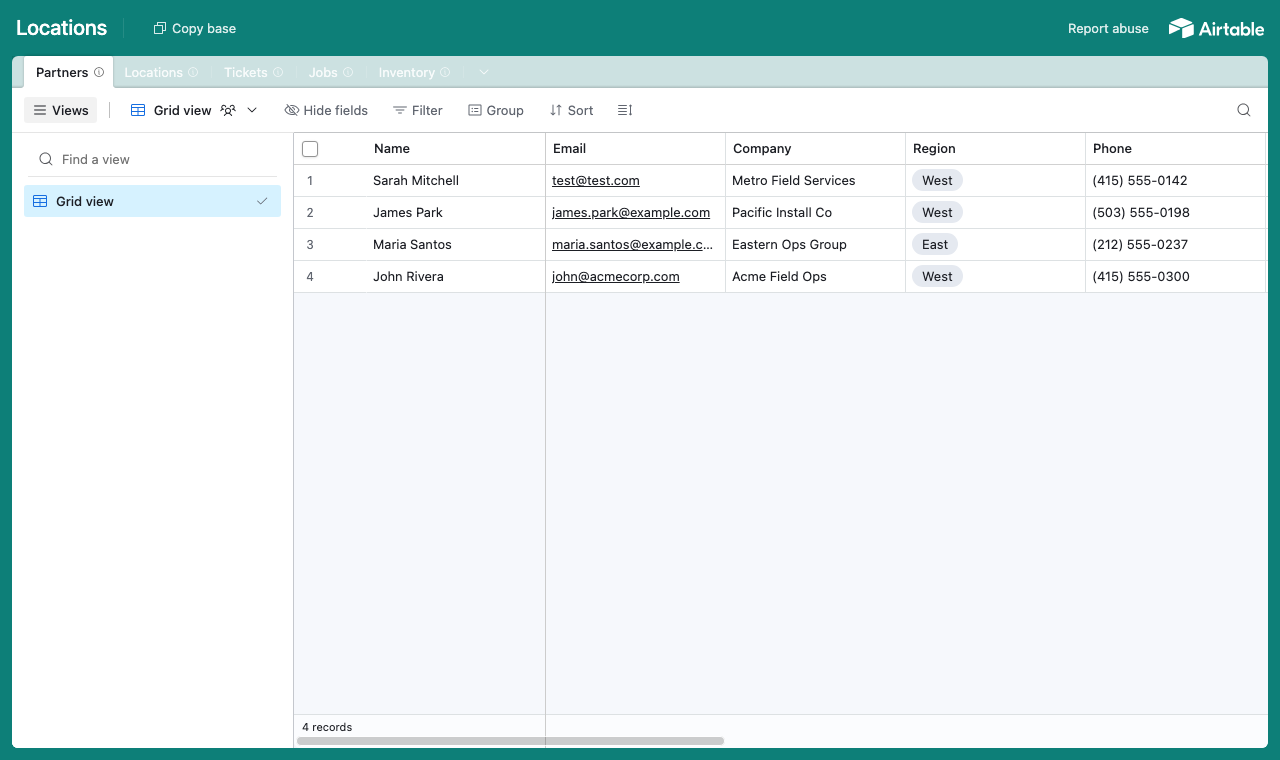
A table for each part of the operation, with a Partners table every location and job links back to. - 2
Connect the base and pick the user table
Point CollabPortals at that base, then choose Partners as your user table and Email as the login field. Each field team signs in with their email and is matched to their own record.
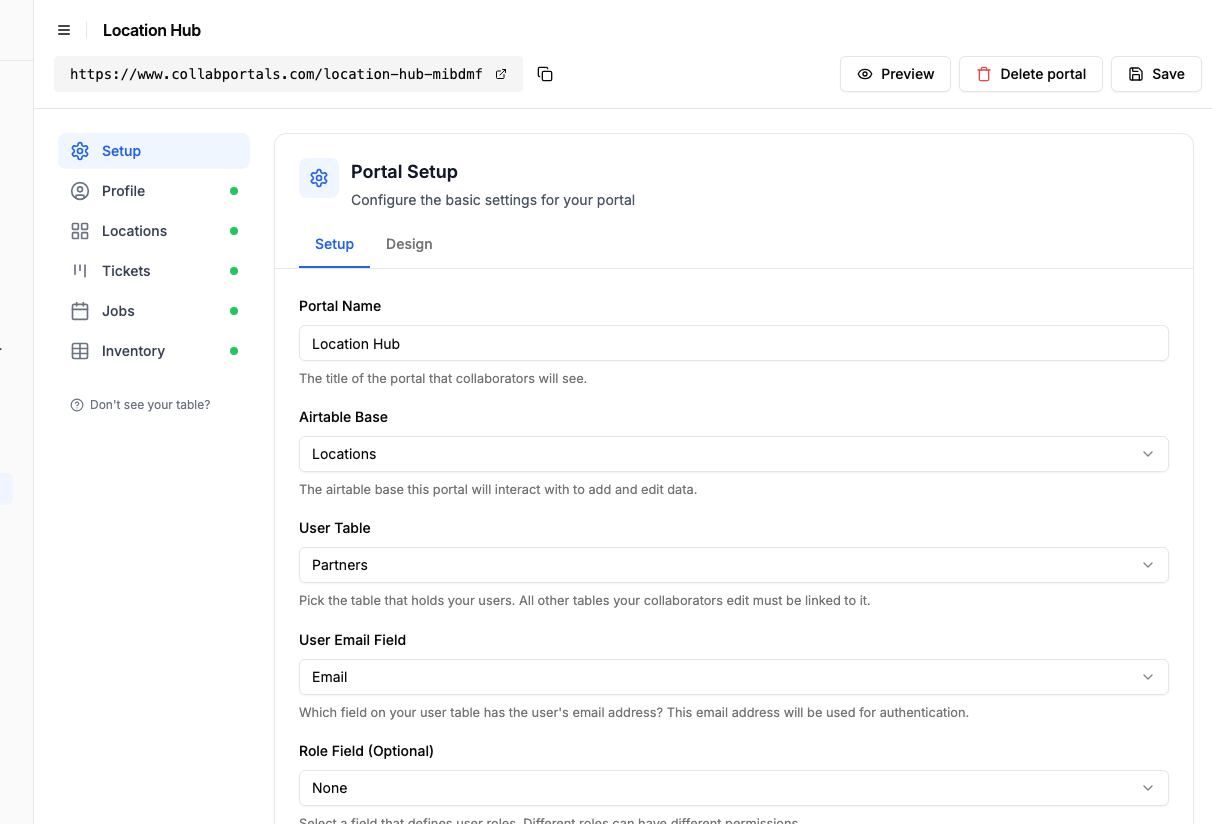
Connect the base, then point CollabPortals at the Partners table and its email field. - 3
Let teams keep their sites current, hide your costs
On the Locations table, turn on edit so each field team can update a site's contact, hours or photo, and leave create and delete to head office. Show the operational fields and hide the internal ones, such as the head-office partner link and any cost tracking, which stay in Airtable for you.
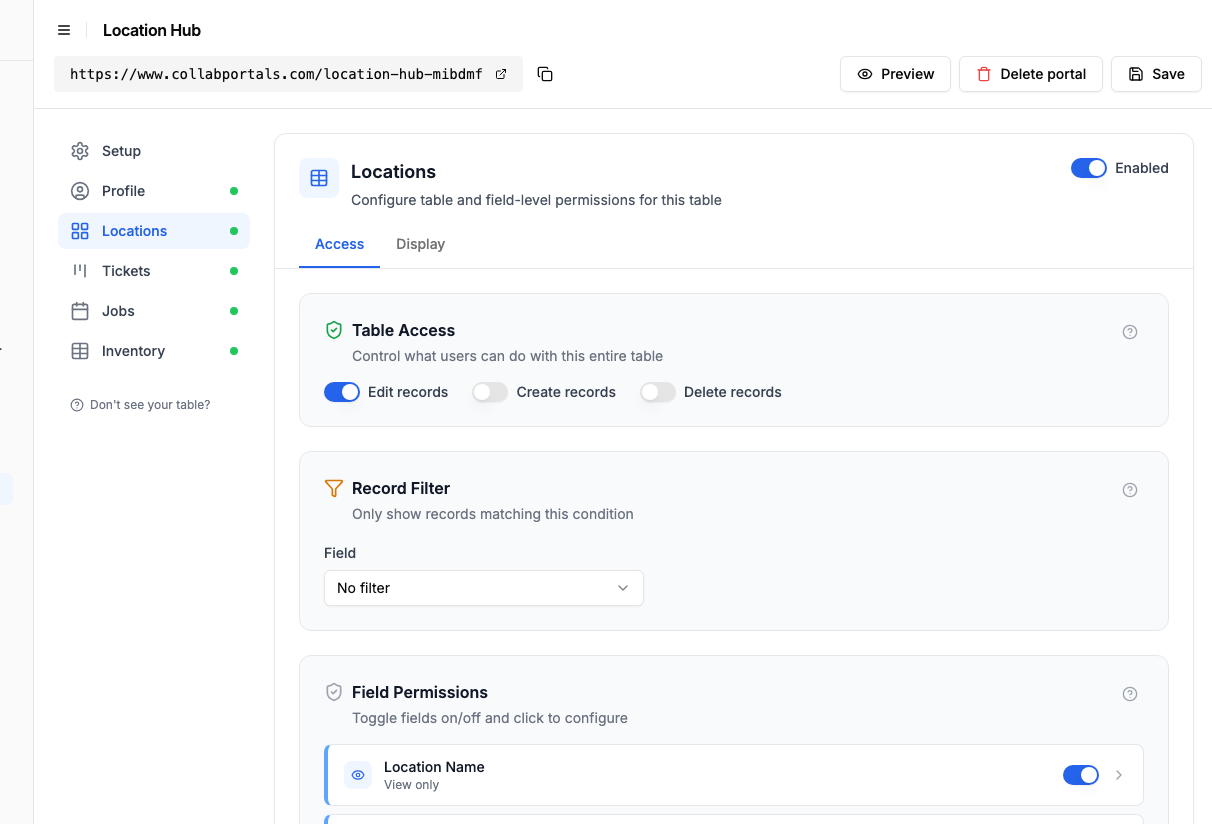
Let field teams keep their own sites current, while head-office and cost fields stay hidden. - 4
Give each table the view that fits
Pick how each table appears. Locations as a gallery of sites with photos, Jobs on a calendar of scheduled visits, Tickets as a board, Inventory as a table with warranty documents to download.
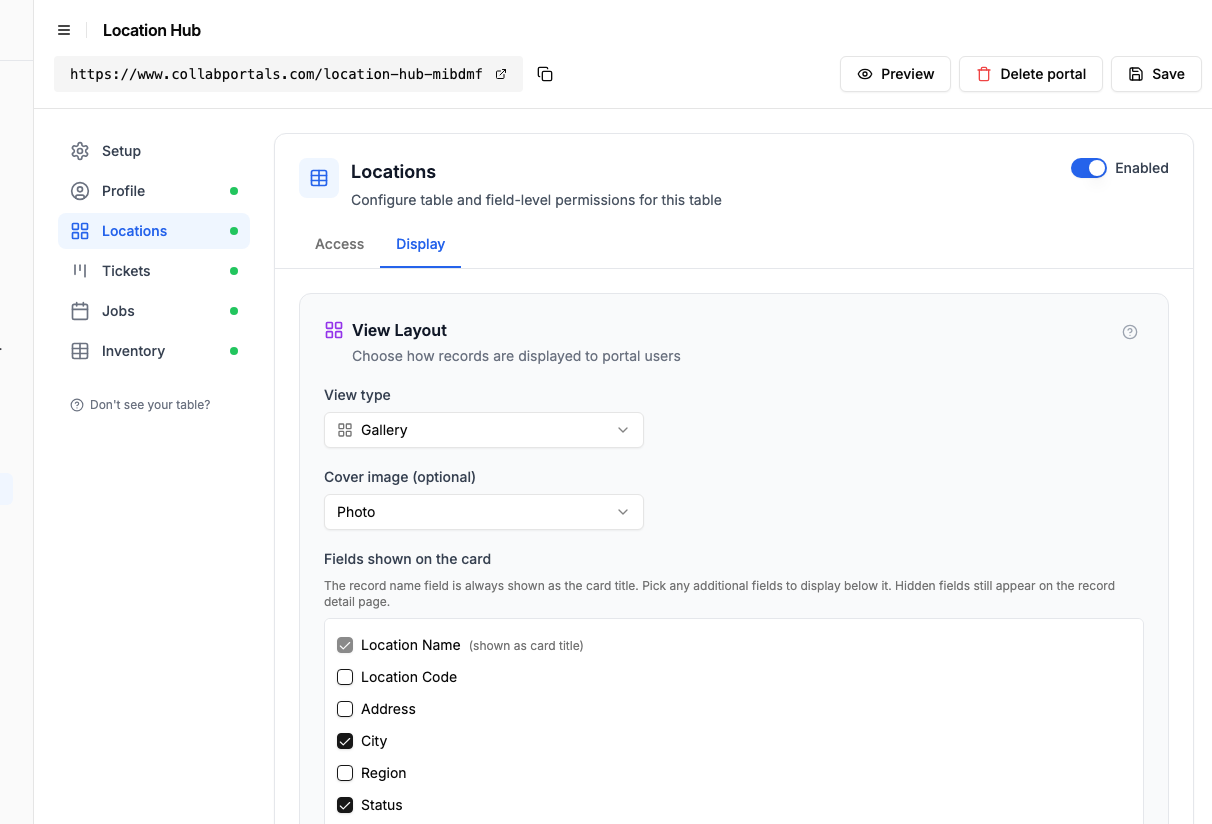
The Display tab lays the Locations table out as a gallery of sites with photos. - 5
Field teams get their sites in one place
The result is a clean, branded portal. Each field team signs in and sees only its own locations, the jobs scheduled there, open tickets, and the equipment installed, all reading straight from your Airtable base.
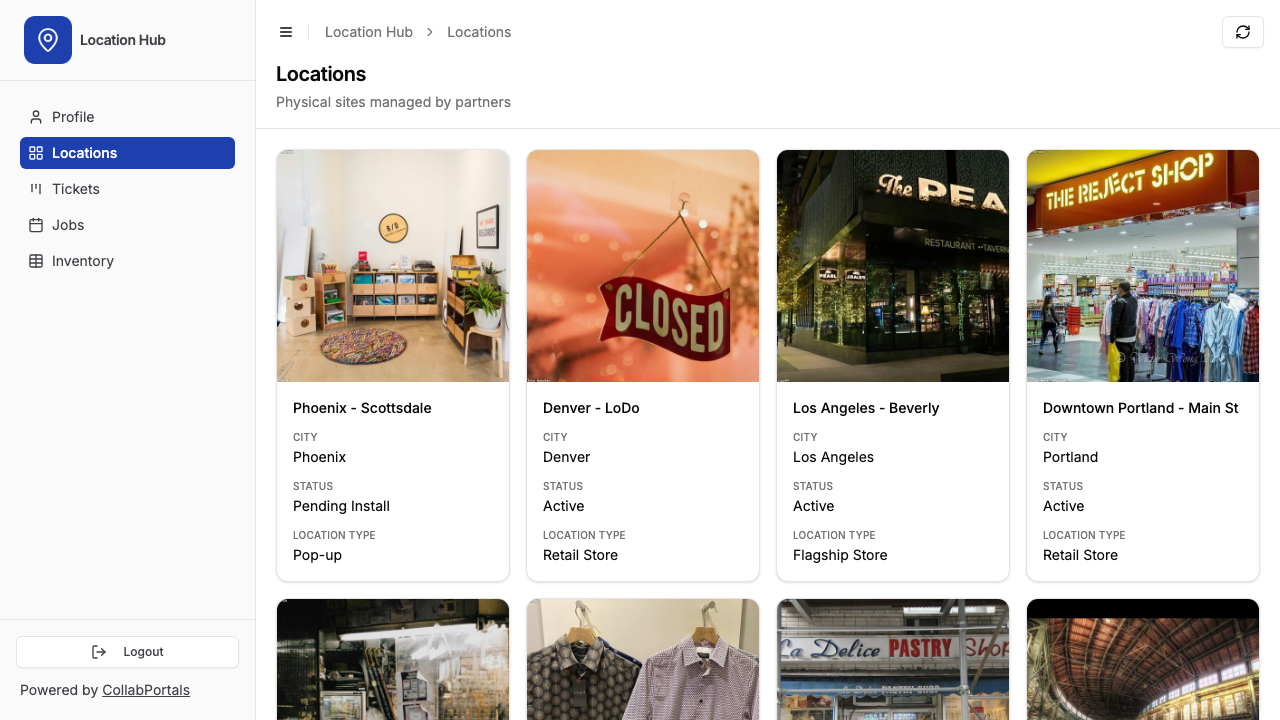
Each field team sees only its own sites, as a gallery with a photo of each location. - 6
They log in with their email
Share the link with your field teams. Each one signs in with their email and a one-time code, so there are no passwords to manage and no Airtable seats to buy.
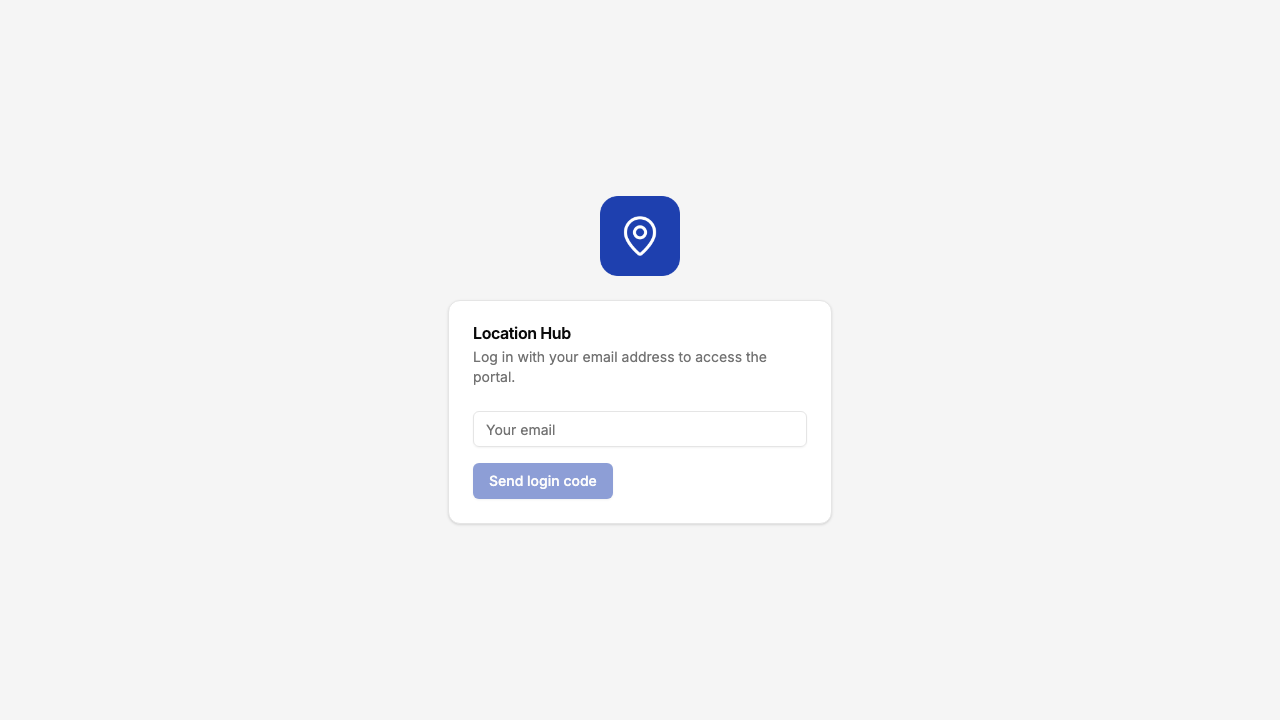
Email and one-time code login, branded with your logo and colour.
Want to start from this exact setup? Open the live demo or copy the Airtable template and connect it to your own base in minutes.
Use Cases for Location Management Portals
Franchise and Multi-Location Retail
Franchise owners or store managers access their location details, report issues, and track store-level tasks.
- Locations (view, edit), store address, opening hours, contact info, store status, photos
- Tasks (view, create, edit), store-level tasks like refits, inspections, compliance checks
- Documents (view only), brand guidelines, operational manuals, planograms
- Hidden: financial performance, lease terms, franchise fees, internal compliance scores
Field Service and Installation
Service partners manage installations, maintenance visits, and equipment at client sites.
- Locations (view, edit), site address, contact person, access instructions, site photos
- Jobs (view, edit), scheduled date, job type, status, completion photos, sign-off
- Inventory (view only), installed equipment with serial numbers, warranty status
- Tickets (view, create), report faults or request follow-up visits
- Hidden: parts costs, labor rates, supplier details, internal SLA tracking
Property and Facilities Management
Building managers or tenants access information about properties they are responsible for.
- Properties (view, edit), address, floor plans, key contacts, property status
- Maintenance Requests (view, create, edit), submit and track repair requests with photos
- Inspections (view only), scheduled and completed inspection records
- Hidden: vendor contracts, maintenance budgets, insurance details, internal priority rankings
Digital Signage and Display Networks
Partners managing screen installations across locations track deployments, content schedules, and connectivity.
- Locations (view, edit), site details, screen arrangements, content groups, connectivity status
- Installations (view, edit), scheduled and actual install dates, photos, job reports
- Inventory (view only), display units, sizes, subscription status
- Tickets (view, create), connectivity issues, screen replacements, content requests
- Hidden: hardware costs, subscription pricing, partner commission rates
What Makes This Better Than Spreadsheets or Shared Views
| Capability | Spreadsheet Export | Airtable Interface | Custom App | CollabPortals |
|---|---|---|---|---|
| Data is always current | No (snapshot) | Yes | Yes (if synced) | Yes (live from Airtable) |
| User sees only their locations | Manual filtering | No (same view for all) | Yes (custom build) | Yes (automatic by user) |
| Partners can update records | No | Yes (but no user scoping) | Yes | Yes |
| Photo uploads | No | Yes | Yes | Yes |
| Per-user cost | Free | $20/month per seat | Dev + hosting | $10/month flat |
| Setup time | Minutes (but stale) | Minutes (but no scoping) | Weeks to months | Minutes |
| Your team stays in Airtable | Partially | Yes | No (separate system) | Yes |
The key advantage: each partner sees only their locations and linked records automatically, based on their email. No manual filtering, no separate exports, no per-seat charges. For a deeper comparison, see CollabPortals vs Airtable Interfaces and CollabPortals vs Stacker.
Field-Level Permissions for Location Data
Location tables often have fields meant for different audiences:
- Show to partners: Location name, address, contact details, status, photos, job schedule, ticket history
- Hide from partners: Internal cost data, margin, lease terms, vendor contracts, compliance scores, internal priority
- Editable by partners: Job status, completion photos, contact updates, ticket descriptions
- Read-only for partners: Location ID, region, installation date, equipment serial numbers
This means partners see a clean, relevant view of their locations while your operations team has full visibility across the entire network in Airtable.
Take It Further
The walkthrough above is the whole build. A few options are worth knowing once you are up and running:
- Let teams raise tickets. Turn on create on the Tickets table so field teams report an issue at a site, with a photo, straight into your base.
- File uploads. Give an attachment field edit access so teams upload site photos or download warranty documents from the portal.
- Per-region scope. With a record filter, each partner sees only the sites in their own region, never another team's.
- Nest jobs and tickets under each location. Turn on related tabs so a location's jobs, tickets and installed inventory show as tabs on the location record, scoped to it, so a field team works one site from a single page.
- Let teams search their sites. Turn on filter, search and sort controls so a partner with many locations can search the gallery by name and filter jobs and tickets by status.
After set-up, every update a field team makes lands in your Airtable base, where head office already works.
For the generic version that applies to any base, see the setup guide.
Frequently Asked Questions
Can each partner only see their own locations?
Yes. Each partner is matched to their record in your Airtable Users table via email. They only see locations (and related jobs, inventory, tickets) linked to them. One franchise owner cannot see another's locations.
How do I structure my Airtable base for this?
You need a Users table with an email field, and your Locations table (and any related tables like Jobs or Tickets) should have a linked record field pointing back to the Users table. CollabPortals uses these links to scope what each user sees.
Can partners upload photos from the field?
Yes, if your Airtable table includes an attachment field and you make it editable in the portal. Partners can upload installation photos, site images, or fault evidence directly.
Can I have different permission levels for different roles?
Yes. Inside a single portal you can define roles (for example "Field technician" and "Regional manager") with their own table-level permissions, field-level permissions, record filter, and default sort. Map the role on a field in your Users table and each user gets the right view automatically. If you need fully separate experiences on different Airtable bases, you can also create multiple portals on the same plan.
How does this handle hundreds of locations?
CollabPortals queries Airtable's API and displays results in a paginated table view. Each partner sees only their linked locations, so the data set is naturally scoped. For bases with very large record counts, the portal loads data efficiently via Airtable's API pagination.
Can partners raise support tickets through the portal?
Yes. If you have a Tickets table in your base and enable create access, partners can submit new tickets directly. Link the Tickets table to Locations and Users so each ticket is automatically associated with the right site and person.
What if a partner's access should be revoked?
Remove or update their record in your Airtable Users table. Since authentication is tied to email matching, they will no longer be able to log in once their record is removed.

About the author
Matt Shepherd
Founder, CollabPortals
Matt is the founder of CollabPortals. A software engineer and Airtable power user who kept running into the same frustration: no easy way to give external users a simple and secure view to edit their data. He built CollabPortals as the lightweight solution to that problem, allowing you to set up a secure, permissioned portal in a few clicks.
Related use cases and guides
Retail Operations
Run a shop, café, or grocery business out of Airtable. Give staff a portal for counts, schedules, dump lists, and daily sales while keeping vendor pricing and margins to head office.
Use caseMaintenance
Let tenants, clients, or building occupants submit fault reports with photos and track repair status through a portal connected to your Airtable maintenance database.
ComparisonCollabPortals vs Airtable Interface Designer: Can You Use Interfaces as a Portal?
Airtable Interface Designer is free, but can it replace a dedicated portal? Compare it to CollabPortals for sharing data with external users.
ComparisonCollabPortals vs Stacker: Simple Portal or Full App Builder?
Compare CollabPortals ($10/month) with Stacker Classic ($9+/month) for Airtable portals. Find out which tool fits your budget and use case.