Build an Airtable Creator Portal
Give creators and talent one portal for briefs, submissions, posting dates, payouts and statements, while brand fees and agency margin stay in Airtable.

See it working, then start from a ready-made Airtable base.
See a live demoCopy the Airtable templateThe Problem: Your Talent Runs on DMs and Monthly Spreadsheets
Agencies, labels, publishers and talent managers already run the business side in Airtable. Campaigns and briefs, deliverables and review rounds, posting dates, fees, usage rights, monthly statements, contracts. The base knows exactly what every creator is owed and when.
The creators do not. They message you to ask whether a cut was approved, what date to post, whether last month's payment has gone out, and where the countersigned contract is. Every answer means someone opens Airtable, finds the row and types it back.
You cannot just add them to the base. The same rows hold what the brand pays you, your margin, internal notes on each creator, and every other creator's rates. So you end up doing one of these:
- Emailing a PDF statement and a status update every month, then answering the follow-up questions one creator at a time.
- Sending each creator a filtered shared view, one per person, rebuilt whenever someone joins the roster, and readable by anyone the link gets forwarded to unless you remember to password it.
- Paying for Airtable seats at $20 per person per month, then hoping nobody opens the brand fee column. A roster of 40 creators is $800 a month.
- Buying a creator management platform, priced for brand marketing budgets, and keeping it in sync with the Airtable base your finance and ops work still runs on.
How CollabPortals Works for Creator and Talent Portals
CollabPortals connects to your Airtable base and gives each creator a branded portal. They log in with their email, see only the campaigns, content and payments linked to them, and update the parts that are theirs to update. Brand fees, margins and internal notes stay in Airtable.
Example: UGC and Influencer Agency Creator Portal
A UGC and influencer agency books its full-time creators on roughly a campaign a week. Each campaign produces a brief, one or two cuts that go through brand review, posting dates for influencer work, a fee on approval, a line on the monthly statement and a signed creator agreement. The portal gives each creator all of that for their own work, and nothing else.
| Table | Creator Access | Purpose |
|---|---|---|
| Campaigns | View, edit their response | Brand briefs as a gallery: brief, deliverables, due date, creator fee and usage rights. Creators accept, decline or ask about open briefs |
| Submissions | View, create, edit | Each cut on a board from Filming to Approved, with the file upload and the brand's feedback |
| Content Calendar | View, edit stats | Go-live dates for every sponsored post. Creators report views, likes, comments and saves |
| Payouts | View only | Creator fees, rush fees, usage extensions and bonuses, grouped into Booked, Scheduled and Paid |
| Statements | View only | One statement a month with the PDF, and the payouts it covers |
| Contracts | View only | Creator agreements, usage extensions, the representation agreement and tax form, as PDFs |
| Creators | View, edit own profile | Handles, follower counts, shipping address for samples and payout details |
| FAQ | View only | How briefs, submissions, payment and contracts work |
| Brand fee, agency margin, internal notes | Hidden | What the brand pays and what the agency keeps never reach the portal |
Each creator sees their own rows only, so one creator's fee on a campaign is invisible to the other creators booked on the same brand.
Build a Creator Portal Step by Step
Here is how the live demo above is put together. It takes about an hour the first time, and there is no code involved.
- 1
Set up your Airtable base
Start with one table per thing you track: Campaigns, Submissions, Content Calendar, Payouts, Statements and Contracts, plus a Creators table for your roster. Creators is the hub: every other table has a Creator link back to it, which is what later lets the portal show each person only their own work. Then link the work together. A campaign links to its submissions, posts, payouts and contract, a post links to the submission it publishes, and each payout links to the monthly statement it is paid on.
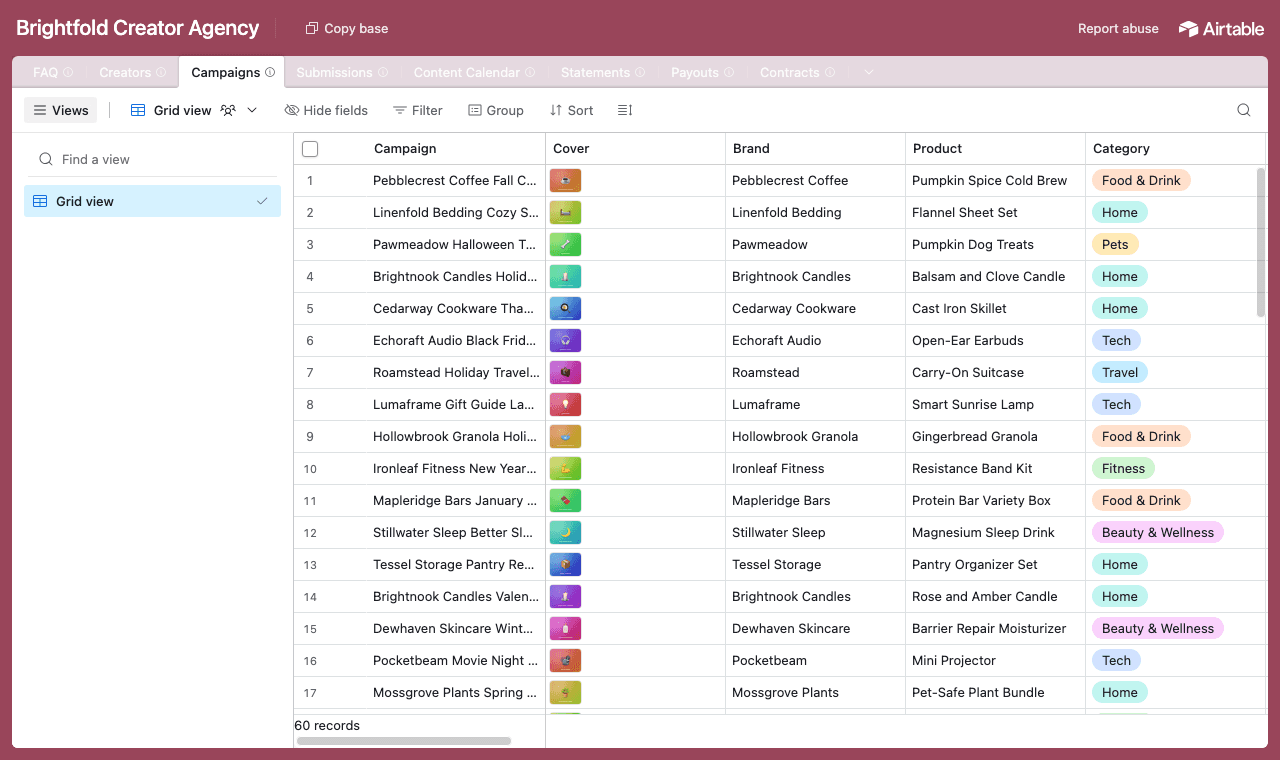
One table per thing, with Creators as the hub and campaigns linked to their submissions, posts, payouts and contracts. - 2
Connect the base and pick the Creators table
Point CollabPortals at the base, choose Creators as the user table and Email as the login field. Each creator signs in with the email on their roster record and CollabPortals matches them to their row.
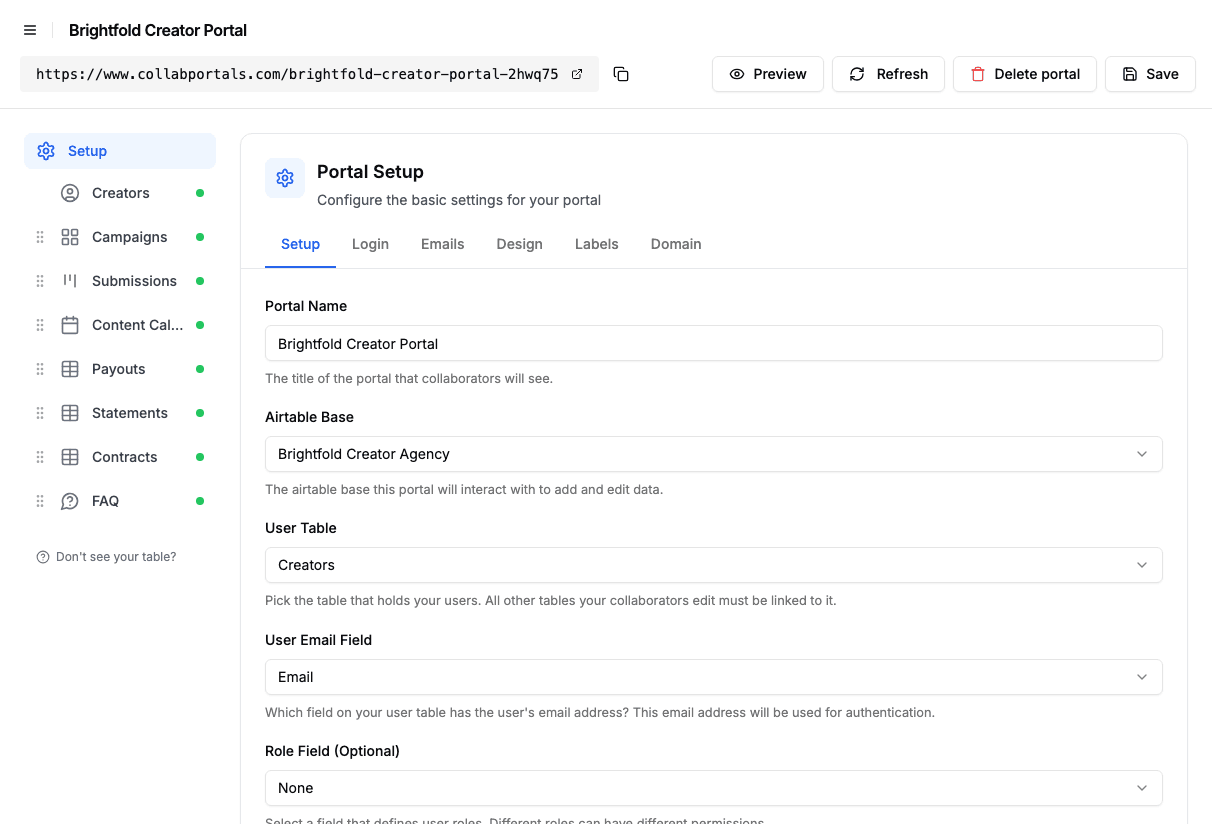
Connect the base, then point CollabPortals at the Creators table and its email field. - 3
Hide the brand fee, keep the brief
On each table you switch fields on or off. On Campaigns, creators see the brief, deliverables, content due date, creator fee and usage rights, while Brand Fee, Agency Margin and Internal Notes stay hidden. Your Response is the only field a creator can edit there, and the table is set to view and edit with no creating or deleting.
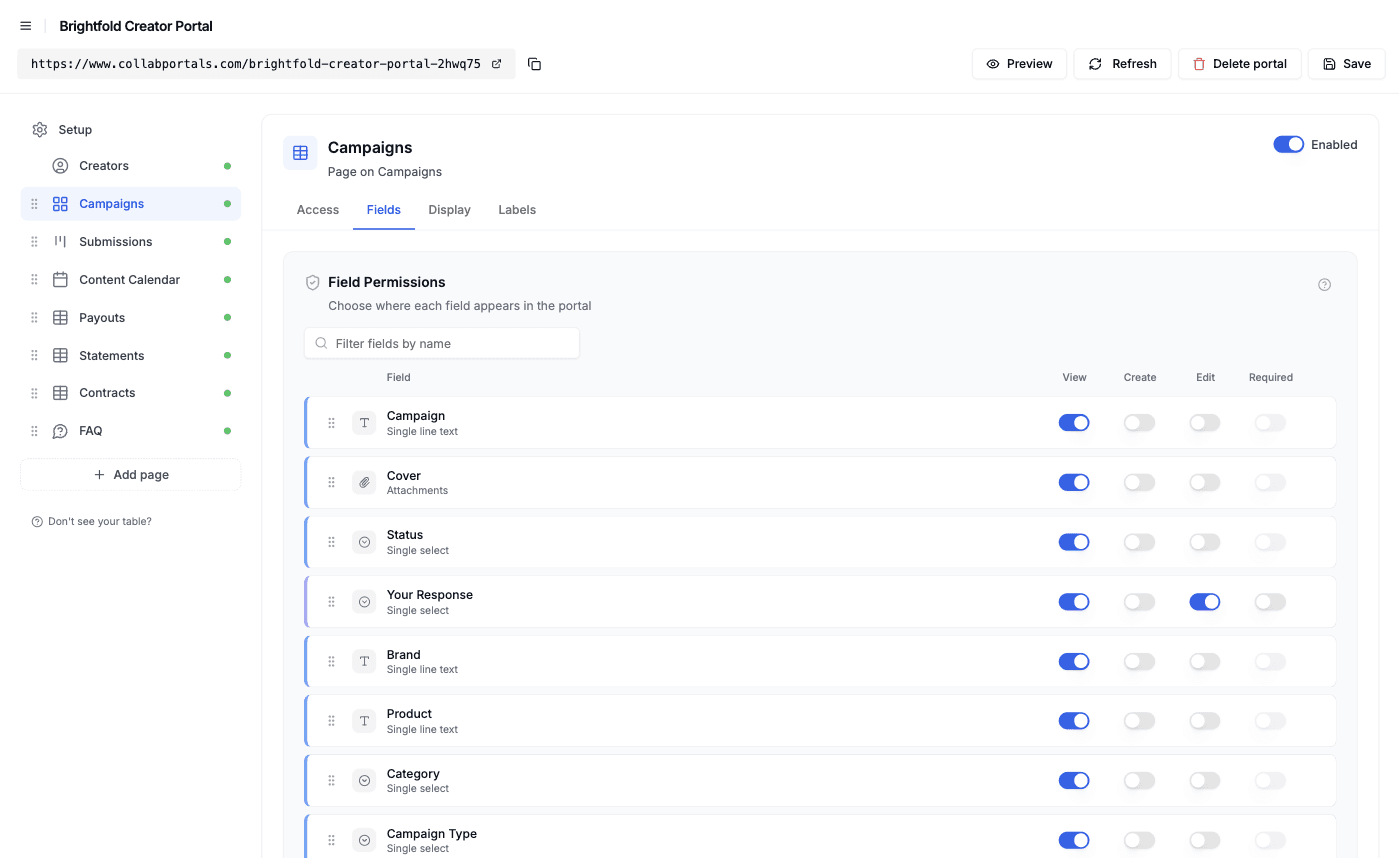
Field-level permissions: show the brief and the creator's own fee, hide what the brand pays and what the agency keeps. - 4
Give each table the view that fits
Pick how each table appears. Campaigns as a gallery with a cover per brief, Submissions as a kanban board by stage, Content Calendar as a calendar on the go-live date, and Payouts, Statements and Contracts as tables. Open a campaign and its payouts and contract sit under the brief, with its submissions and posts one tab away.
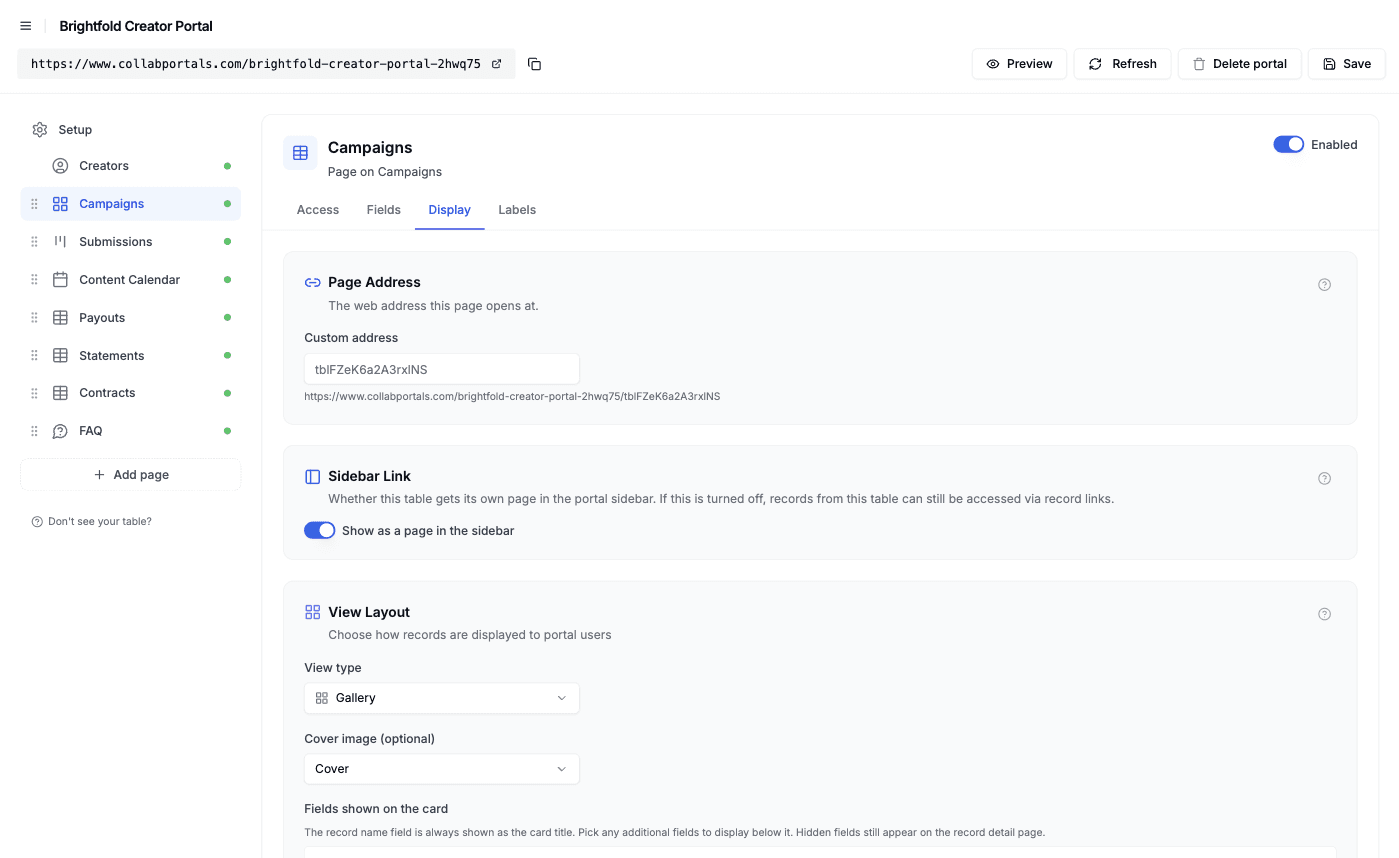
The Display tab turns each table into a gallery, kanban, calendar or table. - 5
Creators get one place for the work and the money
The result is a portal in your colors. Creators pick up new briefs, upload cuts and watch them move through review, check their posting dates, and see every payout and statement, all reading from and writing to your Airtable base. Conditional formatting points at what needs attention: open briefs are tinted green, rush jobs purple, and scheduled payouts yellow.
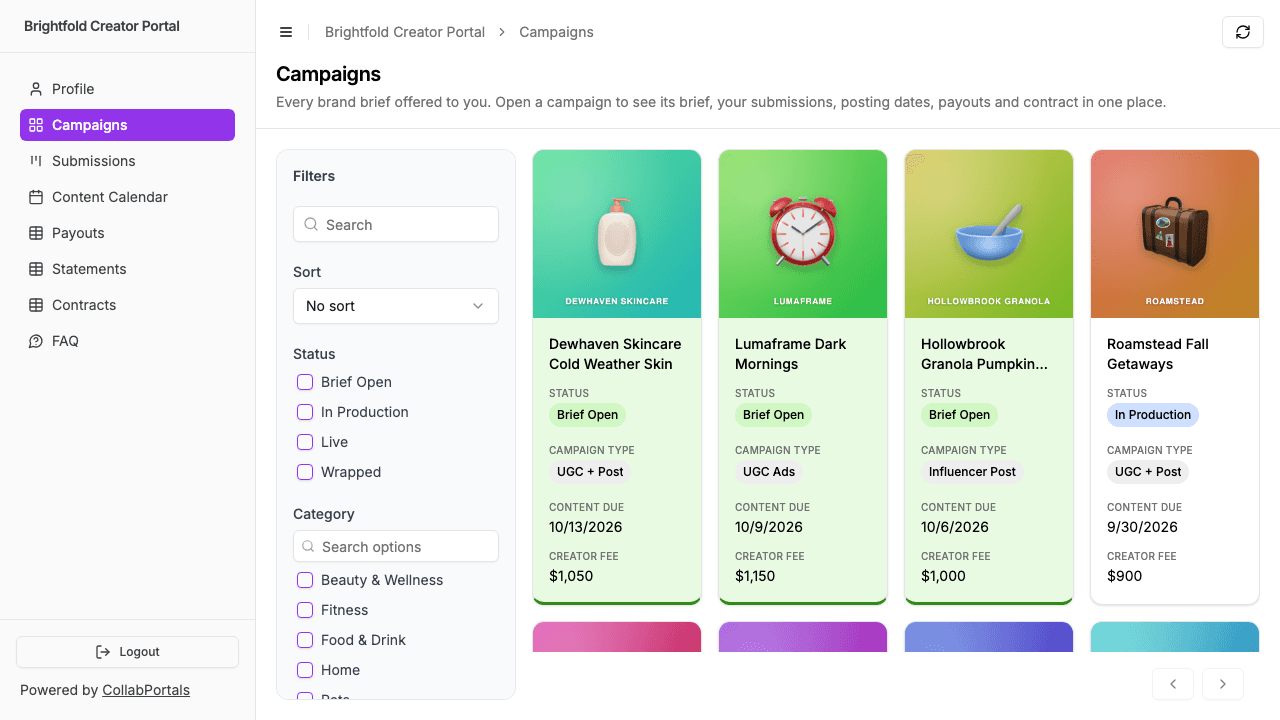
The Campaigns page as a creator sees it: open briefs tinted green at the top, each with its due date and fee. - 6
They log in with just their email
Share the link. Each creator signs in with the email on their roster record and a one-time code, so there are no passwords to manage and no Airtable seats to buy. For a public example you can switch on a one-click demo user instead.
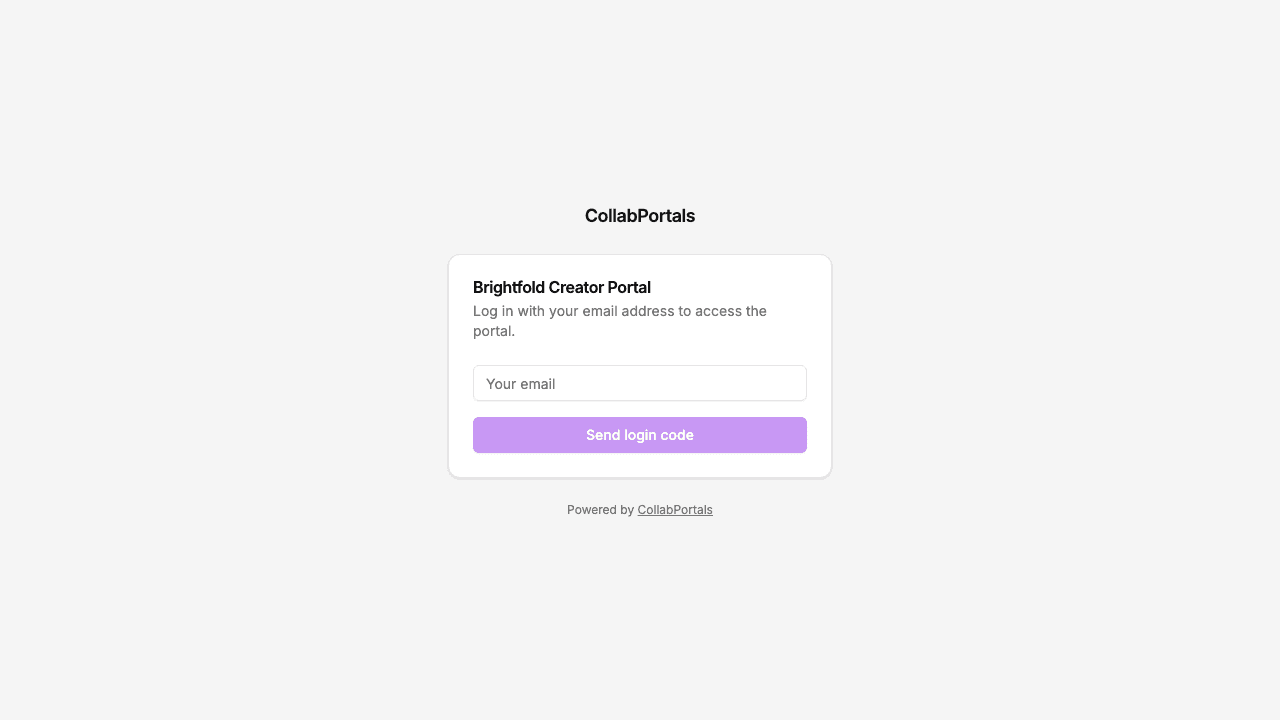
Email and one-time code login, branded for the agency.
Want to start from this exact setup? Open the live demo or copy the Airtable template and connect it to your own base in minutes.
Use Cases for Creator and Talent Portals
UGC and Influencer Agencies
The setup in the demo. Brands book creators through you, creators deliver through the portal, and the agency keeps the commercial side in Airtable.
- Campaigns (view, edit response), brief, deliverables, due date, creator fee, usage rights
- Submissions (create, edit), file upload, review stage, version, brand feedback
- Content Calendar (edit stats), go-live date, platform, reported views and engagement
- Payouts and Statements (view), fees, bonuses, monthly statement PDFs
- Hidden: brand fee, agency margin, internal notes, other creators' rates
Record Labels and Music Publishers
Artists log in to see their releases, their royalty statements and what has been paid, and to keep their own details current, while the label's side of every split stays internal.
- Releases (view), title, release date, format
- Royalty Statements (view), period, earnings by release, statement PDF
- Payouts (view), period, amount, status
- Artist Profile (edit), contact and payment details
- Hidden: the label's share, recoupment notes, other artists' statements
Authors and Publishers
Authors check their event schedule, statements and titles without chasing the publicity team.
- Titles (view), cover, publication date, formats
- Events (view), venue and date
- Royalty Statements (view), period, earnings, statement PDF
- Author Profile (edit), bio, photo, contact details
- Hidden: print costs, retailer terms, advance negotiations, other authors' figures
Talent and Casting Agencies
Talent see the jobs they are booked on, respond to castings and keep their availability and profile current. The client's rate stays with the agency.
- Bookings (view), event, date, call time, role, their fee
- Castings (create, edit), their response and availability for each opportunity
- Talent Profile (edit), photos, skills, availability
- Payouts (view), job, amount, status
- Hidden: client rate, agency commission, client contact details, other talent's rates
What Makes This Better Than the Alternatives
| Capability | Email and spreadsheets | Airtable seats for creators | Creator management platforms | CollabPortals |
|---|---|---|---|---|
| Creators see their own briefs, reviews and payments without asking | No | Yes | Yes | Yes |
| Brand fees, margin and other creators' rates stay hidden | Only if nobody pastes the wrong column | No | Yes | Yes |
| Creators upload content and report stats into your live data | No | Yes | Yes | Yes |
| You keep working in Airtable (formulas, automations, views) | Yes | Yes | No, separate system | Yes |
| Cost for a roster of 40 | Free, plus the admin time | $800/month | Priced per seat or by quote | $12/month flat, or $10/month billed annually |
| Time to set up | None, but ongoing | Quick, but unsafe | A migration to a new system | Around an hour |
For side-by-side breakdowns, see CollabPortals vs Softr and CollabPortals vs Airtable Portals, or the roundup of the best Airtable portal builders.
Field-Level Permissions for Creator Portals
Creator bases mix what the creator is owed with what the business earns. CollabPortals lets you decide field by field what each creator sees:
- Show to creators: brief, deliverables, due dates, their own creator fee, usage rights, feedback, payout amounts and status, statement and contract PDFs
- Hide from creators: brand fee, agency margin, internal notes, roster tier, internal QA notes
- Editable by creators: their response to a brief, submission files, stage and notes, post stats, profile and payout details
- Read-only for creators: fees, dates, feedback, payouts, statements, contracts
Other creators' rates never need hiding field by field: each creator only ever sees the rows linked to them.
Take It Further
The walkthrough above is the whole build. A few options are worth knowing once you are up and running:
- Related records under the details. A campaign shows its payouts and contract under the brief, and a statement lists the payouts it covers. See related tabs for putting linked records in a tab or on the page.
- Conditional formatting. Tint the records that need attention, such as open briefs or rush jobs, in every view. See conditional formatting.
- Roles. Add a role for your own account managers, or one for brand contacts who review submissions, each with its own table and field permissions.
- Airtable automations for the messages. CollabPortals does not send notifications itself. An Airtable automation can email a creator when their card moves to Changes Requested, or when a statement is issued.
- Your own domain. Put the portal on something like creators.youragency.com with a custom domain.
For the generic version that applies to any base, see the setup guide.
Frequently Asked Questions
Can creators see what the brand pays us?
No. Mark the brand fee, margin and any internal notes as hidden in field permissions and they never reach the portal, while staying in Airtable for your team. Each creator sees their own fee on their own campaigns, and nobody else's.
Can creators upload videos through the portal?
Yes. Give creators create and edit access to a submissions table with an attachment field and they can upload files from a phone or a computer, up to 50MB each. For long raw footage, add a link field for a shared folder alongside it.
Can we share royalty or earnings statements through the portal?
Yes. Keep a statements table with one row per creator per period, link each payout to its statement, and attach the PDF. Creators see their statements and the lines behind them. Producing the PDF is up to you: your accounting tool or a document tool connected to Airtable can generate it, and the portal displays it.
Does CollabPortals pay creators?
No. Payments go out from your bank or payments tool as they do today. The portal shows each payout's status and pay date from your Airtable base, so creators can check where their money is without asking.
Can creators sign contracts in the portal?
No, CollabPortals does not collect e-signatures. Send agreements from your signing tool, then attach the signed PDF to the contract row and mark it signed. Creators see every agreement and its status in one place.
Can one base serve a whole roster of creators or artists?
Yes. Every creator logs in to the same portal and sees only the rows linked to their own record. Add a role for your account managers if they need a wider view, and your team keeps working in Airtable as usual.

About the author
Matt Shepherd
Founder, CollabPortals
Matt is the founder of CollabPortals. A software engineer and Airtable power user who kept running into the same frustration: no easy way to give external users a simple and secure view to edit their data. He built CollabPortals as the lightweight solution to that problem, allowing you to set up a secure, permissioned portal in a few clicks.
Related use cases and guides
Freelancers
Give freelancers and contractors a self-service portal to manage their profiles, track projects, and log timesheets, all powered by your Airtable base.
Use caseClients
Give your clients secure, branded access to their project data in Airtable. No extra seats, no code, no complex setup, just share a link.
ComparisonCollabPortals vs Airtable Portals: Third-Party Tool or Native Feature?
Compare CollabPortals ($10/month, unlimited users) with Airtable's native Portals, where read-only guests are free and editing guests are sold in packs from $120/month. See which fits how your users actually work.
ComparisonCollabPortals vs Softr: Lightweight Portal or Full App Builder?
Compare CollabPortals and Softr for Airtable portals. See how a $10/month focused portal tool stacks up against a full no-code app builder starting at $49/month.