Build an Airtable Construction Client Portal
Share build progress, site photos, change orders and payment milestones with clients from Airtable, while costs, margins and subcontractor rates stay private.

See it working, then start from a ready-made Airtable base.
See a live demoCopy the Airtable templateThe Problem: Your Clients Want to See the Build, Not Your Base
Plenty of builders, design-and-build firms and architects already run their projects in Airtable. Phases and schedules. Site photos. Change orders. Payment milestones and invoices. Drawings, permits and inspections. The base is the real record of every job.
The people paying for the job cannot see any of it. A client or developer wants to know what happened on site this week, which change orders are waiting on them, what is invoiced and when the next inspection is. The same records hold your cost to build, your margin, what you pay each subcontractor and your notes on commercial risk. Sharing the base means sharing all of that.
So you end up doing one of these:
- Writing a weekly progress email with photos pasted in, then chasing change order approvals through a separate thread. Nothing links the approval to the price or the invoice it lands on.
- Inviting clients into Airtable, where they can open the cost columns and see every other client's projects too.
- Building Airtable Interfaces that still need a paid seat per client and still have no real per-client scope.
- Buying a construction management suite (Buildertrend, Procore) for its client portal, then keeping two systems in step or moving the whole business out of Airtable.
How CollabPortals Works for Construction
CollabPortals connects to your Airtable base and gives each client a branded portal. They log in with their email, see only their own projects, and act on the things that need them: approve a change order, review a drawing, upload proof of payment, request a site visit. Your costs, margins and subcontractor rates stay in Airtable.
Example: Design-and-Build Client Portal
A design-and-build firm runs about a dozen builds at a time, from townhomes to a small apartment block. One of its clients is a property developer with ten projects on the books: two in design and permits, five on site, one in handover and two already handed over. The portal gives that developer one place to follow all ten.
| Table | Client Access | Purpose |
|---|---|---|
| Projects | View | Stage, progress, next step, project manager, and what the firm needs from the client |
| Phases | View | Every phase from design to handover on a board, with delays and the reason for them |
| Site Updates | View | Photos and a short note from site after each step of the work |
| Change Orders | View, edit decision | The client approves, queries or declines each change and leaves a comment |
| Payment Milestones | View, upload remittance | The payment schedule, with the invoice PDF on every billed milestone |
| Drawings & Permits | View, upload | Current revisions, permits, reports and certificates, plus the client's own documents |
| Site Visits | View, request | Site meetings, walkthroughs and inspections on a calendar |
| FAQ | View | How the portal works, how change orders are billed and how to pay |
| Cost to Firm, Margin % | Hidden | Forecast cost and margin on each contract stay with the firm |
| Subcontractor, Subcontract Rate | Hidden | Who does each phase and what they are paid |
| Firm Cost, Pricing Notes | Hidden | What each change order costs to deliver and how the price was built up |
| Internal Risk Notes | Hidden | Commercial and delivery risks the firm tracks on each project |
The firm keeps running the business in Airtable. The client gets a clear view of their own builds and a short list of things to act on.
Build a Construction Client Portal Step by Step
Here is how the live demo above is put together. The whole thing takes about an hour the first time, and there is no code involved.
- 1
Set up your Airtable base
Start with a Clients table holding each client's name and email, and a Projects table that links every project to its client. Everything else hangs off a project: Phases, Site Updates, Change Orders, Payment Milestones, Drawings & Permits and Site Visits each link to the project they belong to, and a Client lookup through that link tells the portal whose records they are, so there is no second link to keep in step. The tables link to each other too: a site update belongs to a phase, and an approved change order links to the payment milestone it is billed in.
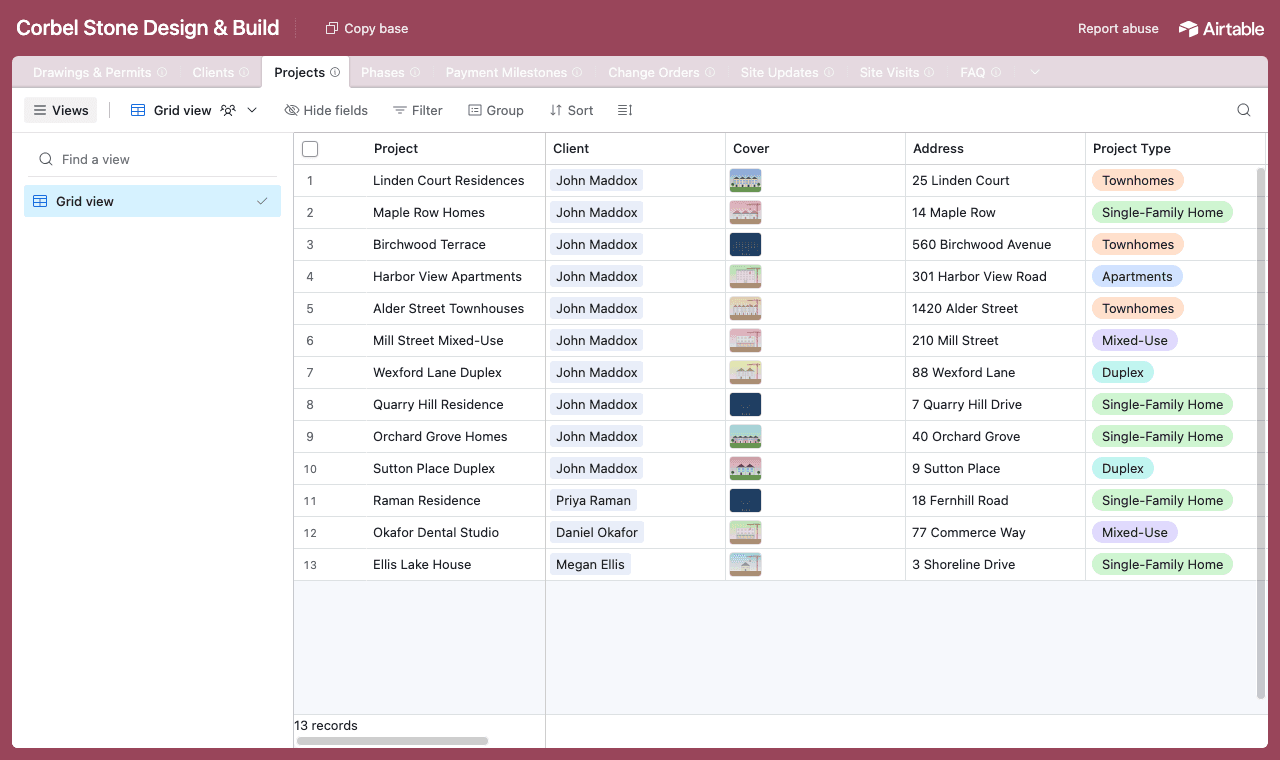
One table per thing you track, with every record linked back to its project. - 2
Connect the base and pick the client table
Point CollabPortals at that base, then choose Clients as your user table and Email as the login field. Each client signs in with the email on their record and sees the projects linked to them, along with everything under those projects.
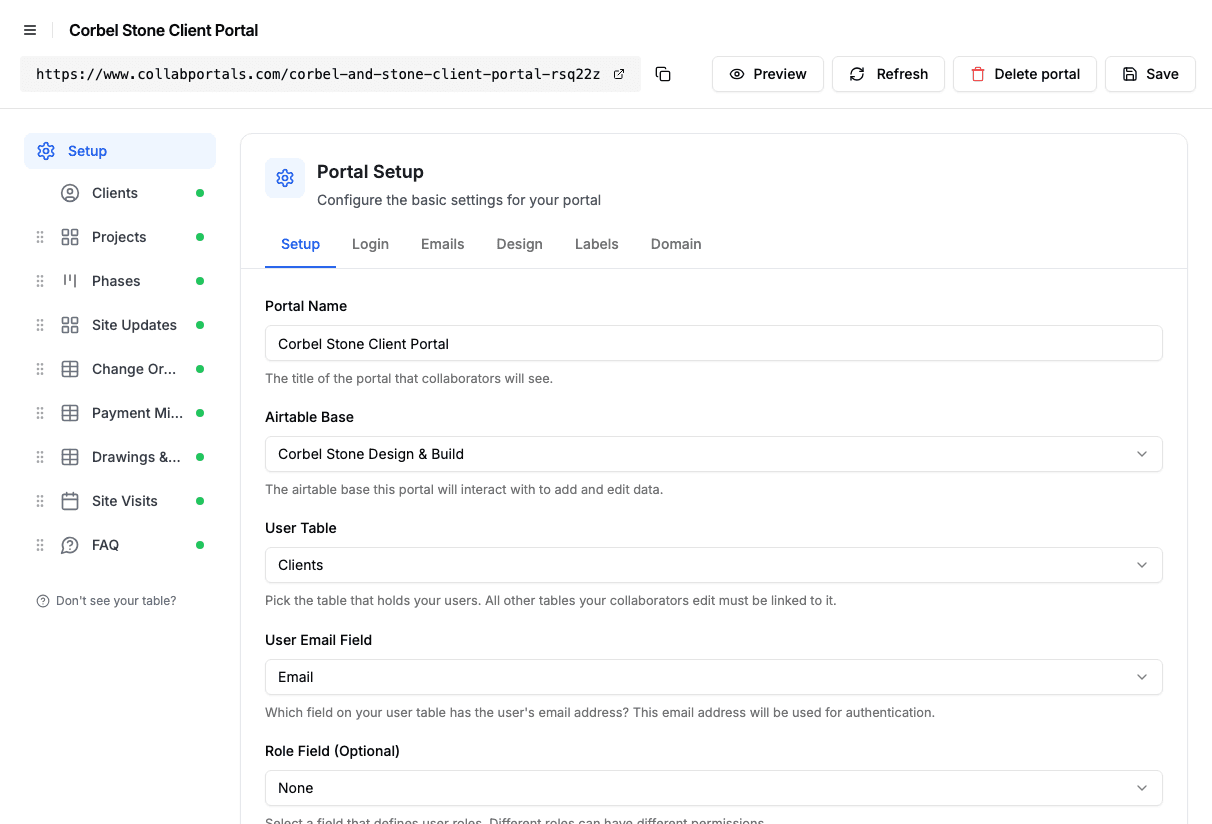
Connect the base, then point CollabPortals at the Clients table and its email field. - 3
Hide your costs, keep the client's view
On each table you choose which fields clients can see. On Projects they see the stage, progress, next step, contract value and what you need from them, while Cost to Firm, Margin % and Internal Risk Notes stay hidden. On Change Orders clients can edit two fields, Status and Client Comment, which is how they approve or query a change, and Firm Cost and Pricing Notes never leave Airtable.
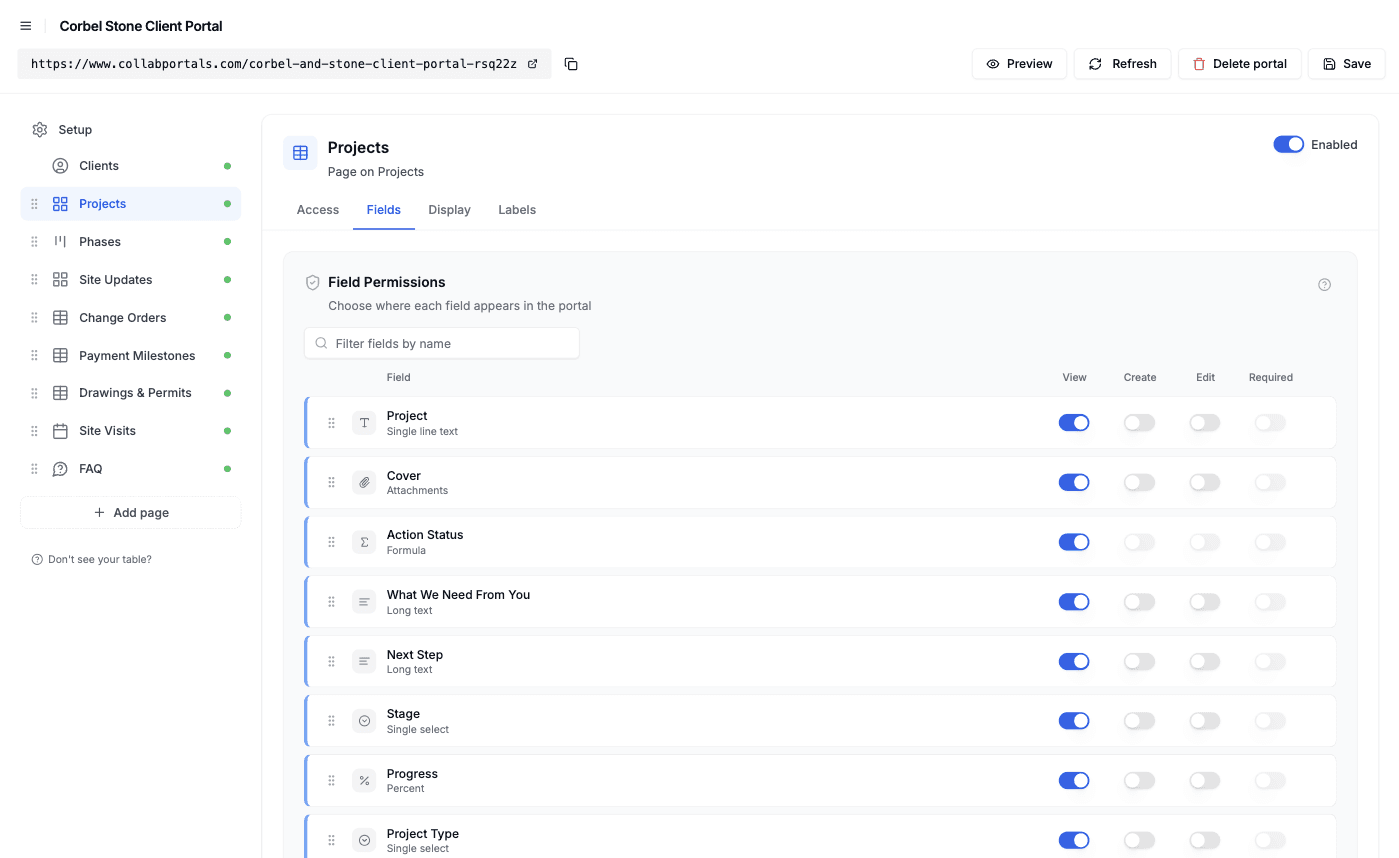
Field-level permissions: show the progress, hide the numbers behind it. - 4
Give each table the view that fits
Pick how every table is shown. Projects as a gallery with a cover for each build, Phases as a board grouped by status, Site Updates as a gallery of photos, Change Orders as a table grouped by status, Site Visits as a calendar. Conditional formatting tints what needs attention: projects waiting on the client, phases running late, change orders awaiting a decision and invoices awaiting payment.
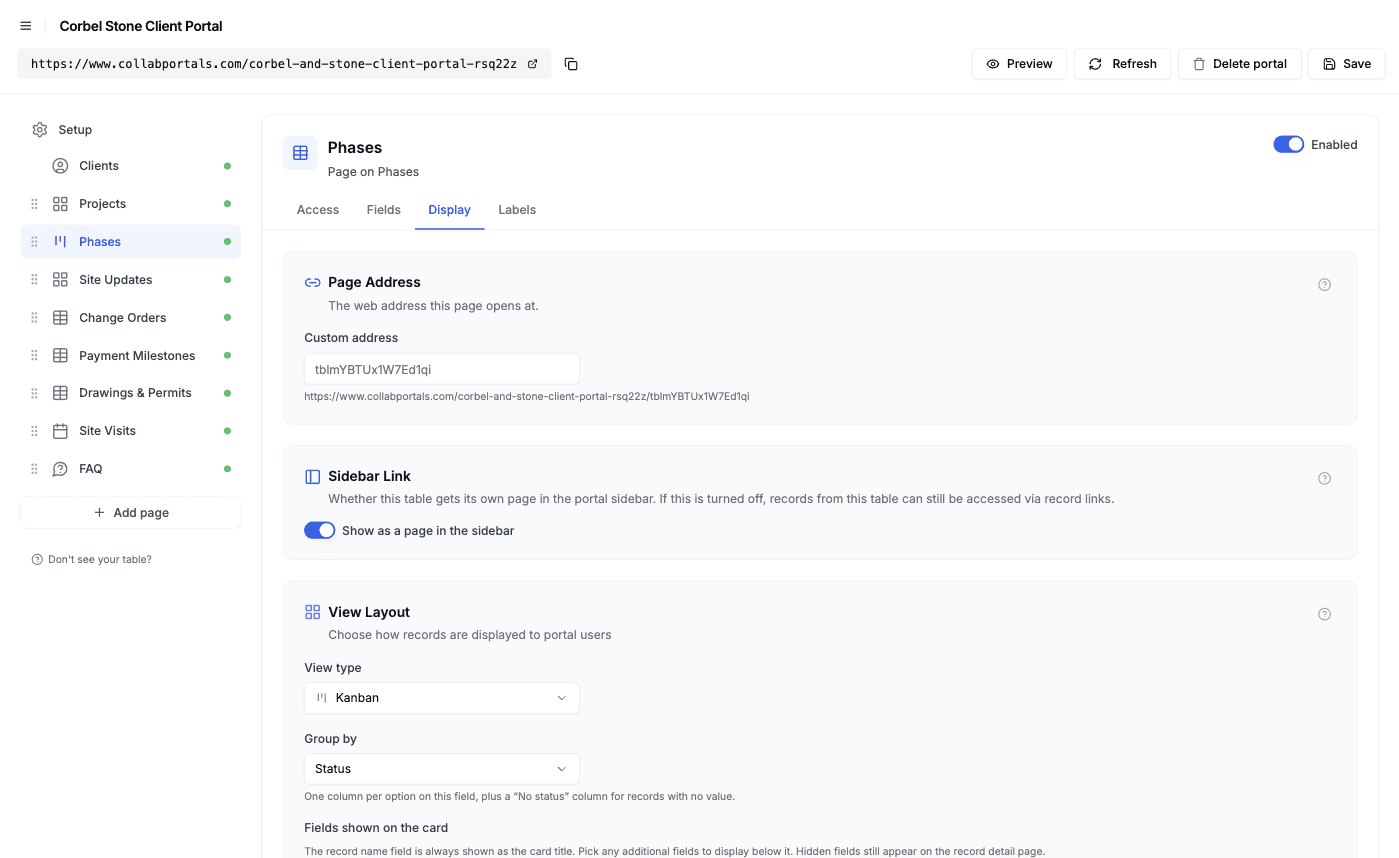
The Display tab turns each table into a gallery, board, calendar or table. - 5
Clients get a clean, branded portal
The result is a portal in your colors. A client opens a project and finds its site updates, change orders, payments and drawings on one page, with its phases and site visits in their own tabs. Every change order waiting on them is tinted, and approving one writes straight back to your base.
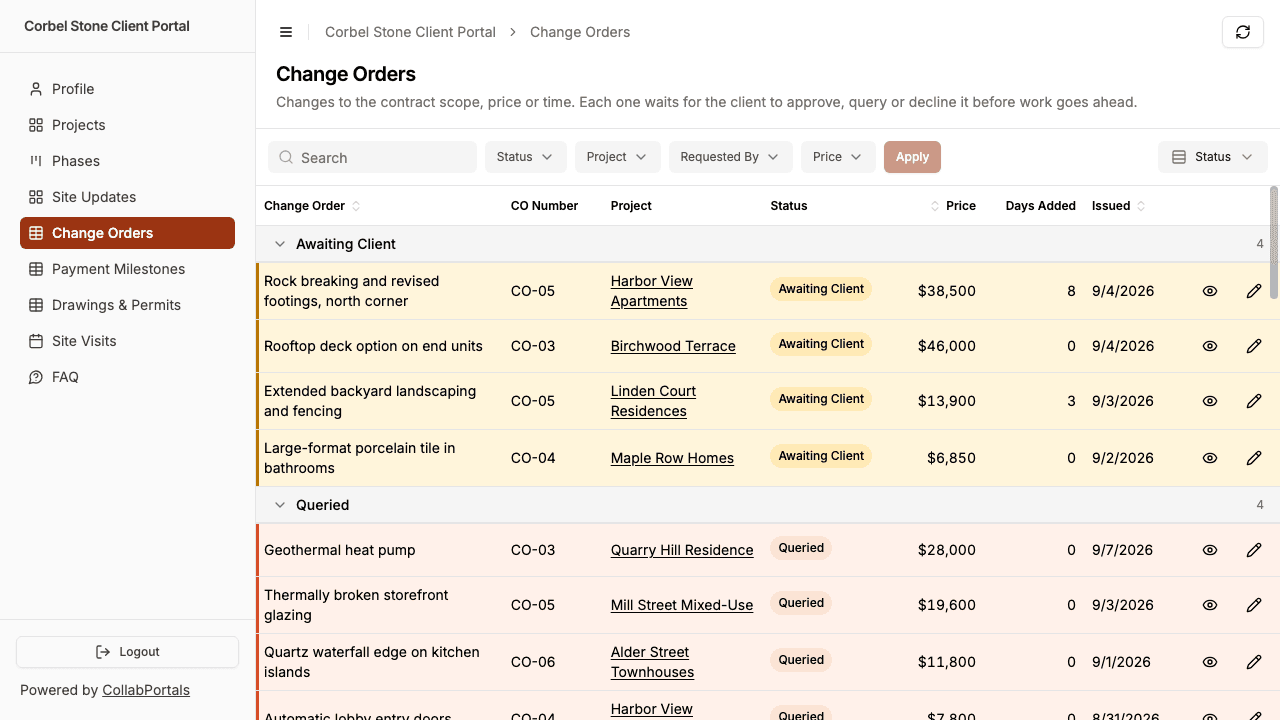
Change orders grouped by status, with the ones waiting on the client at the top. - 6
They log in with just their email
Share the link. Each client signs in with the email on their record and a one-time code, so there are no passwords to manage and no Airtable seats to buy. For a public example you can turn on a one-click demo user instead.
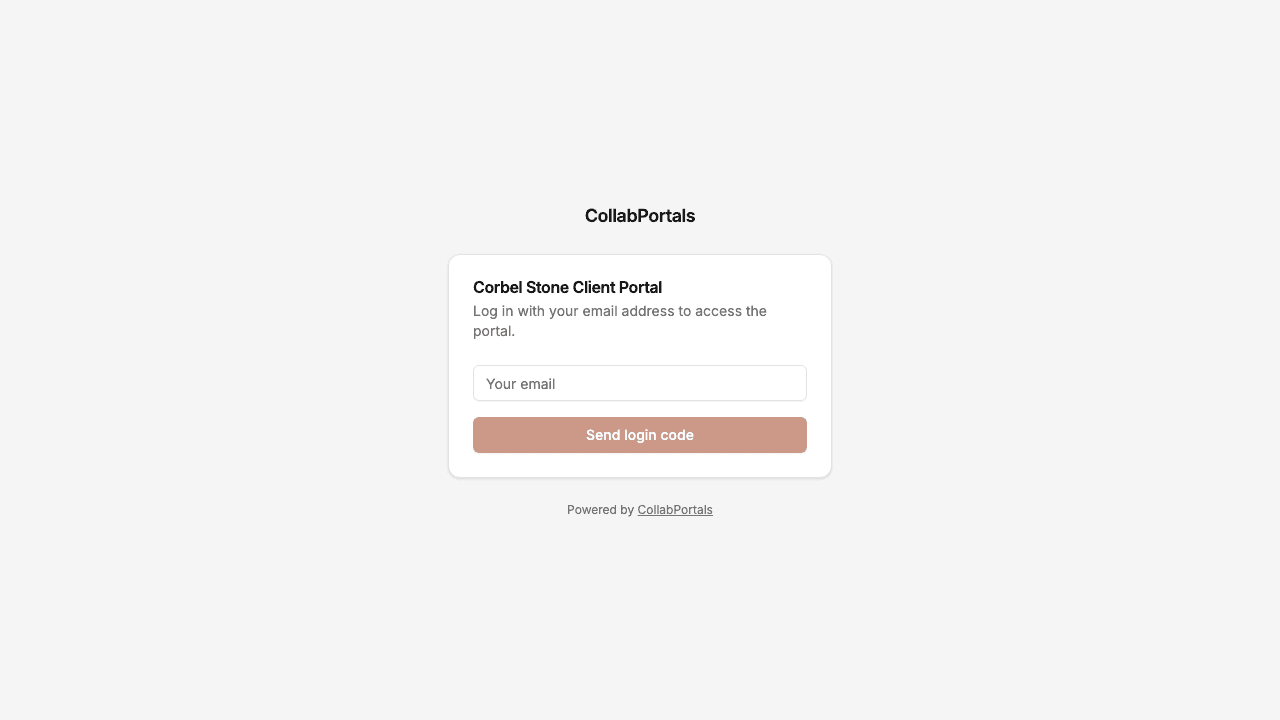
Email and one-time code login, in the firm's own color.
Want to start from this exact setup? Open the live demo or copy the Airtable template and connect it to your own base in minutes.
Use Cases for Construction Portals
Design-and-Build Firms and Custom Home Builders
One firm takes a client from concept to keys. The portal follows the same path, so clients always know which phase they are in and what comes next.
- Projects (view), stage, progress, target completion, next step, client action
- Change Orders (view, edit decision), scope, price, days added, status, client comment
- Payment Milestones (view, upload remittance), amount, due date, invoice PDF
- Site Updates (view), photos, work done, what comes next
- Hidden: cost to build, margin, subcontractor rates, internal risk notes
Architects and Design Studios
Studios that design and then supervise the build share drawing revisions, permit applications and fee milestones with their clients, and get approvals back in the portal rather than by email.
- Drawings (view), each revision with its status, so the current set is obvious
- Permits and Approvals (view), what has been submitted to the city and what has been approved
- Fee Milestones (view), each stage's fee with its invoice
- Client Documents (create), surveys, briefs and lender letters the client uploads
- Hidden: internal time and cost tracking, fee margin
General Contractors With Subcontractor Progress Claims
The same base can serve the other side of the job. Add a role for subcontractors and each one sees only the phases they are working on, where they submit progress claims and photos. Clients never see the subcontract rates, and subcontractors never see the client's contract.
- Phases (view), the work each subcontractor is on, with dates and status
- Progress Claims (create, edit), percent complete, amount claimed, supporting photos
- Site Updates (create), photos from the trade on site
- Compliance documents, if you track insurance and licenses, see contractor compliance portals
- Hidden: contract value to the client, margins, other subcontractors' rates
Remodeling and Renovation Contractors
Homeowners are rarely in the building trade, so they want plain answers: what happened today, what they need to choose, and what they owe. A small remodeler can run it all from one base.
- Jobs (view), stage, next step and the date the crew is back
- Selections (view, edit), tile, fixtures and finishes for the homeowner to confirm
- Change Orders (view, edit decision), extras the homeowner approves before work starts
- Site Visits (view, request), walkthroughs and inspection days
- Hidden: material cost, labor cost, supplier pricing
What Makes This Better Than the Alternatives
| Capability | Weekly email and PDF reports | Airtable seats for clients | Construction management suite (Buildertrend, Procore) | CollabPortals |
|---|---|---|---|---|
| Clients see progress, photos and next steps in one place | No, scattered across emails | Yes | Yes | Yes |
| Clients approve change orders against the price and the invoice | No, separate email threads | Only with full edit access | Yes | Yes |
| Costs, margins and subcontractor rates stay hidden | Yes, if nobody forwards the wrong file | No | Yes | Yes |
| Each client sees only their own projects | Yes | No | Yes | Yes |
| You keep working in Airtable (formulas, automations, views) | Yes | Yes | No, separate system | Yes |
| Cost | Free, plus hours of report writing | $20/seat/month | Hundreds of dollars a month and up | $12/month, or $10/month billed annually, flat |
| Time to set up | None, but a report every week | Quick, but unsafe | Weeks of migration | Around an hour |
For a side-by-side breakdown, see CollabPortals vs Softr and CollabPortals vs Airtable Interfaces, or the roundup of the best Airtable portal builders.
Field-Level Permissions for Construction
A construction base mixes what the client paid for (the contract, the schedule, the progress) with what it costs you to deliver it. CollabPortals lets you decide field by field what clients see:
- Show to clients: stage, progress, next step, contract value, phase dates, delay reasons, change order price and days added, invoice amounts and due dates
- Hide from clients: cost to firm, margin, subcontractor names and rates, change order cost and pricing notes, internal risk notes
- Editable by clients: change order status and comment, remittance upload, their own documents, site visit requests, their phone number
- Read-only for clients: everything your team maintains, from phase status to drawing revisions
The same Airtable record, two different views.
Take It Further
The walkthrough above is the whole build. A few options are worth knowing once you are up and running:
- Roles. Add a role field to your user table (Client, Subcontractor, Lender) and give each role its own tables and fields, so a lender sees payment milestones and inspections while a subcontractor sees only their phases.
- Record filters. Use a record filter to hide finished projects from the Projects page, or to show a subcontractor only the phases assigned to them.
- Ownership through a lookup. Child tables in this demo are scoped by a Client lookup through the project rather than a second link, which is covered in record ownership.
- Notifications from Airtable. CollabPortals does not send notifications itself. An Airtable automation can email the client when a change order is set to Awaiting Client or an invoice is attached, with a link to the portal.
- Your own domain. Put the portal on your own domain, such as clients.yourfirm.com.
After set-up, every change order decision, remittance and visit request happens in the portal and lands straight in your Airtable base.
For the generic version that applies to any base, see the setup guide.
Frequently Asked Questions
Can I hide our costs and margins from clients?
Yes. Field-level permissions hide cost to firm, margin, subcontractor rates, pricing notes and anything else commercial, while the fields stay in Airtable for your team. Clients see the same project record without those fields.
Can clients approve change orders in the portal?
Yes. Give clients edit access to the change order's Status and Client Comment fields and nothing else. They set it to Approved, Queried or Declined, and the decision writes straight to Airtable. CollabPortals does not collect e-signatures, so if your contract needs a signed change order, use a signing tool and attach the signed copy.
Can clients pay invoices through the portal?
No. CollabPortals does not take payments. Attach the invoice PDF to each payment milestone, and let clients pay by bank transfer or your payment link, then upload their remittance to the milestone so your accounts team can match it.
Will clients be told when something needs their approval?
Not by CollabPortals, which does not send notifications on its own. Set up an Airtable automation that emails the client when a change order moves to Awaiting Client, with the portal link. In the portal, projects that need the client are tinted so they stand out.
Can subcontractors use the same portal?
Yes, with roles. Add subcontractors to your user table with a role field, link each one to the phases they work on, and give the Subcontractor role its own permissions. They see their own work and submit progress claims; they never see the client's contract value or other subcontractors' rates.
Can clients upload documents and request site visits?
Yes. In the demo, clients can upload their own documents to Drawings & Permits, such as a survey or a lender's letter, and request a site visit on the Site Visits calendar. A request shows as Requested until the project manager confirms it in Airtable.

About the author
Matt Shepherd
Founder, CollabPortals
Matt is the founder of CollabPortals. A software engineer and Airtable power user who kept running into the same frustration: no easy way to give external users a simple and secure view to edit their data. He built CollabPortals as the lightweight solution to that problem, allowing you to set up a secure, permissioned portal in a few clicks.
Related use cases and guides
Project Management
Give clients and external collaborators a branded view into their projects in Airtable, with controlled access to tasks, timelines, and deliverables.
Use caseContractor Compliance
Give contractors and vendors a self-service portal to upload and renew their insurance, license, and tax documents, with expiry tracking, all powered by your Airtable base.
ComparisonCollabPortals vs Softr: Lightweight Portal or Full App Builder?
Compare CollabPortals and Softr for Airtable portals. See how a $10/month focused portal tool stacks up against a full no-code app builder starting at $49/month.
ComparisonCollabPortals vs Airtable Interface Designer: Can You Use Interfaces as a Portal?
Airtable Interface Designer is free, but can it replace a dedicated portal? Compare it to CollabPortals for sharing data with external users.