Activity Log for Your Airtable Portals
See what the users of your Airtable portals did: records created, edited and deleted, exports, sign-ins and role switches, across every portal, with filters by portal, user, table and record, and charts over time.
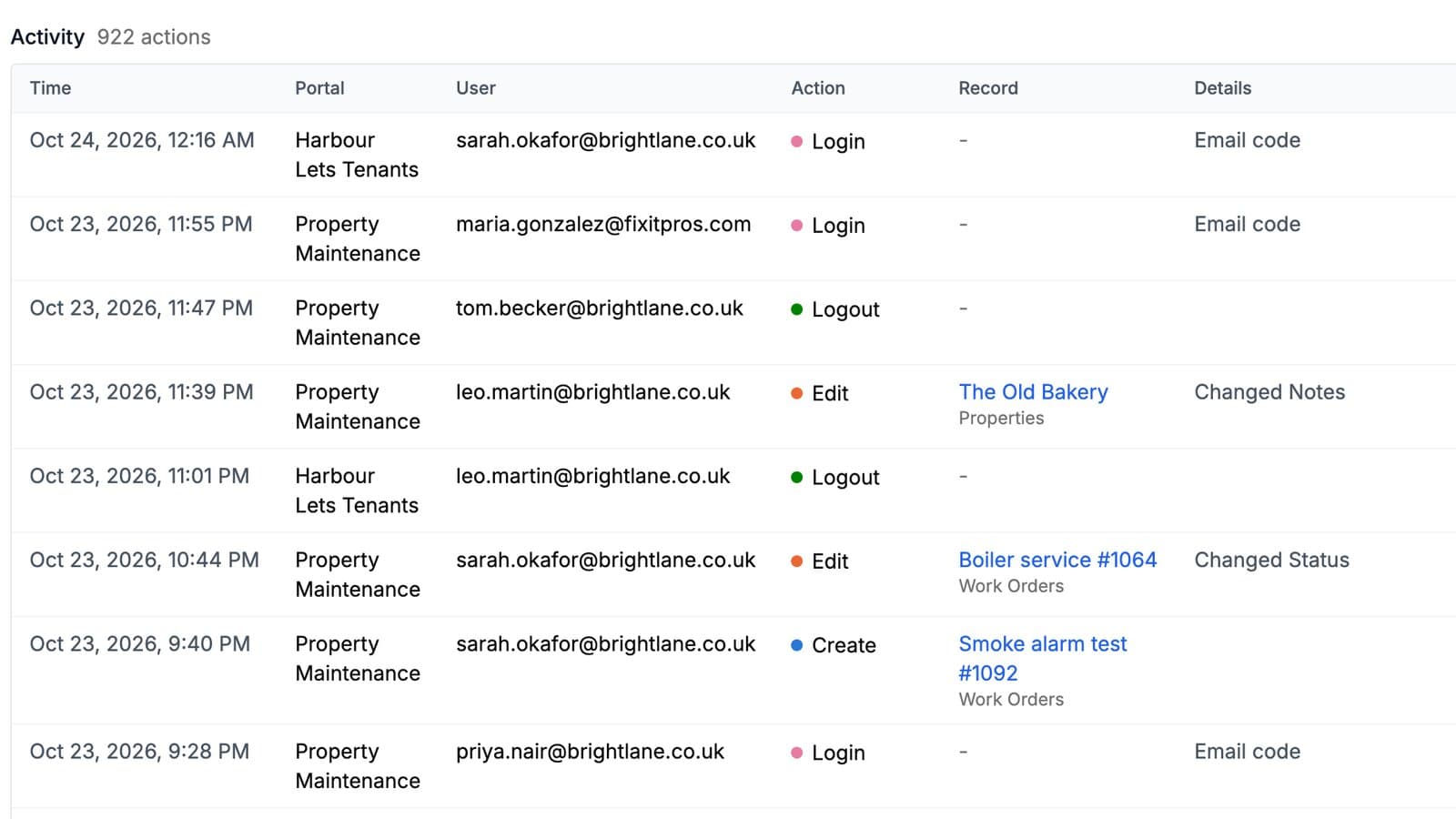
When a portal user changes a record, the change reaches Airtable through its API, under the account that connected the base. So if a status flips or a record disappears, Airtable can't tell you which portal user did it.
The Activity page can. It lists what the users of all your portals did, in one place.
What it does
Every create, edit, delete, export, sign-in, sign-out and role switch through a portal is logged with the time, the portal, the user's email and their IP address:
- Creates, edits and deletes, with the record and its table. An edit lists the fields that changed.
- Exports, with the format, the row count, and the fields the user filtered or sorted on.
- Sign-ins and sign-outs, including which sign-ins were new sign-ups.
- Role switches, from one role to another.
Bulk edits and deletes log one entry per record, so you can still find one record in a batch of fifty.
Filter it to the question you have
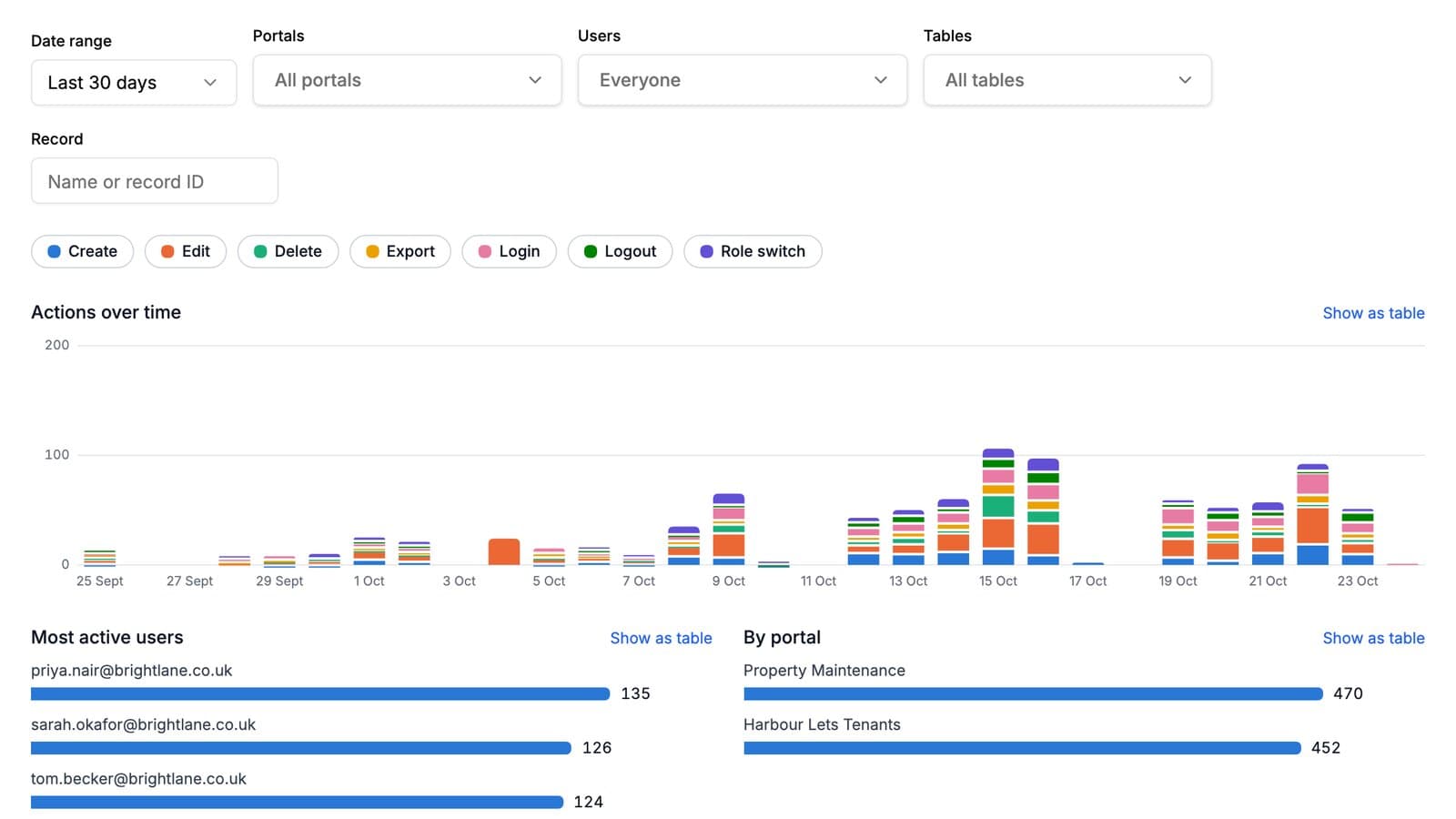
Pick a date range, then narrow by portal, user, table or record. Portals, users and tables each take several choices, and the user filter searches as you type, so it works with hundreds of users. Toggle action types on and off: switch everything off except sign-ins to see who has actually signed in this month.
Above the list, three charts show actions per day stacked by type, your most active users, and how your portals compare. They follow the same filters as the list.
What it does not log
Only activity through a portal is logged. Changes made directly in Airtable or by automations are not, and neither is viewing a record. An edit records the names of the fields that changed, never their values. Your own previews of a portal are left out, so testing doesn't fill the log.
Entries are kept for 12 months, then deleted automatically.
How it works
Open Activity under More in the dashboard sidebar. There is nothing to switch on: it covers every portal you manage. The activity log guide explains each entry and filter.
Who it is for
Anyone who lets outside people change their data: client portals checking a client actually signed in, contractor portals seeing who uploaded what, and teams running several portals who want sign-ins across all of them on one chart.
Try it on your own base
Connect Airtable, build a portal, and share it. Seven days free, no card needed.
Related guides and examples
Roles: One Portal, A Different View for Each Person
Define roles like Admin, Editor and Viewer from a field in your user table. Each role gets a complete permission set of its own, in the same portal.
FeatureLet Portal Users Create, Edit and Delete Records
A portal is not read-only. Give people permission and they add records, update their own, and delete them, writing straight into your Airtable base.
FeaturePortal Logins Without Airtable Seats or Passwords
Portal users sign in with their email address and a 6-digit code. They never need an Airtable account, a CollabPortals account, or a password.
Use caseClients
Give your clients secure, branded access to their project data in Airtable. No extra seats, no code, no complex setup, just share a link.