Build an Airtable Issue Tracking and Maintenance Request Portal
Let tenants, customers, or end users report issues and track resolution status through a portal connected to your Airtable maintenance database.

See it working, then start from a ready-made Airtable base.
See a live demoCopy the Airtable templateThe Problem: Collecting and Tracking Issues from External Users
You manage maintenance, defects, or support issues in Airtable, tracking what was reported, who reported it, the status, assigned technician, priority, and resolution. But the people reporting issues cannot see the system:
- Phone and email reports require manual data entry into Airtable. Details get lost, duplicates are common, and reporters have no way to check status without calling again.
- Google Forms collect the initial report but offer no follow-up visibility. Reporters submit and then wait in the dark.
- Shared spreadsheets let everyone see everything, other tenants' complaints, internal priority notes, cost estimates. No access control.
- Dedicated ticketing systems (Jira, Zendesk, Freshdesk) are overkill when your team already works in Airtable. They also cost $15 to $50+ per agent per month.
What you need is a portal where end users submit structured issue reports that go directly into your Airtable base, then come back to check resolution status, without seeing other people's reports or your internal operations data.
How CollabPortals Works for Issue Tracking
CollabPortals creates a portal where reporters log in with their email, submit issues using your Airtable table structure, and view the status of their existing reports, grouped by status so open items stand out. Your maintenance or support team continues working in Airtable.
Example: Property Maintenance Portal
A property management company lets tenants report defects and maintenance issues.
| Table | Tenant Access | Purpose |
|---|---|---|
| Issue Reports | View, create, edit | Tenants submit new issues and add details to existing ones |
| My Reports | View only | Tenants track status of their submitted issues |
| Properties / Units | View only | Reference data for selecting which unit has the issue |
| Technician Assignments | Hidden | Internal dispatch and scheduling |
| Cost Tracking | Hidden | Parts, labor costs, and vendor invoices |
| Internal Notes | Hidden | Maintenance team discussions and priority decisions |
Tenants see: a form-like view to submit issues, and a list of their own reports with status. Your team sees: the full maintenance operation with assignments, costs, and scheduling.
Build an Issue Tracking Portal Step by Step
Here is how the live demo above is put together. It takes about an hour the first time, with no code involved.
- 1
Set up your Airtable base
Start with your support base: an Issues table for what people report, a Facilities table for the buildings or assets they relate to, a Scheduled Visits calendar, a Documents library, and a Contacts table for the people who log in. Contacts is the hub. It holds each reporter's email, and the Issues link back to it, so each person only ever sees their own reports.
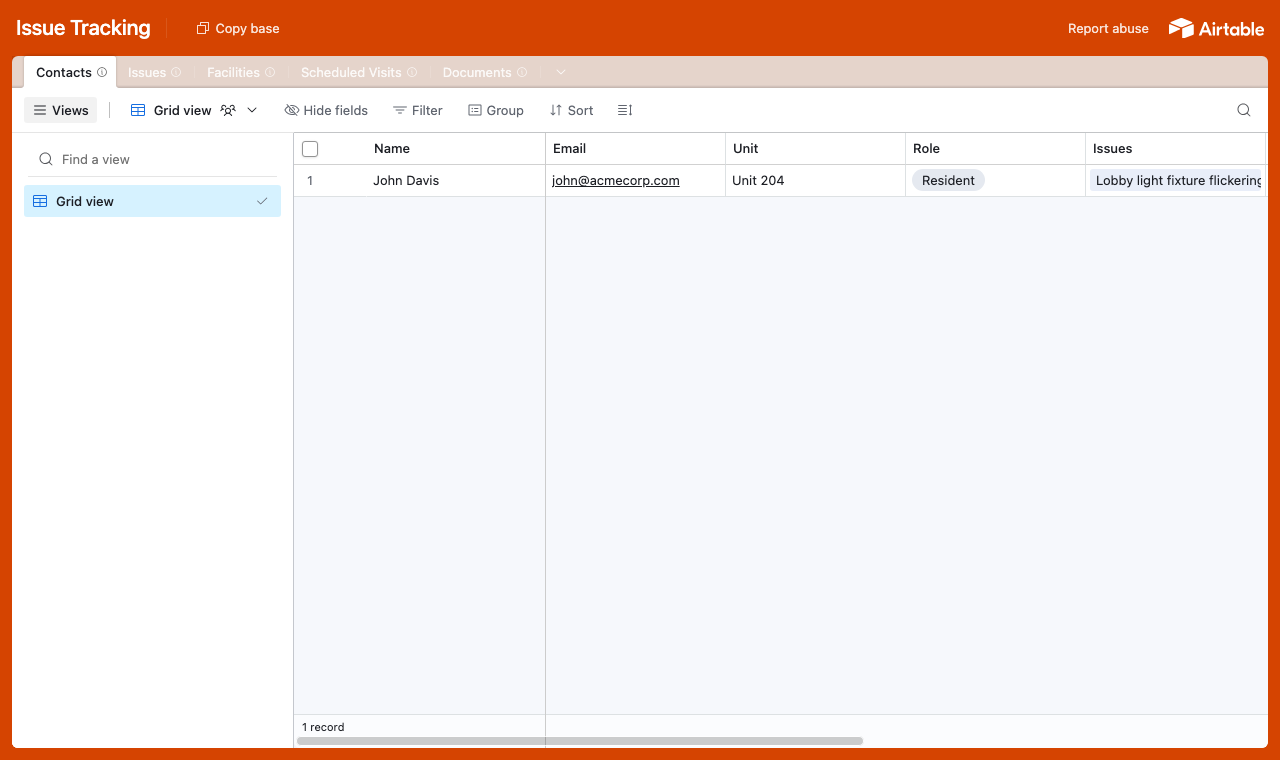
A table for each part of the operation, with a Contacts table every issue links back to. - 2
Connect the base and pick the user table
Point CollabPortals at that base, then choose Contacts as your user table and Email as the login field. Each reporter signs in with their email and is matched to their own record.
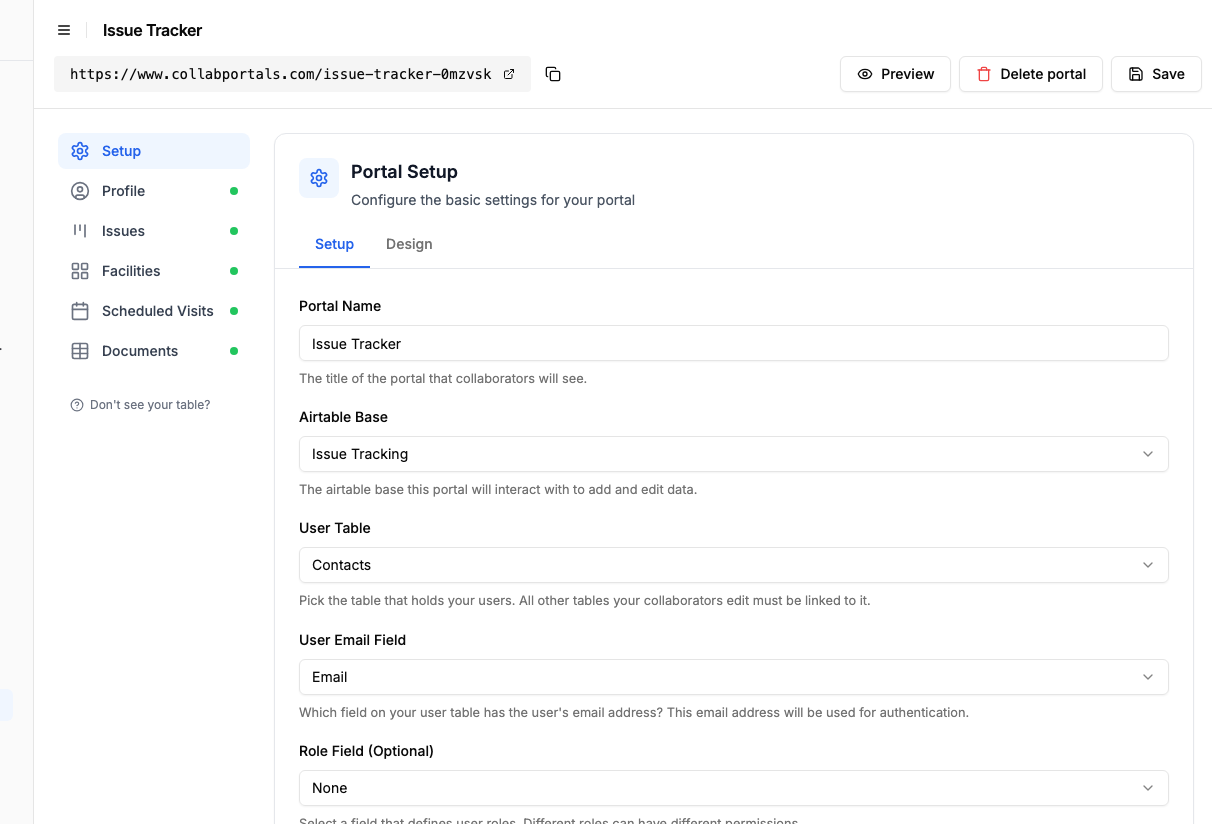
Connect the base, then point CollabPortals at the Contacts table and its email field. - 3
Let users report and add detail, hide the back office
On the Issues table, turn on create and edit so users can raise an issue, attach a photo and add detail later, and leave delete off. Show the fields they fill in, like title, description, priority and photo, and hide internal ones such as the assigned technician, cost estimate and SLA tracking.
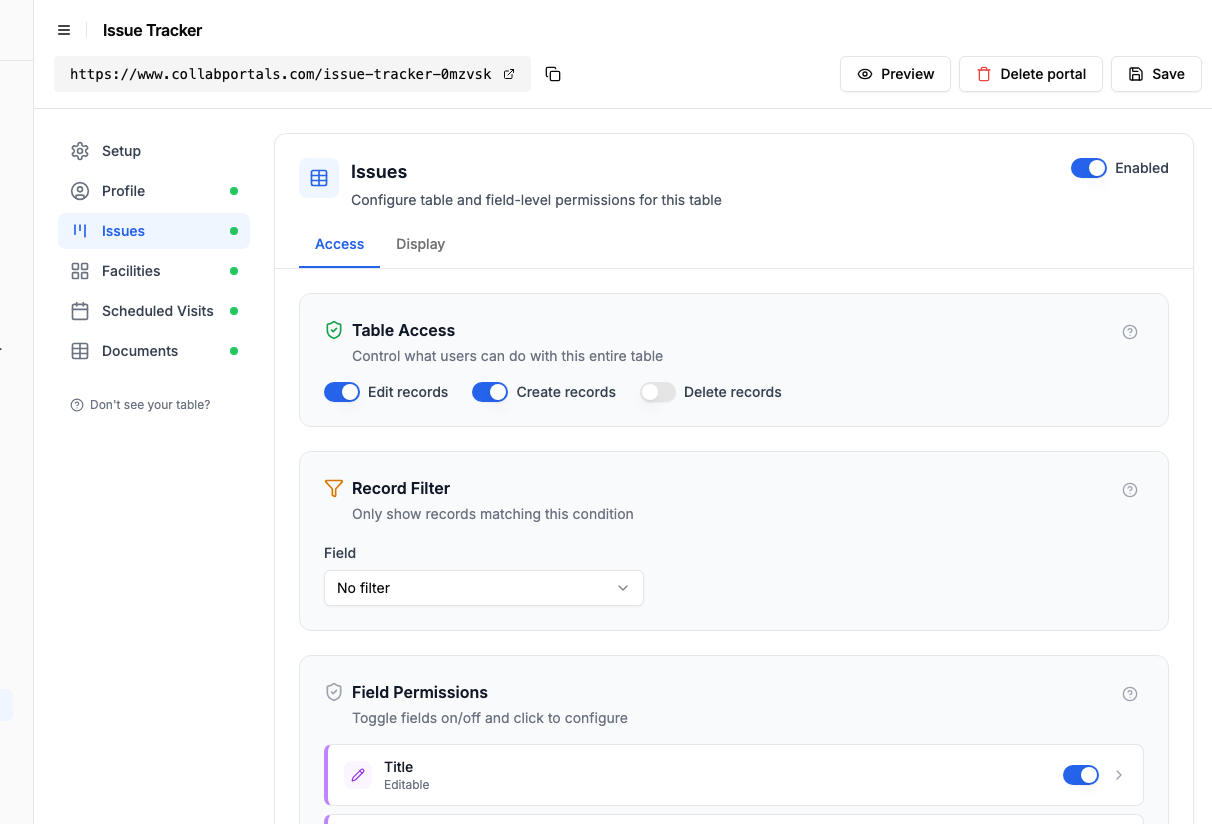
Let users raise and update issues, while assignments and costs stay hidden. - 4
Give each table the view that fits
Pick how each table appears. Issues as a board so a reporter watches an issue move from Open to In Progress to Resolved, Scheduled Visits on a calendar, Facilities and Documents as tables.
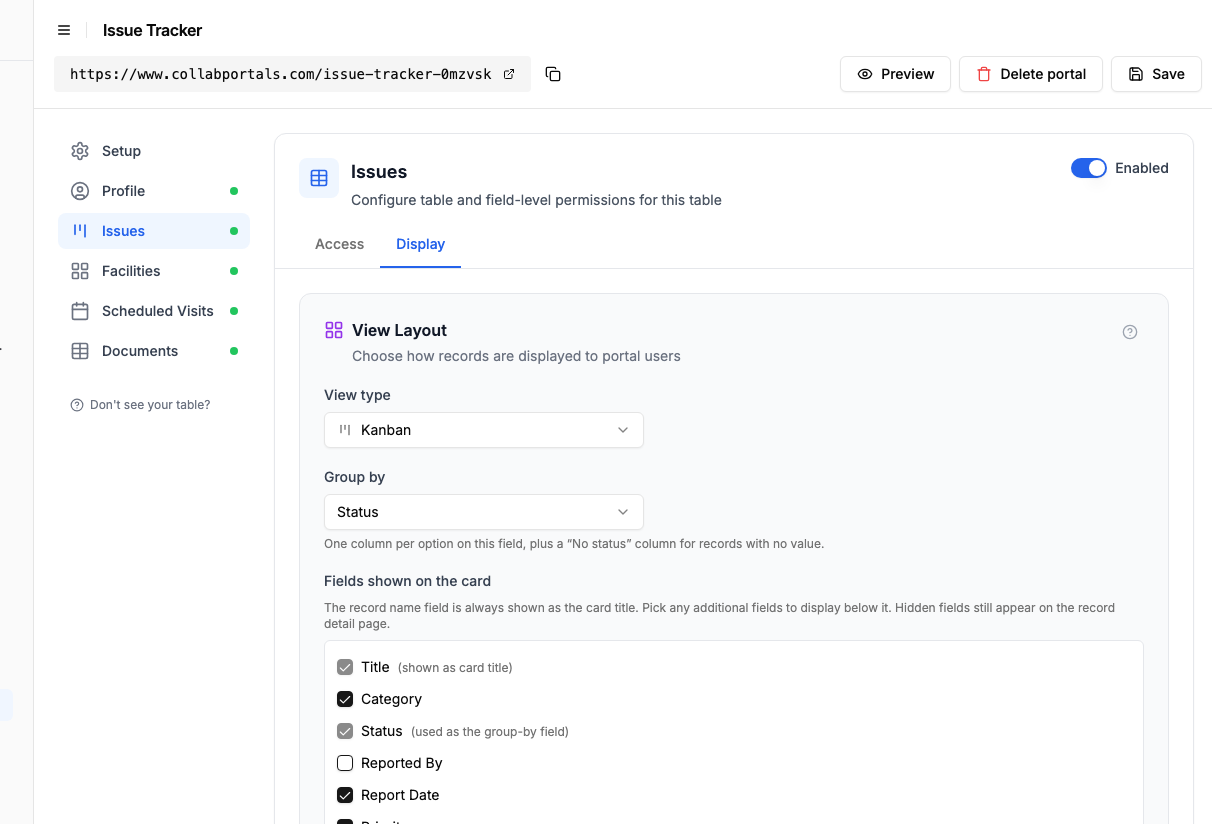
The Display tab lays the Issues table out as a board grouped by status. - 5
Users report and track in one place
The result is a clean, branded portal. Each user signs in, submits an issue with a photo, and watches it move across the board as your team works it, all writing straight into your Airtable base.
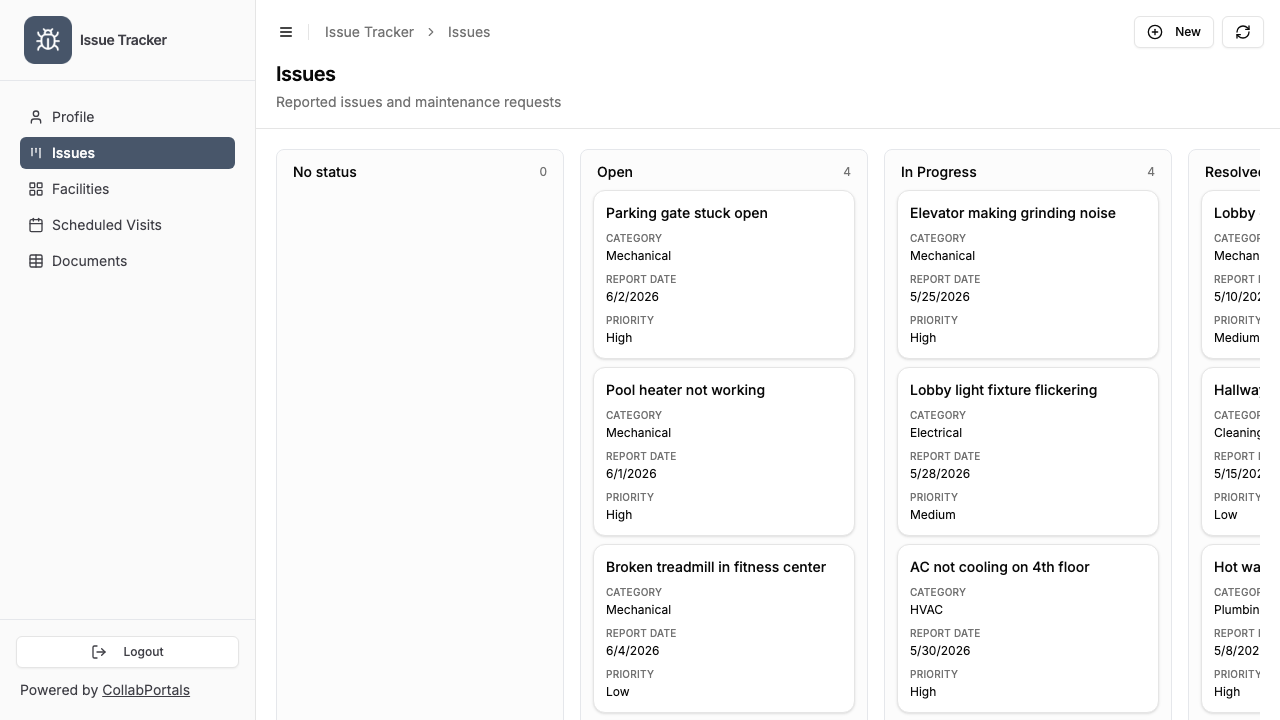
Users submit an issue and track it from Open to Resolved on the board. - 6
They log in with their email
Share the link with your users. Each one signs in with their email and a one-time code, so there are no passwords to manage and no Airtable seats to buy.
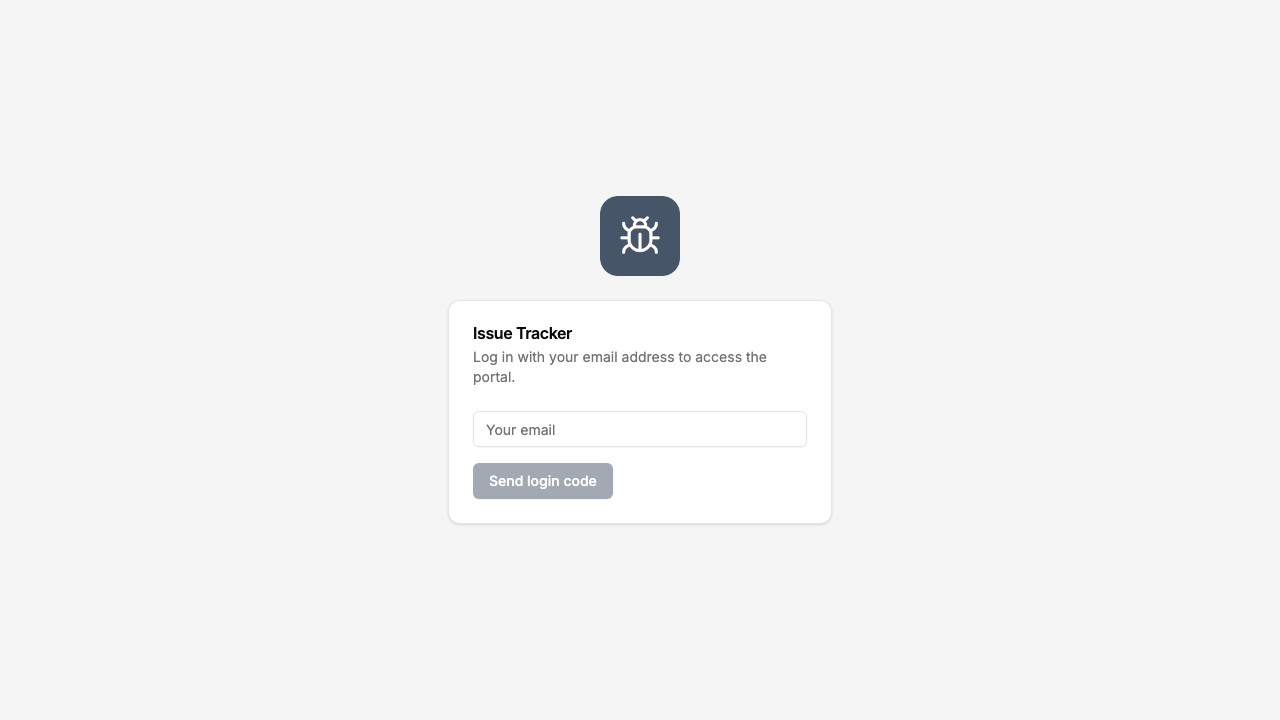
Email and one-time code login, branded with your logo and colour.
Want to start from this exact setup? Open the live demo or copy the Airtable template and connect it to your own base in minutes.
Use Cases for Issue Tracking Portals
Property Maintenance
Tenants or building occupants report issues (broken fixtures, HVAC problems, plumbing leaks) and track resolution.
- Issues table (create, edit), location, description, urgency, photos
- Status view (read-only), reported, in progress, scheduled, resolved
- Hidden: assigned contractor, cost estimate, parts ordered, internal priority
Product Defect Reporting
Customers or field teams report product defects or quality issues.
- Defect Reports (create, edit), product, serial number, description, photos, severity
- Report Status (read-only), acknowledged, under investigation, fix scheduled, resolved
- Hidden: root cause analysis, engineering notes, batch recall decisions
Facilities Management
Employees or occupants report building issues to a central facilities team.
- Requests (create), building, floor, room, issue type, description
- My Requests (read-only), current status and expected resolution date
- Hidden: work orders, vendor assignments, budget impact
Customer Support Tickets
Customers submit support requests that feed into your Airtable-based support workflow.
- Tickets (create, edit), category, description, urgency, screenshots
- My Tickets (read-only), status, last update, resolution
- Knowledge Base (read-only), common solutions to check before submitting, displayed as an FAQ page: the question is the heading, the answer opens underneath
- Hidden: internal escalation, SLA tracking, agent assignment
What Makes This Better Than a Form
| Capability | Form (Google/Typeform) | Ticketing Tool (Zendesk) | CollabPortals |
|---|---|---|---|
| Structured data collection | Yes | Yes | Yes |
| Reporter sees status updates | No | Yes | Yes |
| Reporter can add info to existing report | No | Via email replies | Yes (edit access) |
| Data lives in Airtable | Via integration | No (separate system) | Yes (native) |
| Per-user data isolation | N/A | Yes | Yes |
| Cost | Free + integration ($20+/month) | $19 to 55/agent/month | $10/month flat |
| Your team works in Airtable | Partially | No | Yes |
The portal closes the feedback loop: reporters submit, check status, and add details, all through your Airtable data. No separate system for your team to monitor. For more on the portal-vs-form question, see CollabPortals vs Fillout and CollabPortals vs Miniextensions.
Field-Level Permissions for Issue Tracking
Issue tracking tables often have fields that serve different audiences:
- Show to reporters: Issue title, description, location, status, date submitted, expected resolution
- Hide from reporters: Internal priority, assigned technician, cost estimate, parts ordered, vendor contact, SLA breach flag, internal notes
- Editable by reporters: Description (to add details), photos (to add evidence)
- Read-only for reporters: Status, resolution date, resolution summary
This means reporters see a clean, relevant view while your team has full operational data in the same Airtable table. For reporters with a long history of tickets, turn on filter, search and sort controls so they can filter their issues by status and search them instead of scrolling.
For the generic version that applies to any base, see the setup guide.
Take It Further
The walkthrough above is the whole build. A few options are worth knowing once you are up and running:
- Nest updates under each issue. Turn on related records so an issue's comments, updates and scheduled visits show on the issue record, scoped to it, so a reporter follows one ticket's whole history on its own page. Comments are usually the reason a ticket gets opened, so they read best set to Under details, below the issue's own fields, with the rest in tabs.
Frequently Asked Questions
Can reporters only see their own issues?
Yes. Each reporter is matched to their record in your Airtable Users table via email. They see only issues they submitted. One tenant cannot see another tenant's maintenance requests.
Can reporters attach photos to their issue reports?
Yes, if your Airtable table includes an attachment field and you make it visible and editable in the portal. Reporters can upload photos directly through the portal interface.
Can I send notifications when a status changes?
CollabPortals itself does not send notifications, but you can set up Airtable automations to email reporters when a status field changes. The portal then reflects the updated status when they log in.
How is this different from using Jira Service Management?
If your team already tracks issues in Airtable, CollabPortals adds an external-facing portal without migrating to a new system. Jira Service Management costs $21 to $49 per agent per month and requires your team to work in Jira instead of Airtable.
Can I use this for both internal and external issue reporting?
Yes. You can create separate portals with different permissions, one for external reporters (tenants, customers) and one for internal staff. Both connect to the same Airtable base.

About the author
Matt Shepherd
Founder, CollabPortals
Matt is the founder of CollabPortals. A software engineer and Airtable power user who kept running into the same frustration: no easy way to give external users a simple and secure view to edit their data. He built CollabPortals as the lightweight solution to that problem, allowing you to set up a secure, permissioned portal in a few clicks.
Related use cases and guides
Internal Requests
Let employees submit hardware requests, IT tickets, supply orders, and internal service requests through a portal connected to your Airtable operations base.
Use caseMaintenance
Let tenants, clients, or building occupants submit fault reports with photos and track repair status through a portal connected to your Airtable maintenance database.
ComparisonCollabPortals vs Fillout: Portal or Form Builder?
Compare CollabPortals ($10/month portal builder) with Fillout (form builder from $0/month). Understand when you need a portal vs a form for Airtable data collection.
ComparisonCollabPortals vs Pory: Which Airtable Portal Builder Is More Affordable?
Compare CollabPortals ($10/month) with Pory ($99+/month) for creating Airtable-connected portals. See pricing, features, and which tool is right for your needs.